

Online store platform
Pick a theme, add your products and connect your payment and shipping methods; your store goes live at its own address with automatic SSL.
You continue on the sign-up page; this does not opt you in to messages.
You connect payment, shipping, e-invoicing, SMS and measurement integrations with your own accounts.
 Bank Transfer
 Cash on Delivery
 iyzico
 Pay in Store
 PayPal
 PayTR
 Stripe
 Turkish Carriers
 Google Analytics 4
 Google Tag Manager
 Meta Conversions API
 Meta Pixel
 TikTok Pixel
 Google Merchant Center
 Meta Commerce Manager
 WhatsApp Chat Button
You connect every integration with your own account; payments and shipments run under your own contracts. All integrations
How do I start?
Sign up with your name, e-mail and password and choose your store address. Your store opens at its own address with the default theme, legal page templates, menus, tax settings and order statuses already set up.
Pick a theme for your sector; in the theme editor edit sections, colours and fonts with a live preview.
Add your first product and define your payment methods and shipping zones. The setup wizard works out the missing steps from your real data.
Connect your own domain if you like; verification and SSL run automatically. Make the final checks and open your store to visitors.
Features
From the storefront to the order, from payment to shipping, you do not need a separate tool for the daily work.
A new order lands in the dashboard at once; payment, shipping, invoice and return steps sit on the order’s timeline.
Set the layout, colours and fonts in the theme editor with a live preview and publish when you are ready.
Card and instalment payments, bank transfer and cash on delivery; shipping zones and tracking links are ready.
Open your store in several languages and show prices in the visitor’s currency.
With the REST API and signed webhooks, orders, products and stock flow into your accounting or warehouse software.
Dashboard
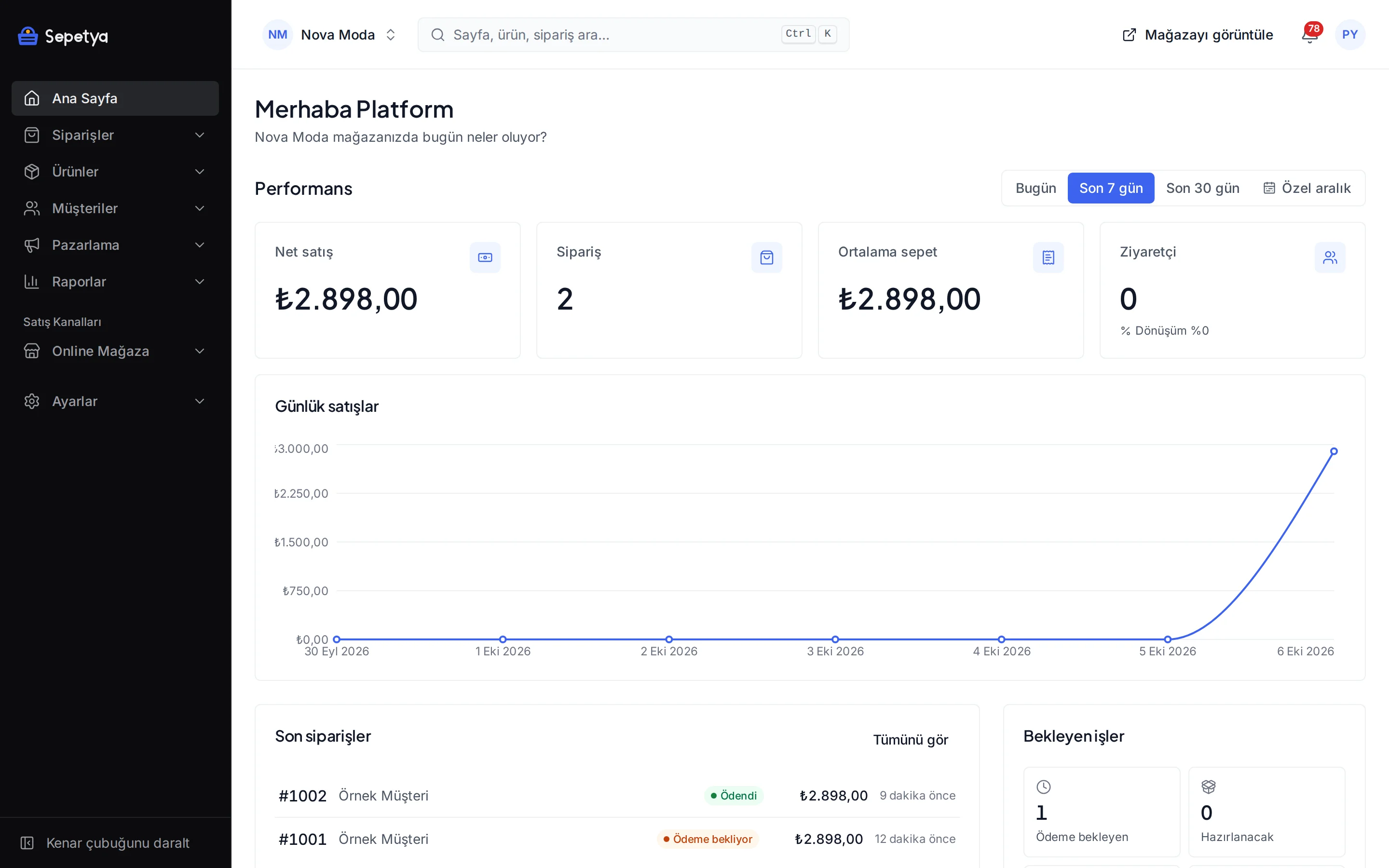
Your daily work, from orders to the domain, is in the same dashboard. The screens were captured from the real product with demo store data.
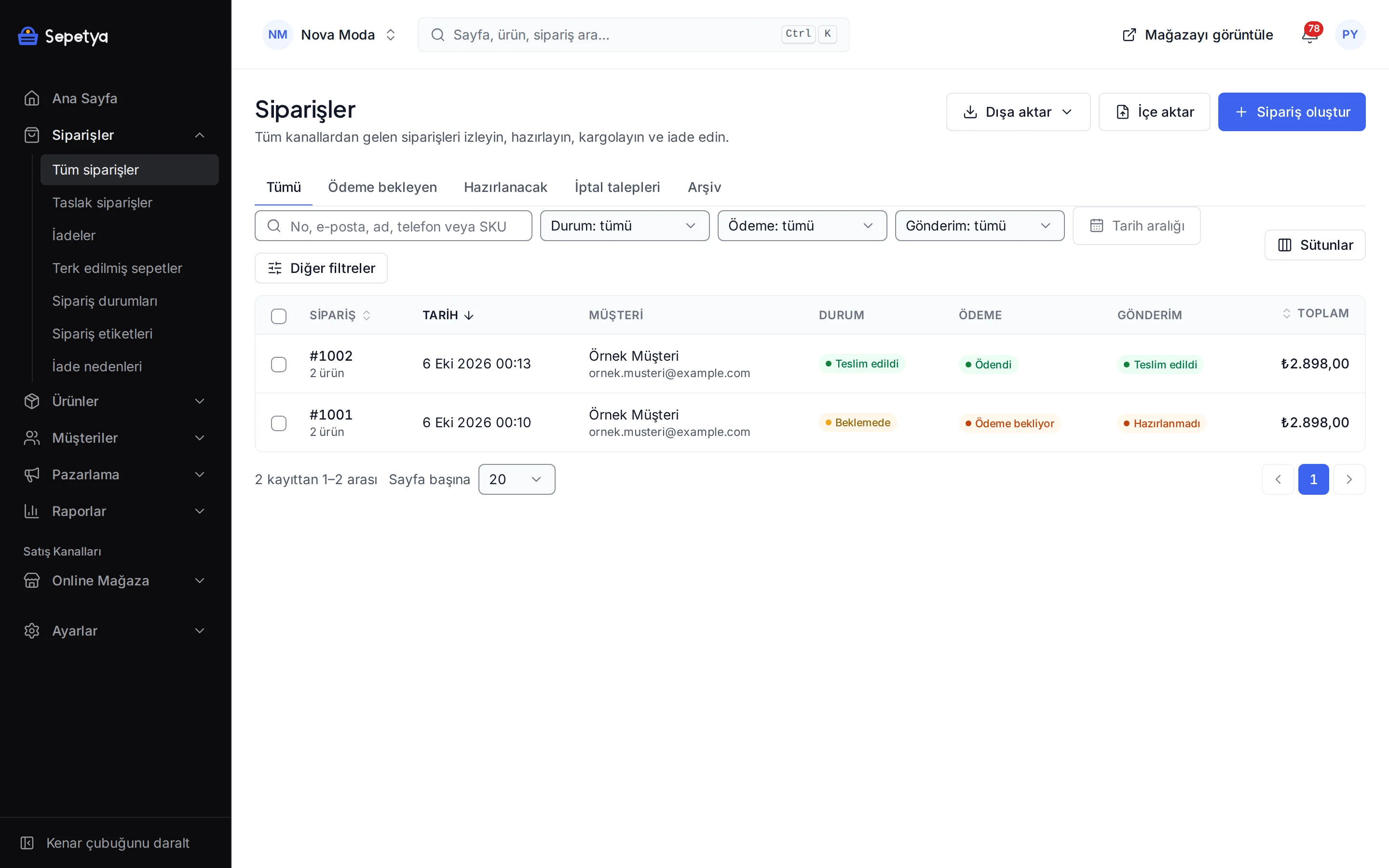
See incoming orders in a single list; each order’s timeline holds its payment, shipping, invoice and return steps.
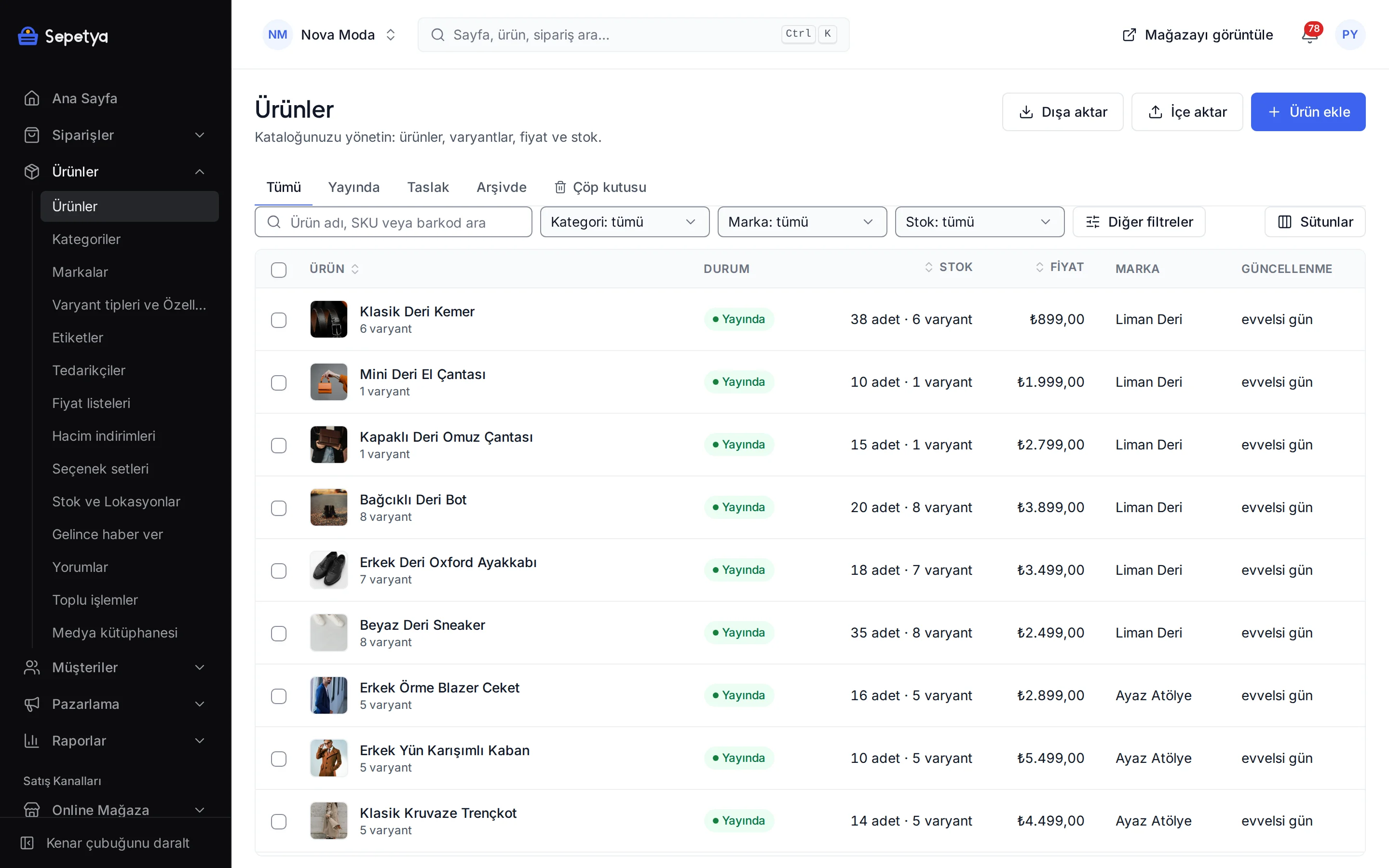
Manage products with their variants, categories and stock; import many products with CSV and edit them in bulk.
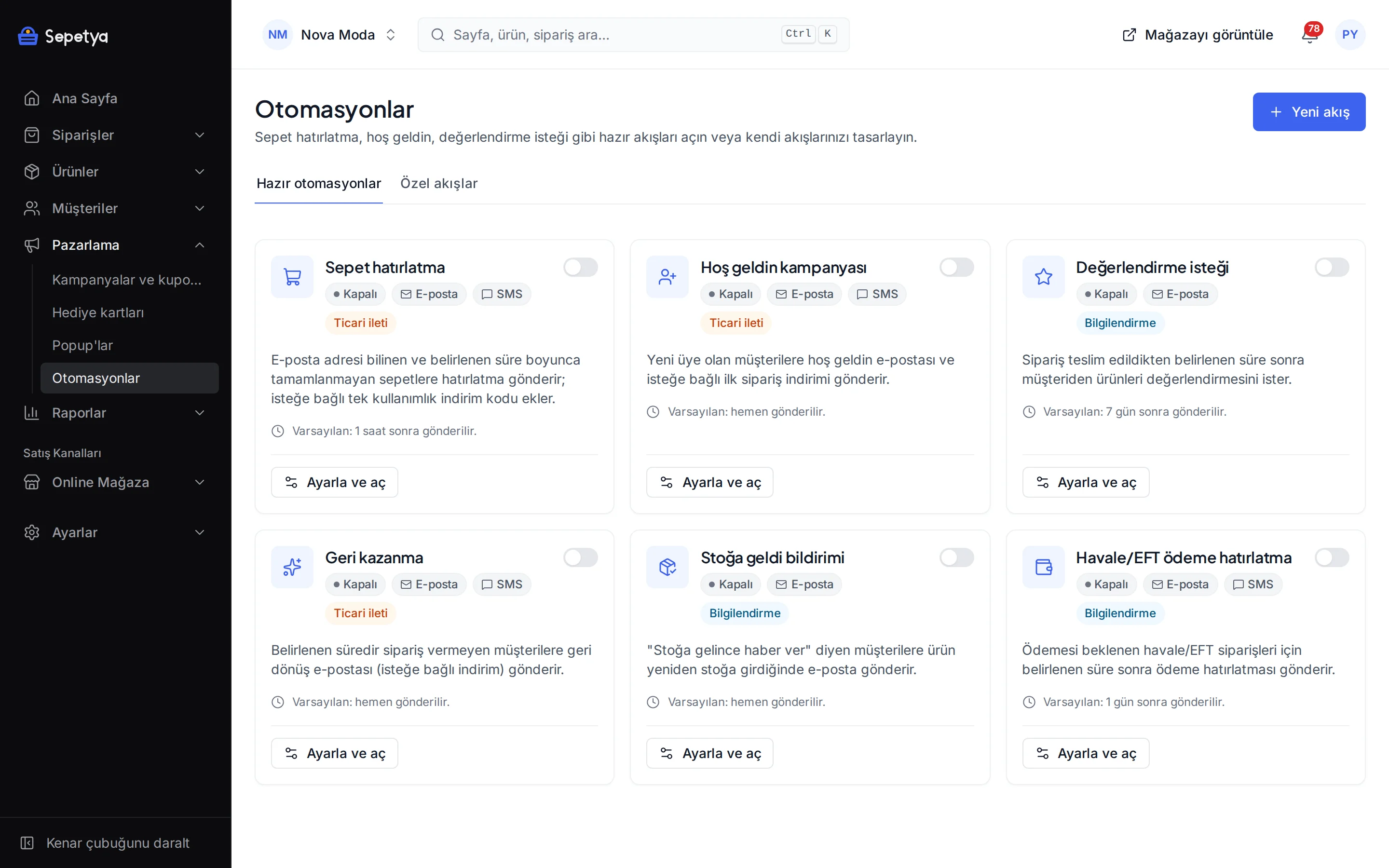
Define discount and coupon rules, and switch on ready-made automations such as cart reminders and welcome messages.
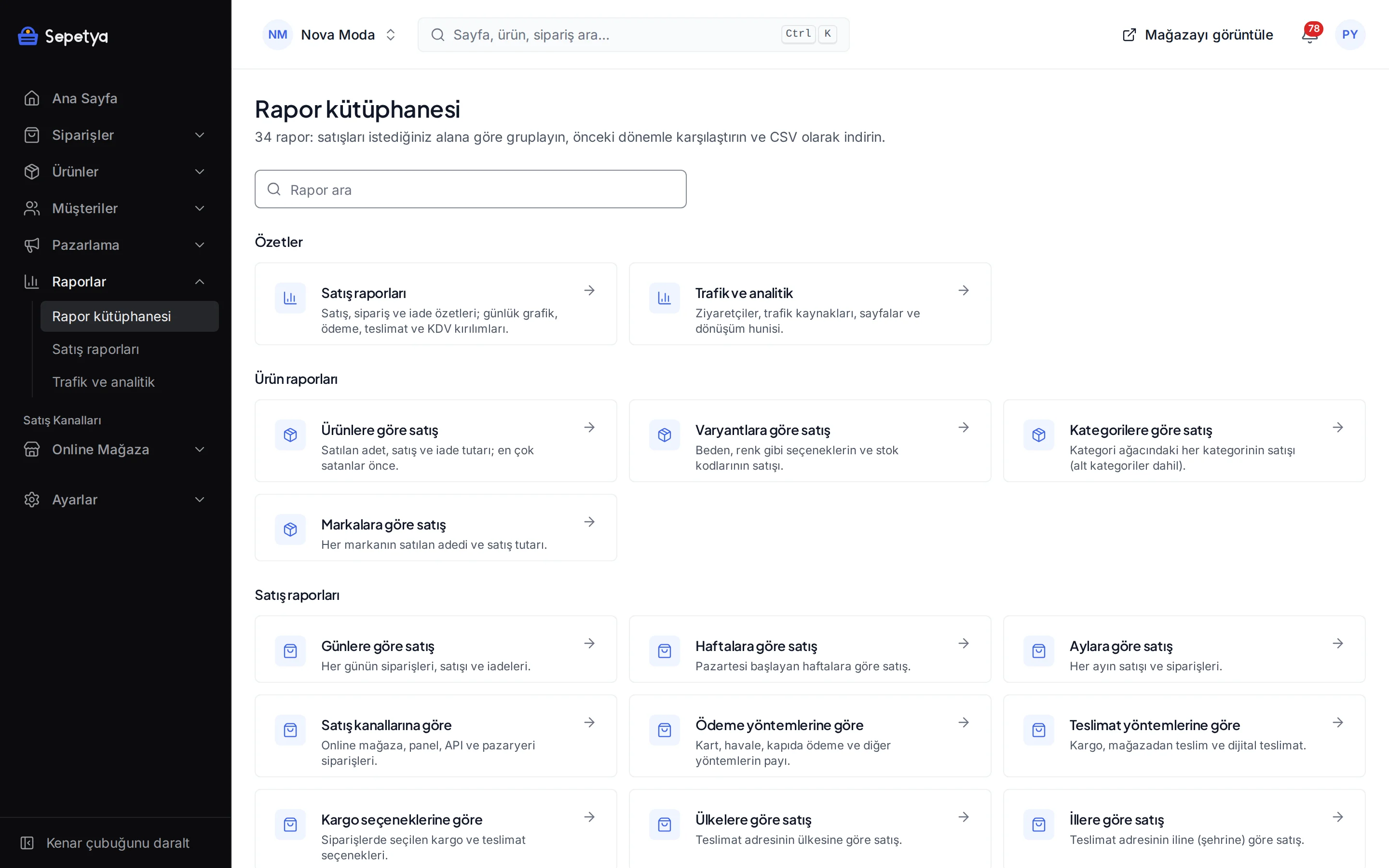
Choose sales, product and customer reports from the report library and see the conversion funnel and sources on the traffic screen.
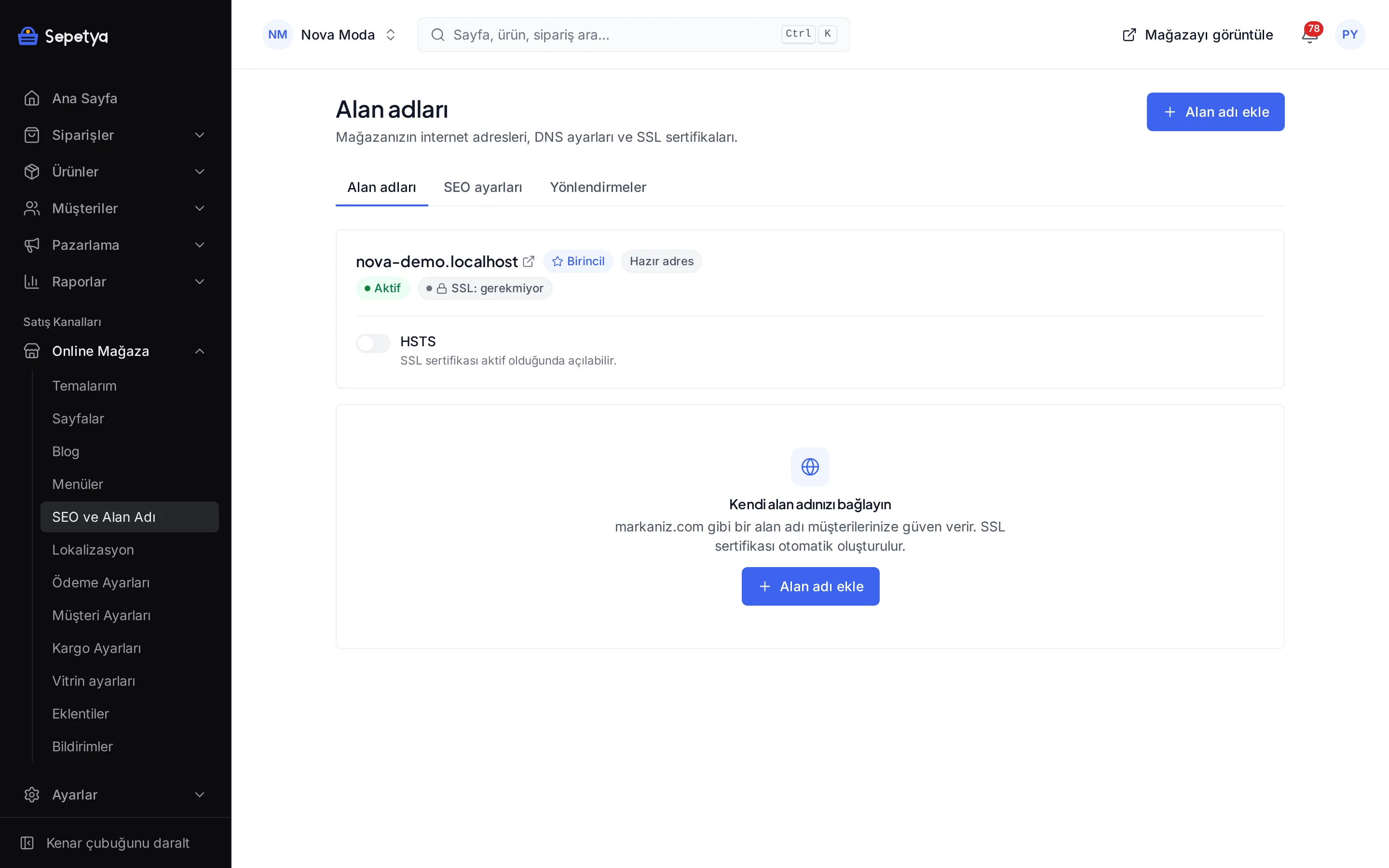
Add your domain and enter the DNS records the dashboard shows; verification and the SSL certificate run automatically.
Each theme comes with its own header, product card and footer. Open the demo store with sample content and start with the theme you like.
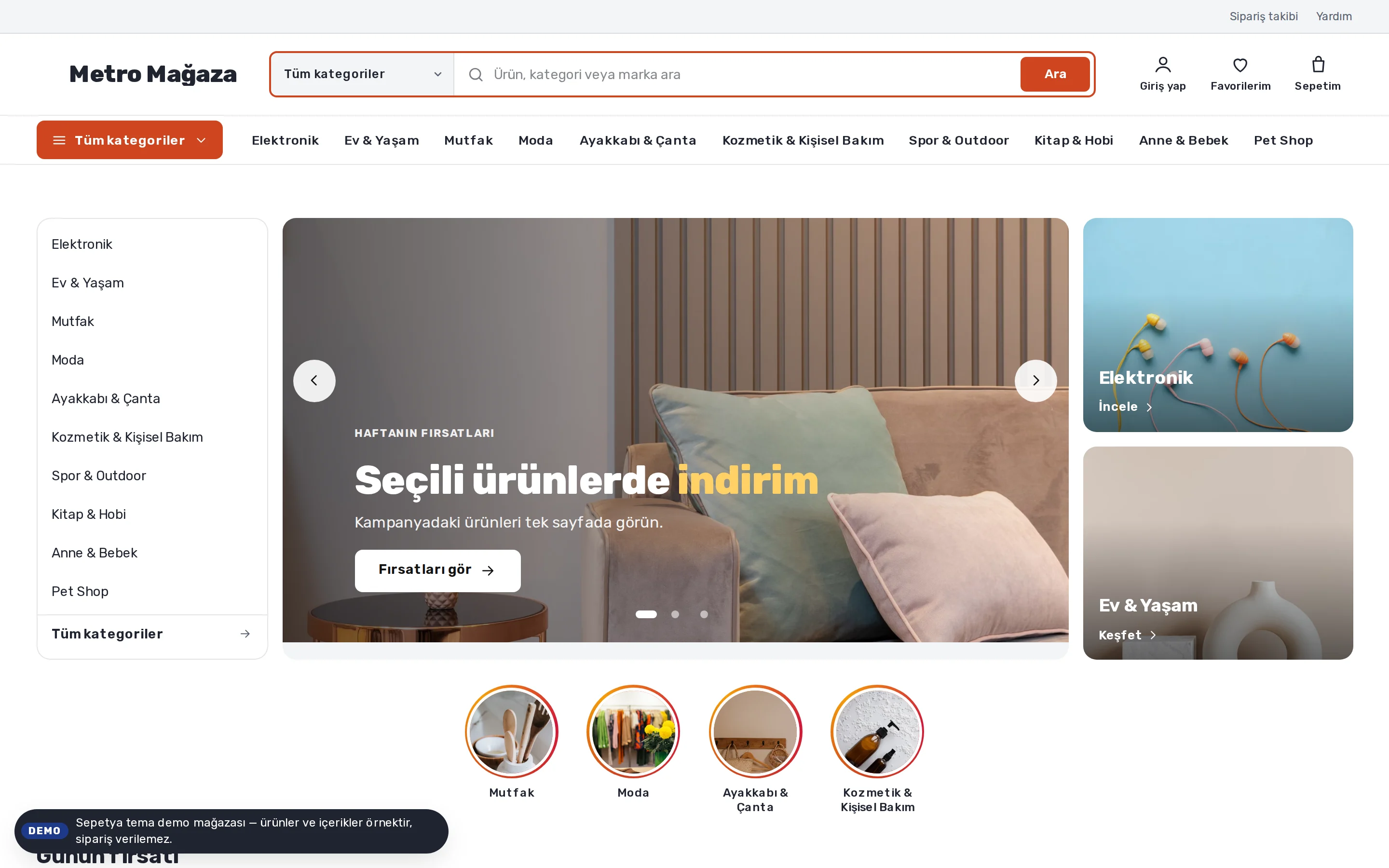
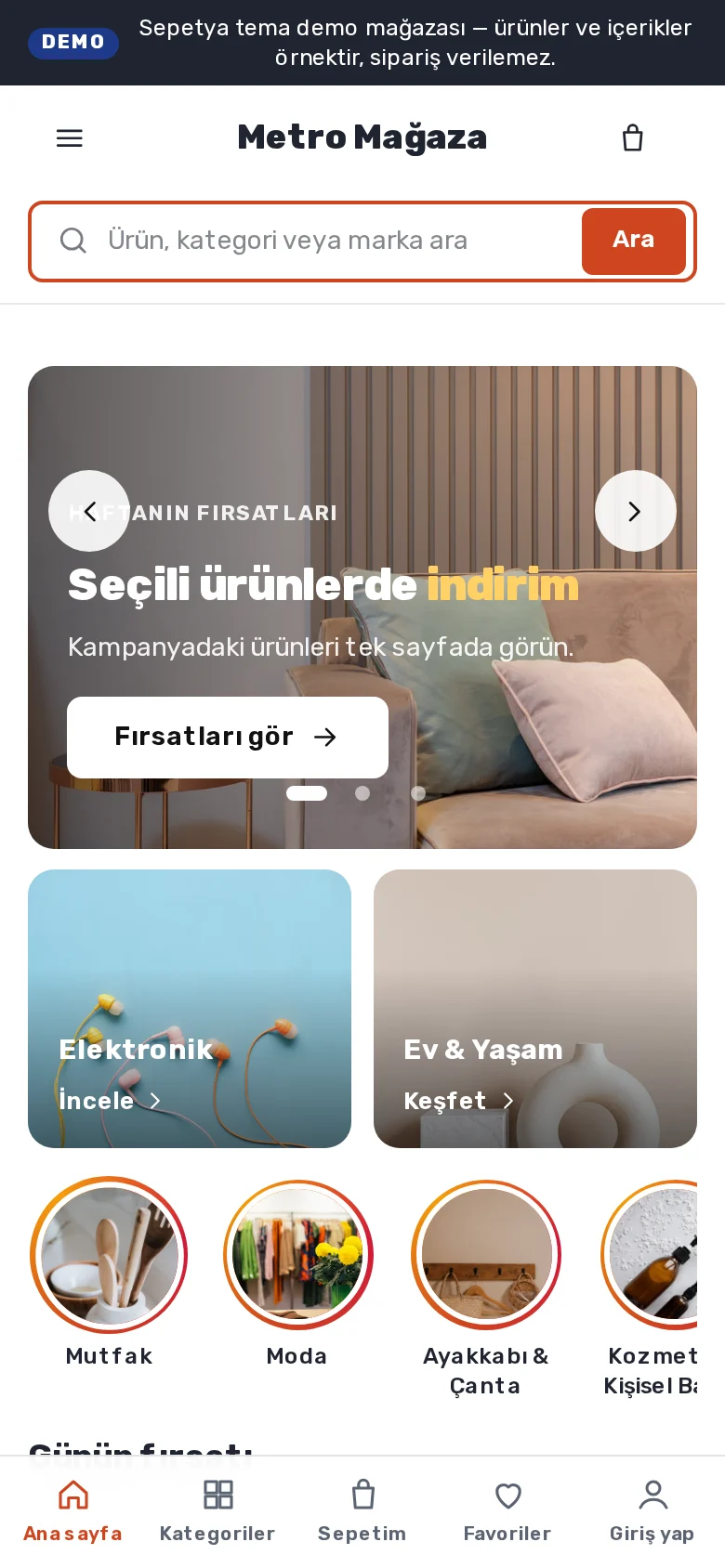


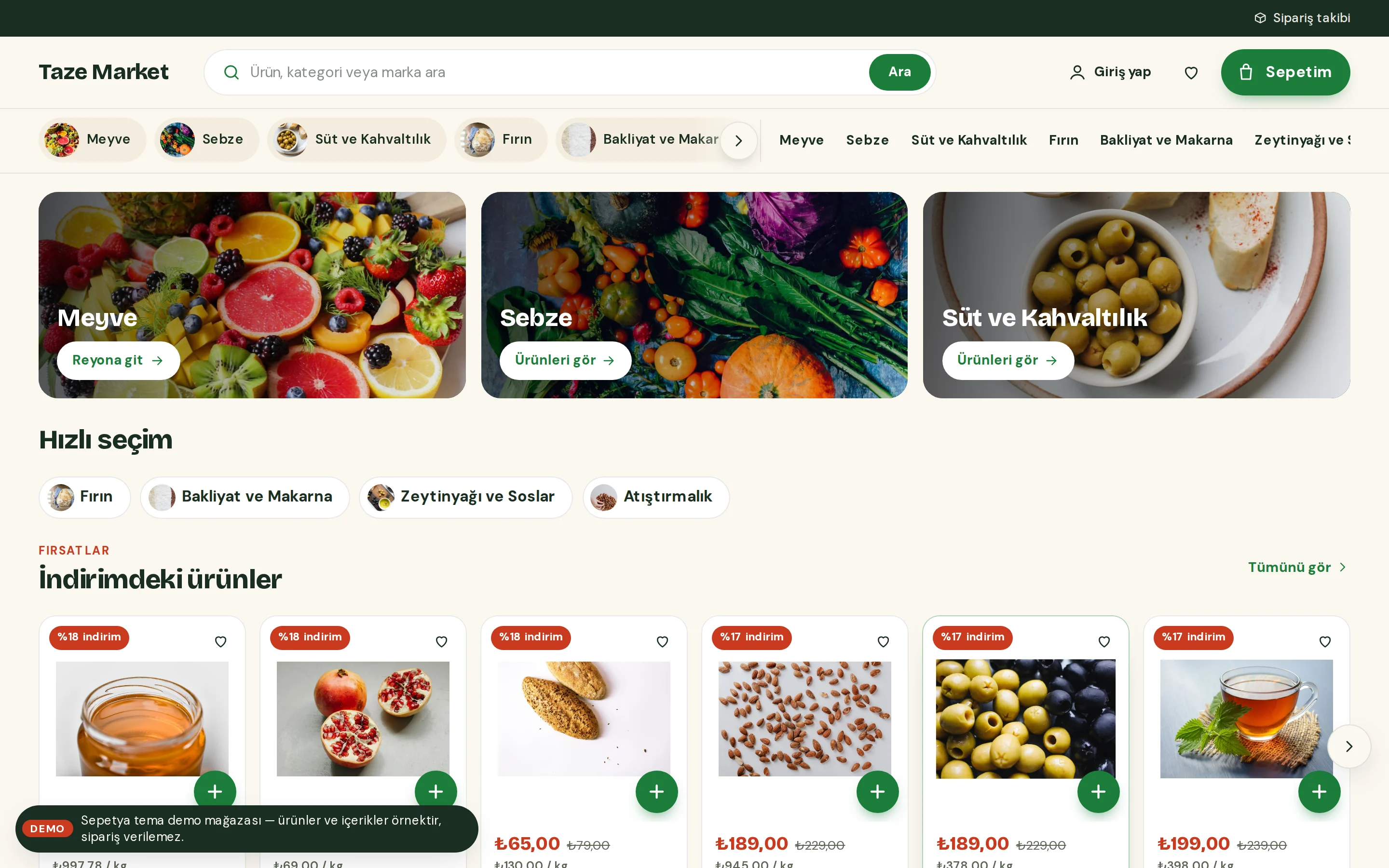
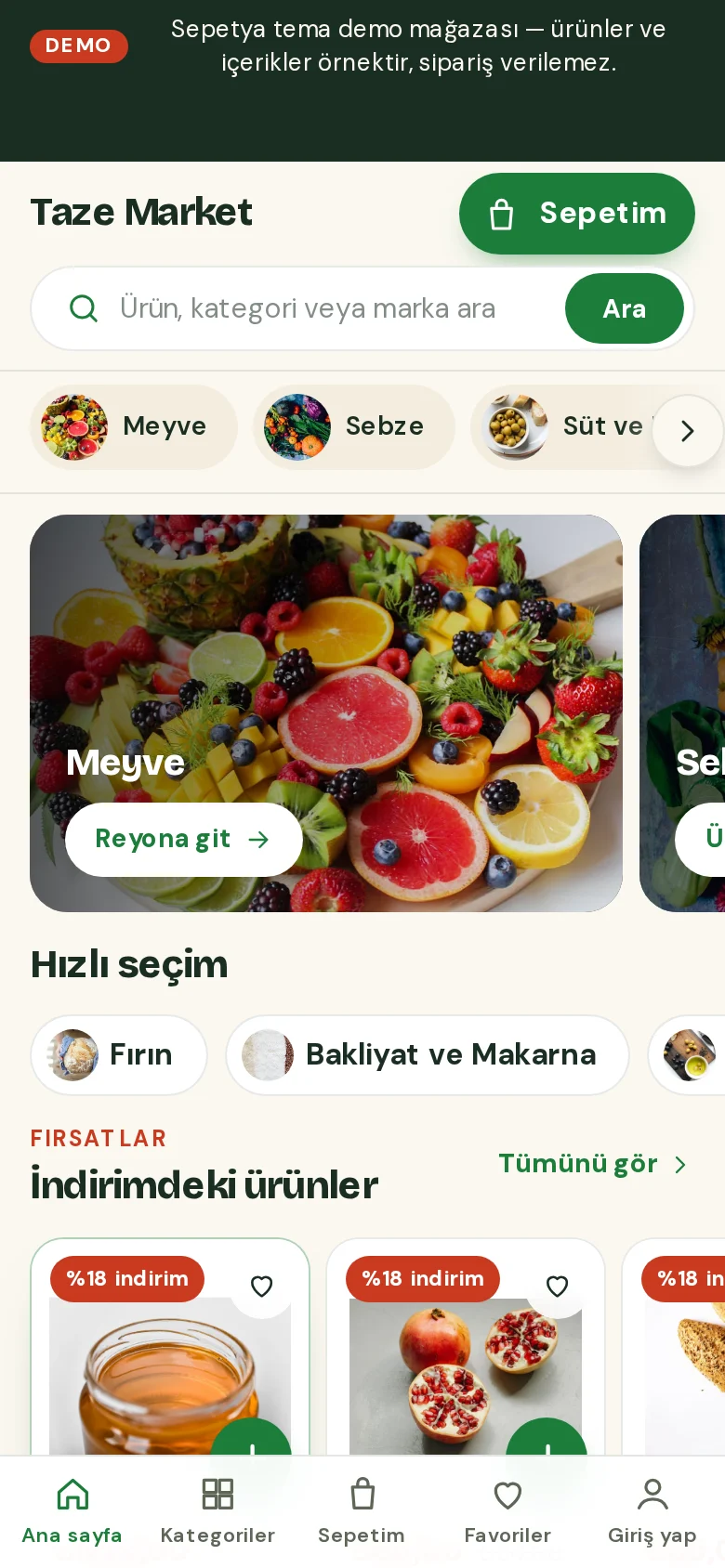
Products and content in demo stores are samples; orders cannot be placed in a demo store.
Tools for the regulations
Each one is set up in the dashboard; the ready texts are draft templates.
This section is not legal advice. The ready texts are draft templates; ask your lawyer and accountant about the law and your own situation. Having a feature does not mean legal compliance is achieved.
Both documents appear directly above the “place order” button with unticked checkboxes; the copy at the time of the order is stored and e-mailed to the customer.
The privacy notice and the marketing consents are separate checkboxes, and accept and reject are equally prominent in the cookie banner. Customers can export their data or file a deletion request.
E-mail, SMS and call consent is recorded per channel and can be uploaded to İYS through the NetGSM app.
Enter your legal name, address, tax details, MERSİS, KEP and ETBİS numbers once; they are written into the “Seller details” page and the contracts automatically.
Issue the invoice from the dashboard with your own integrator account; the document type follows the buyer.
Plan names, prices, trial length and limits are always up to date on the pricing page.
Essentials for your first store.
₺499/mo
14-day free trial
Multi-language, API and advanced tools for growing brands.
₺1,299/mo
14-day free trial
Scale with unlimited products, a larger team and advanced reports.
₺2,999/mo
14-day free trial
For large catalogues and teams: unlimited products, staff and domains, and the highest API limit.
Custom pricing
Prices include 20% VAT.
SEPETYA is an e-commerce platform for store owners who want to sell online under their own brand. Themes, products and stock, orders, payments, shipping, campaigns, SEO and legal processes are managed from one dashboard, and your store is published at its own address. You pick a theme for your sector and set it up without writing code.
No. The setup wizard walks you through the steps from store details to the first product and from payment to launch, and in the theme editor you edit your pages without writing code. For advanced users there is also an option to add custom scripts tied to cookie consent.
The wizard’s steps are store details, region and currency, seller details, theme, first product, shipping, payment, domain, legal pages and launch. The theme, domain and legal pages steps are marked as skippable, but we recommend reviewing your legal page texts before you publish. The status of each step is worked out from your real data in the dashboard.
No card details are asked for at sign-up. A new store starts with the plan’s trial period; the trial length and plan details are on the pricing page and you can change your plan later.
Yes. Your store first opens at a ready-made subdomain; when you are ready you add your own domain in the dashboard and verify it with a DNS record, and the SSL certificate is issued and renewed automatically. Connecting a custom domain is a plan feature and the number of domains you can connect depends on your plan. Details are on the features page.
Card and instalment payments with iyzico, PayTR and Stripe, plus bank transfer, cash on delivery and pay in store. You sign the contract with the payment provider and payouts go straight to your account; card details are entered on the provider’s secure payment page. Details are on the features page.
Editable draft templates come ready and appear at checkout directly above the “place order” button with unticked checkboxes; the copy at the time of the order is stored and e-mailed to the customer. The texts are drafts: have your lawyer check them before you publish. Details are on the features page.
Open your account, pick your theme and add your first product. Before you decide, you can browse the themes’ demo stores.