Features
Everything you need to sell online, in one dashboard
Design, products, orders, payments and shipping, marketing, selling abroad and legal processes in the same dashboard. Under each heading you find what you can really do in the dashboard.
Design and themes
Theme editor, pages, menus, blog
Products and stock
Variants, categories, locations, CSV
Orders, returns and invoices
Fulfilment, return requests, e-invoices
Payments and shipping
Card, instalments, transfer, COD, shipping
Marketing and customers
Campaigns, coupons, pop-ups, automations
SEO, ads and reports
Meta fields, pixels, feeds, reports
Domain, language and currency
Your own domain, SSL, selling abroad
Legal processes
Contracts, KVKK, cookies, İYS
Security and team
Roles, two-step sign-in, audit log
Design and themes
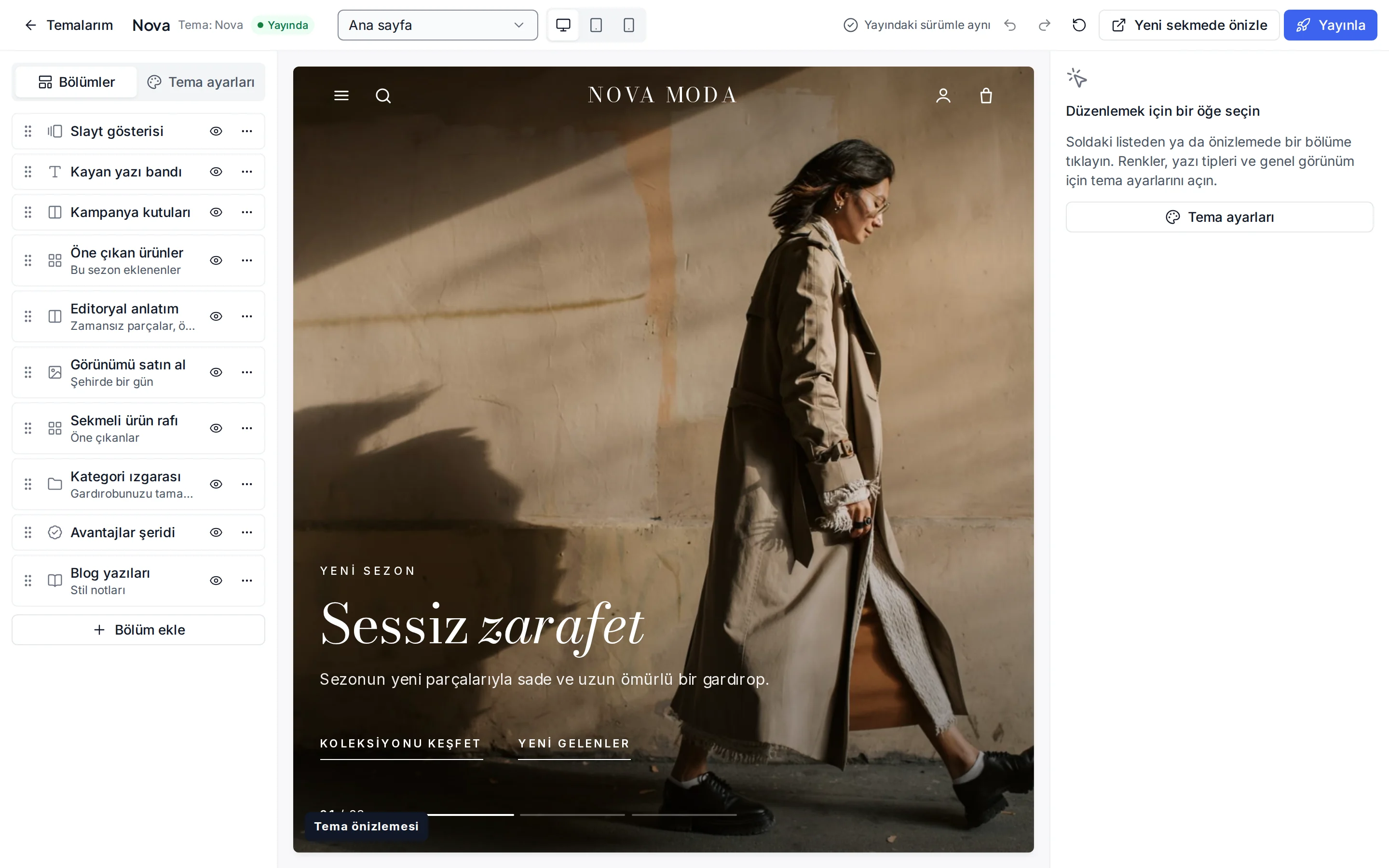
A store that fits your brand, without code
Pick a theme; add, reorder and hide sections and change colours and fonts. Changes are saved as a draft; you check them in the desktop, tablet and phone preview and publish when you are ready.
- Each theme has its own header, product card and footer
- Colour, font, corner and button shape settings
- Undo, redo and reset to defaults
- About, contact and campaign pages, menus and a blog
- Section texts per language
Products and stock
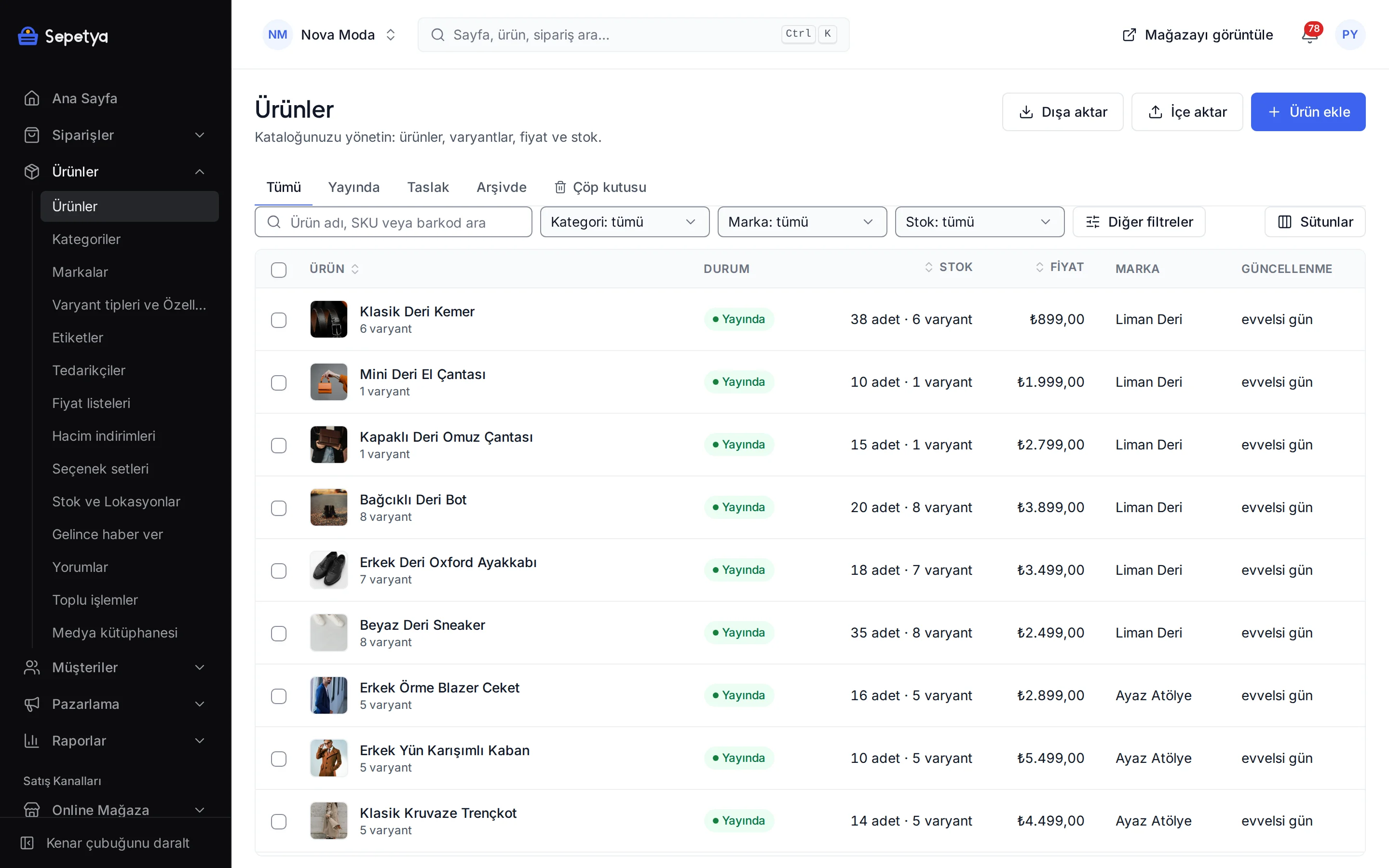
Your catalogue, from variants to stock counts
Manage simple, variant and bundle products in one form. Each variant has its own SKU, barcode, price, image and stock, and you track stock across several locations.
- Variants from options such as colour, size and material
- A category tree of any depth and rule-based categories
- Personalisation fields such as name printing and gift notes
- Transfers between locations, stock counts and stock alerts
- CSV import and export for products, stock, prices and translations
- Updating price, category and tags on many products at once
Orders, returns and invoices
Every step from order to return on one screen
A new order lands in the dashboard at once. You pack it and enter the carrier and tracking number, and the customer gets an e-mail with the tracking link. You approve return and cancellation requests line by line or reject them with a reason.
Attach the invoice as a PDF or issue an e-Fatura or e-Arşiv invoice with your own integrator account; the document type follows the buyer.
- Filter and search by status, payment, shipping and date
- Partial fulfilment and packing slips
- Return reasons, restocking and refunds to store credit
- Draft orders and payment links for orders taken by phone
- Customer notifications edited per language
Payments and shipping
The payment and delivery options your customers expect
Card and instalment payments with iyzico, PayTR and Stripe; bank transfer, cash on delivery and pay in store. You sign the contract with the payment provider and payouts go straight to your account; card details are entered on the provider’s secure payment page.
Set shipping fees by zone, weight or basket total; for local delivery the customer picks the day and time slot, for store pickup the pickup point.
- An instalment table on the product page, instalment choice at checkout
- Country, amount range, fee or discount for each payment method
- A free shipping threshold and an estimated delivery time
- Ready tracking links for carriers in Turkey
- Shipped, delivered and ready-for-pickup notifications
Marketing and customers
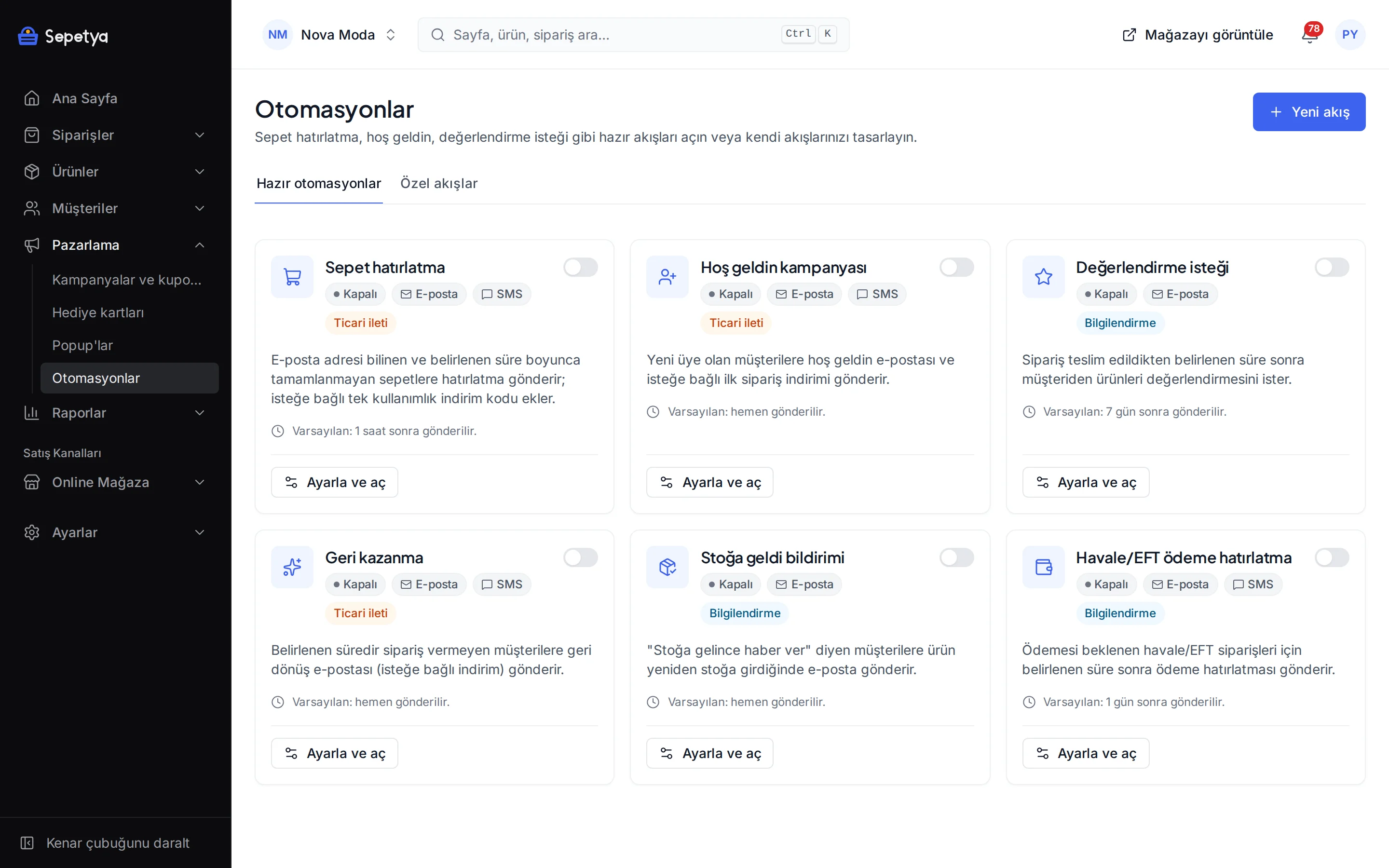
Campaigns, automations and customer groups
Percentage and amount discounts, free shipping, “buy X get Y” and tiered discounts; bulk coupon codes and pop-ups that collect e-mails. You turn on ready automations such as cart reminders, welcome, review requests and win-back with one button.
- Limiting a campaign to products, categories, brands or customer groups
- Countdowns tied only to the campaign’s real end
- Rule-based customer groups and special price lists
- Gift cards and store credit
- E-mail and SMS consent per channel; commercial messages only to those who agreed
SEO, ads and reports
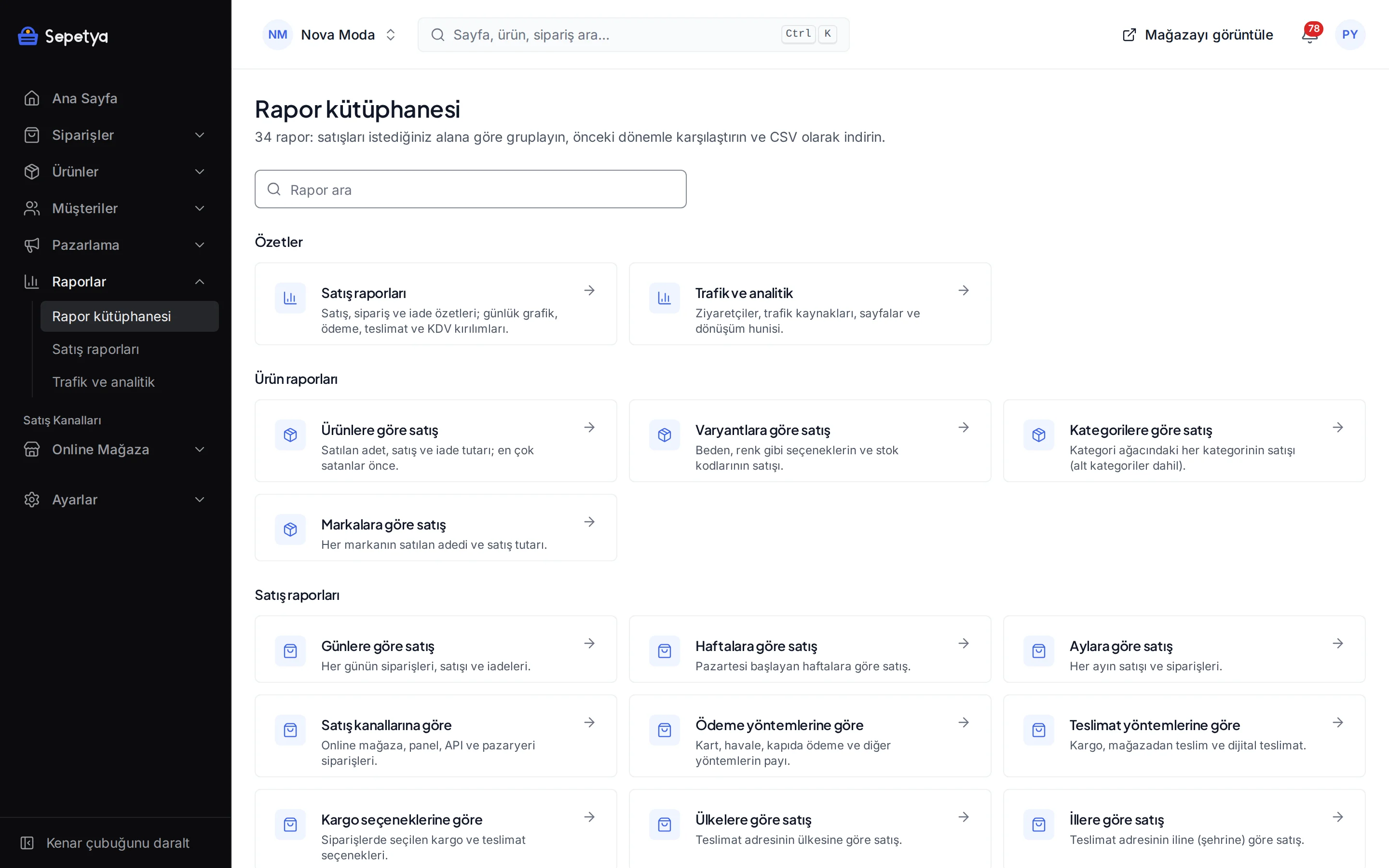
Get found, measure, decide
Title and description fields for every product, category and page, meta templates, an automatic sitemap, structured data and 301 redirects come ready. GA4, Google Tag Manager, the Facebook and TikTok pixels and the Meta Conversions API connect from the Apps screen; scripts run according to the visitor’s cookie choice.
- Language alternates (hreflang) in multilingual stores
- Product feeds for Google Merchant Center and Meta
- Sales, product and customer reports with CSV export
- Built-in cookieless visitor analytics and a conversion funnel
- A blog inside the store: categories, tags, scheduled publishing
Domain, language and currency
On your own domain, in other languages and currencies
Your store opens at once on a ready-made subdomain. When you are ready you connect your own domain: the dashboard shows which DNS record to enter, and the SSL certificate is issued and renewed automatically.
To sell abroad you add markets: each market has its languages, currency and countries, and visitors see the language and prices of their own market.
- A primary domain; other names redirect with 301
- Exchange rates from the CBRT or the ECB or by hand, with rounding rules
- Products, categories and pages with their own address and meta fields per language
- Translating interface texts with CSV
Legal processes
The steps the law asks for are ready at checkout
Each one is set up in the dashboard; the ready texts are editable draft templates.
This section is not legal advice. The ready texts are draft templates; ask your lawyer and accountant about the law and your own situation. Having a feature does not mean legal compliance is achieved.
Pre-contract information and distance sales contract
6502The documents appear above the order button with an unticked checkbox; the copy at the time of the order is stored and e-mailed to the customer.
Privacy notice, explicit consent and cookies
KVKKThe privacy notice and the marketing consents are separate checkboxes, and accept and reject are equally prominent in the cookie banner. Customers can export their data or file a deletion request.
Commercial message consent
İYSE-mail, SMS and call consent is recorded per channel and can be uploaded to İYS through the NetGSM app.
Seller details
6563Enter your legal name, address, tax details, MERSİS, KEP and ETBİS numbers once; they are written into the seller details page and the contracts automatically.
Security and team
Safeguards for your store’s and your customers’ data
Only controls that work inside the product are listed here; this is not a certification or an availability commitment.
Store data kept apart
Each store’s data is separated from the others in the database with row-level security.
Two-step sign-in
Sign-in with a one-time code from an app; the store owner can make it mandatory for the whole team.
Roles and permissions
Ready-made and custom roles with view and edit permissions per area. API keys only work within the scopes they are given.
Encryption
Traffic travels over TLS; payment keys and module settings are stored encrypted, and passwords are kept in a form that cannot be reversed.
Card numbers never reach the platform
Card details are entered on the payment provider’s page; notifications from the provider are verified by signature.
Audit log and alerts
Who changed what and when is kept in the log; an e-mail alert goes out on a sign-in from an unrecognised device.
Try the features in your own store
Open your account and set up your store during the trial. No card details are asked for at sign-up.