Grow
Hand repetitive marketing work to automations
Remind shoppers about abandoned carts, welcome new members, ask for reviews after delivery and win back customers who have not ordered for a while. Switch on a ready recipe or build your own flow; commercial messages go only to customers with consent by default.
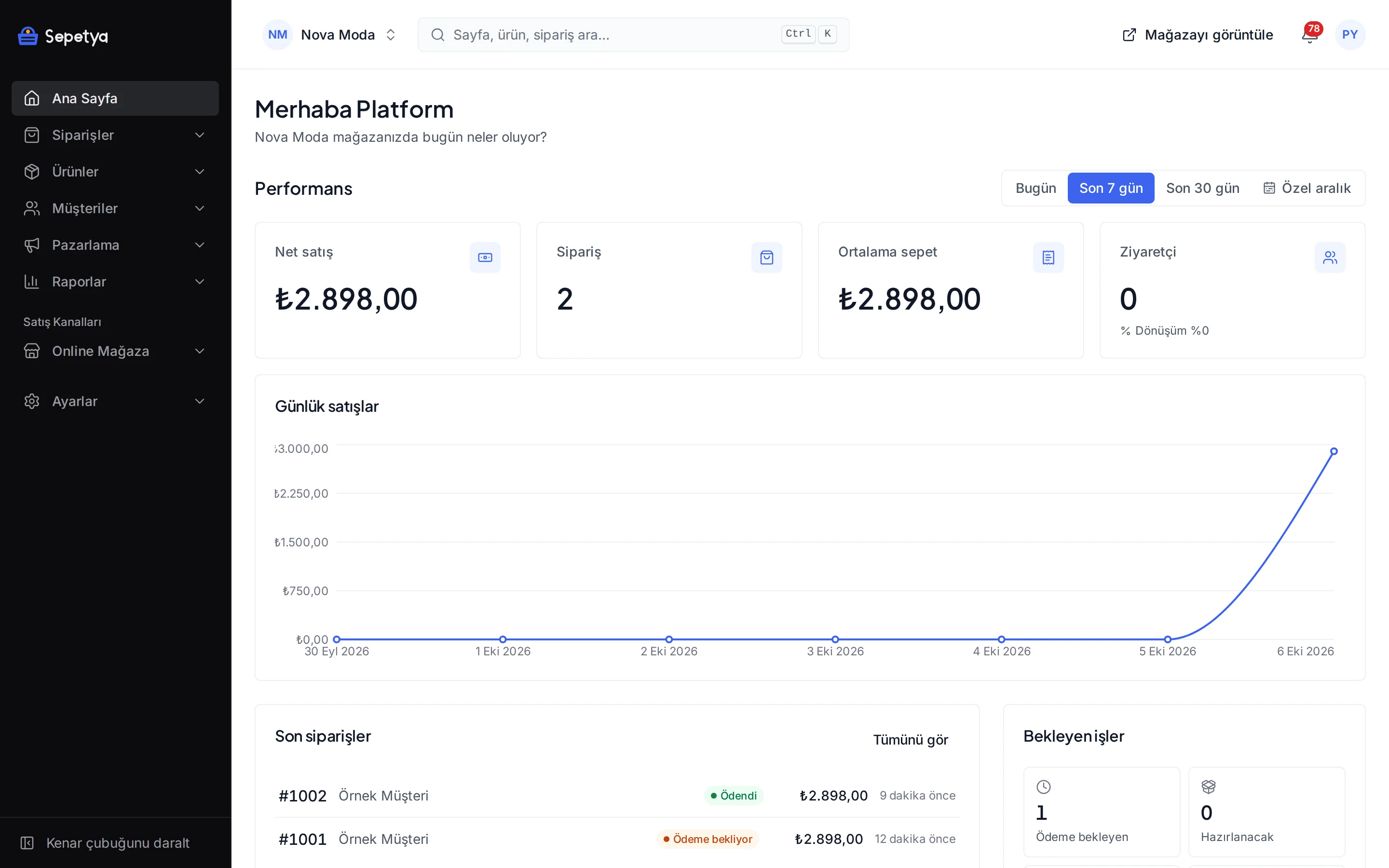
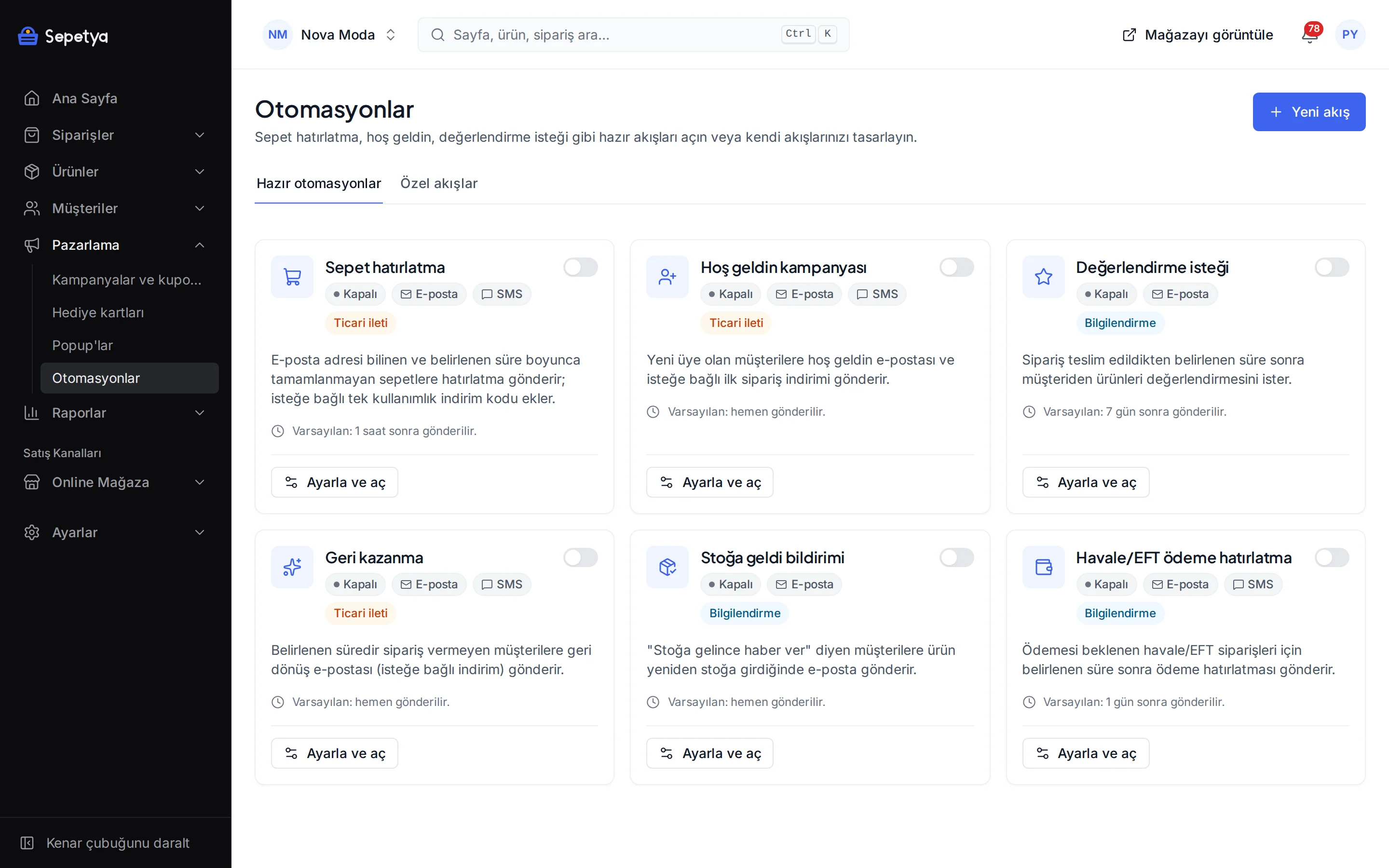
Six ready recipes
Each recipe switches on with one toggle; you adjust the delay, channel, text and recipients for your store.
Abandoned cart reminder
Send an e-mail or SMS to carts left unfinished for a set time, optionally with a single-use discount code. You can set up several reminders, such as after 1 hour and after 24 hours.
Welcome
Send a welcome e-mail or SMS to new members, optionally with a first-order discount.
Review request
Ask the customer to review their products a set time after the order is delivered.
Win-back
Send a come-back e-mail or SMS, optionally with a discount, to customers who have not ordered for the period you set.
Back in stock
E-mail customers who asked to be told when a product is back in stock as soon as it is.
Bank transfer reminder
Send a reminder with the IBAN details for bank transfer orders that are still unpaid after a set time; it stops once the payment arrives or the order is cancelled.
Ready recipes
Every recipe comes with its own rules and measurement
For the cart reminder you set the delay, the channel (e-mail or SMS), the e-mail template, the oldest cart age and the recipient rules (only active accounts, customer groups, tags, a minimum cart value). If you want a discount code, define one just for the automation or have it generated from the template of a coupon campaign (prefix, validity, rules).
Every message is written to the run history: when it went out, why it did not go to someone (no consent, cart completed …) and which reminder turned into an order. For cart reminders the number and revenue of recovered orders appear on the recipe card.
- Commercial recipes (cart, welcome, win-back) go only to customers with marketing consent by default
- A reminder with a code carries a single-use, customer-specific code; the code and its expiry appear in the e-mail
- The cart recovery link brings the customer back to their cart
- The monthly limit of automation messages depends on your plan
Your own flow
Build your own flow from an event, conditions and steps
If the ready recipes are not enough, use the flow builder. Pick an event: customer created or updated, order created, paid, fulfilled, delivered, cancelled or refunded, shipment created, return requested or newsletter subscribed. Add conditions if you like (all or any must match), then line up the steps: wait, send e-mail, send SMS, tag the customer, create a discount code, call a signed webhook.
Steps run in a straight line with no branching. Every run is visible in the history.
- Conditions are built on fields of the event data (for example the order total) with comparisons such as equals, greater than, contains and exists; you choose whether all or any must match
- The webhook step is signed, so you can trigger your own system
- E-mail and SMS texts can use variables such as the customer name, store name, order and cart link
How it works in the dashboard
- Step 1: 1
Switch on a recipe
Pick a recipe under Marketing › Automations: cart reminder, welcome, review request, win-back, back in stock or transfer reminder.
- Step 2: 2
Set the channel and timing
Choose e-mail or SMS, enter the delay, edit the template and add a discount code if you need one.
- Step 3: 3
Check recipients and consent
Commercial recipes send only to customers with marketing consent by default; narrow the recipients by customer group, tag and minimum cart value.
- Step 4: 4
Follow the results
See the sent and skipped messages in the run history and the orders recovered by cart reminders.
Frequently asked questions
How does the abandoned cart reminder work?
An e-mail or SMS goes to carts with a known e-mail address that stay unfinished for the time you set; the link in the message brings the customer back to the cart. If you like, a single-use, customer-specific discount code is added. When the customer completes the order the cart counts as recovered, and the number and revenue of recovered orders appear on the recipe card.
Is customer consent needed to send reminders?
Commercial recipes such as cart, welcome and win-back send by default only to customers who gave marketing consent. Transfer reminder, review request and back-in-stock notices are not marked as commercial. Whether a message counts as a commercial message needs a legal assessment, so ask your adviser. See customer management for consent and İYS.
Can I send by SMS too?
Yes. With the NetGSM module connected you can pick SMS as the channel for the cart reminder, welcome, win-back and transfer reminder recipes. Commercial SMS go out with the İYS filter. SMS texts can use variables such as the customer name, store name and a cart or order link, and the dashboard warns about length.
Is there a monthly sending limit?
The monthly limit of automation messages depends on your plan; current limits are on the pricing page.
Can I build my own flow?
Yes: with an event, optional conditions and steps. Steps can be a wait, e-mail, SMS, customer tag, discount code and a signed webhook. Steps run in a straight line; there is no branching.
Can I send a bulk e-mail to my newsletter list?
Newsletter subscribers are listed in the dashboard and exported as CSV; addresses are collected with double opt-in. The dashboard does not send a manual bulk e-mail campaign to the list today: commercial e-mails go out through event-driven automations such as cart, welcome and win-back.
Switch on your first automation today
During the trial switch on the cart reminder recipe and adjust the recipient rules and message text for your store.