Kids and toys
A kids and toy store where parents shop by age
Add age tags to your products and the storefront builds age bubbles, age ranges on cards and an age filter in listings by itself. With a gift finder, reviews and information sections for parents.
- No credit card needed
- Your own domain, automatic SSL
- Demo store with sample content
What your industry needs
With children's products the buyer is often a parent or a relative buying a gift, and the question starts with “how old are they?”. Put shopping by age and reassuring information up front.
Shop by age
Add tags such as yas-0-2, yas-3-5, yas-6-8 or yas-9-12 to products. The storefront's age bubbles filter by these tags, cards show the age range and listings show an age filter. Nothing is guessed for products without a tag.
Products and inventoryGift finder
The gift finder leads to listings by budget, age or best sellers, with budget headings written in the visitor's currency. Gift wrapping and a gift note are chosen in the cart.
Approved reviews
Approved reviews appear on the product page. You can require an account and a purchase before a review is written, and you can reply to reviews.
Parent guide and information blocks
Show your blog posts as a parent guide on the home page and explain delivery, returns and payment in a feature grid. Share product safety and age warnings in the product description.
Sets and bundles
Sell toy sets and gift packs as bundle products; customers choose the variant and quantity of each item.
A bottom tab bar on phones
On phones the search box is always visible, the main navigation sits in a bottom tab bar and the round “+” button on a card adds products that need no choices to the cart with one tap.
Ready-made theme and demo store
A cheerful but tidy playground
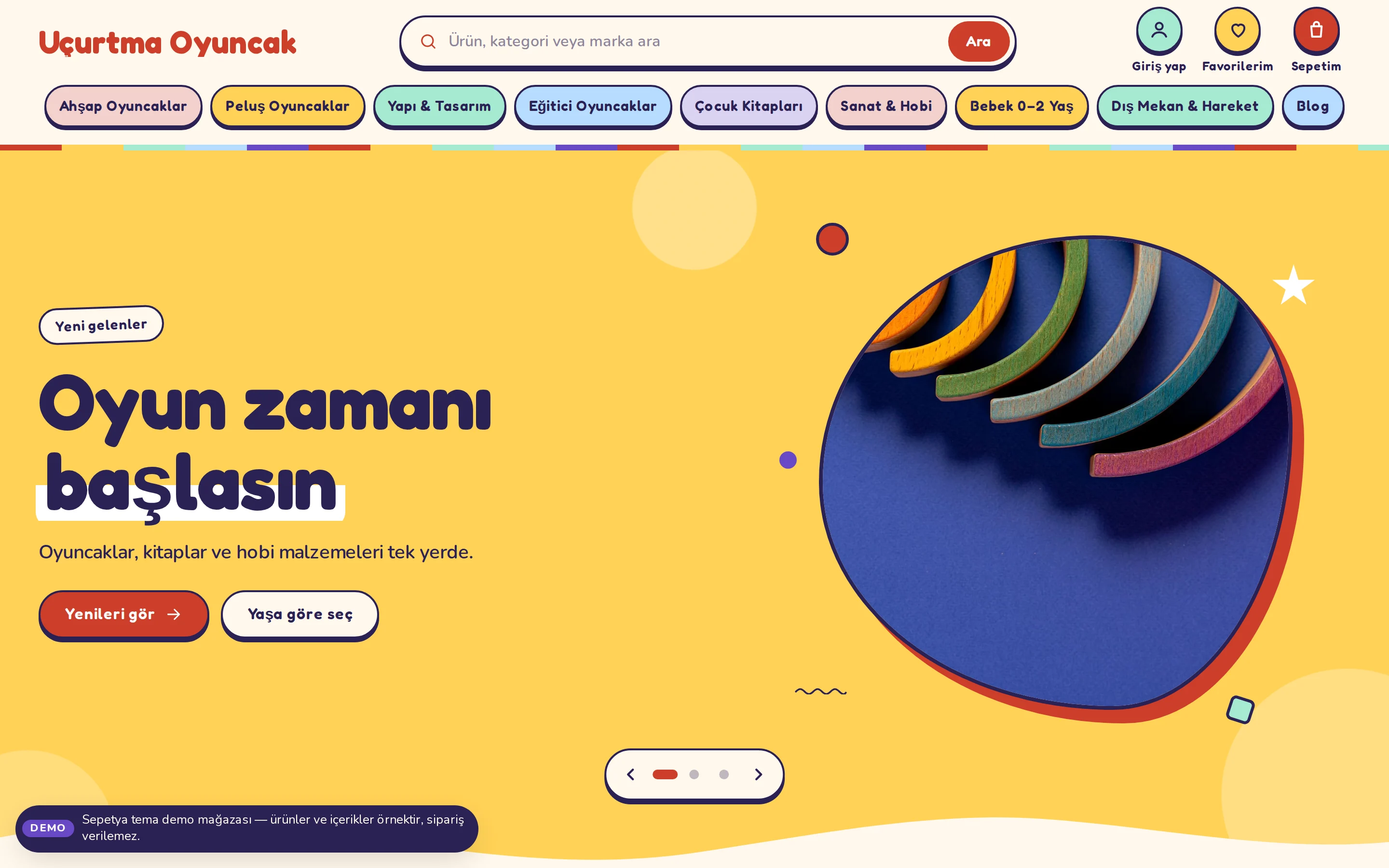
The kids and toys theme opens with a colourful strip on top, a large rounded search field and colourful menu chips. Slides show photos cut with an organic mask on coloured grounds, with highlighted words; for visitors who prefer reduced motion, the movement stops.
The product card is a tinted, rounded card with the age range, a bold rounded price and a round “+” button. Age bubbles, a gift finder and a parents section come ready, and phones get a bottom tab bar.
- Blob-masked photos, highlighted words and a wavy-edged slider
- Shop by age: age ranges taken from product tags
- A gift finder, a parent guide and a mobile tab bar

Shop by age
Build age bubbles and a gift finder from age tags
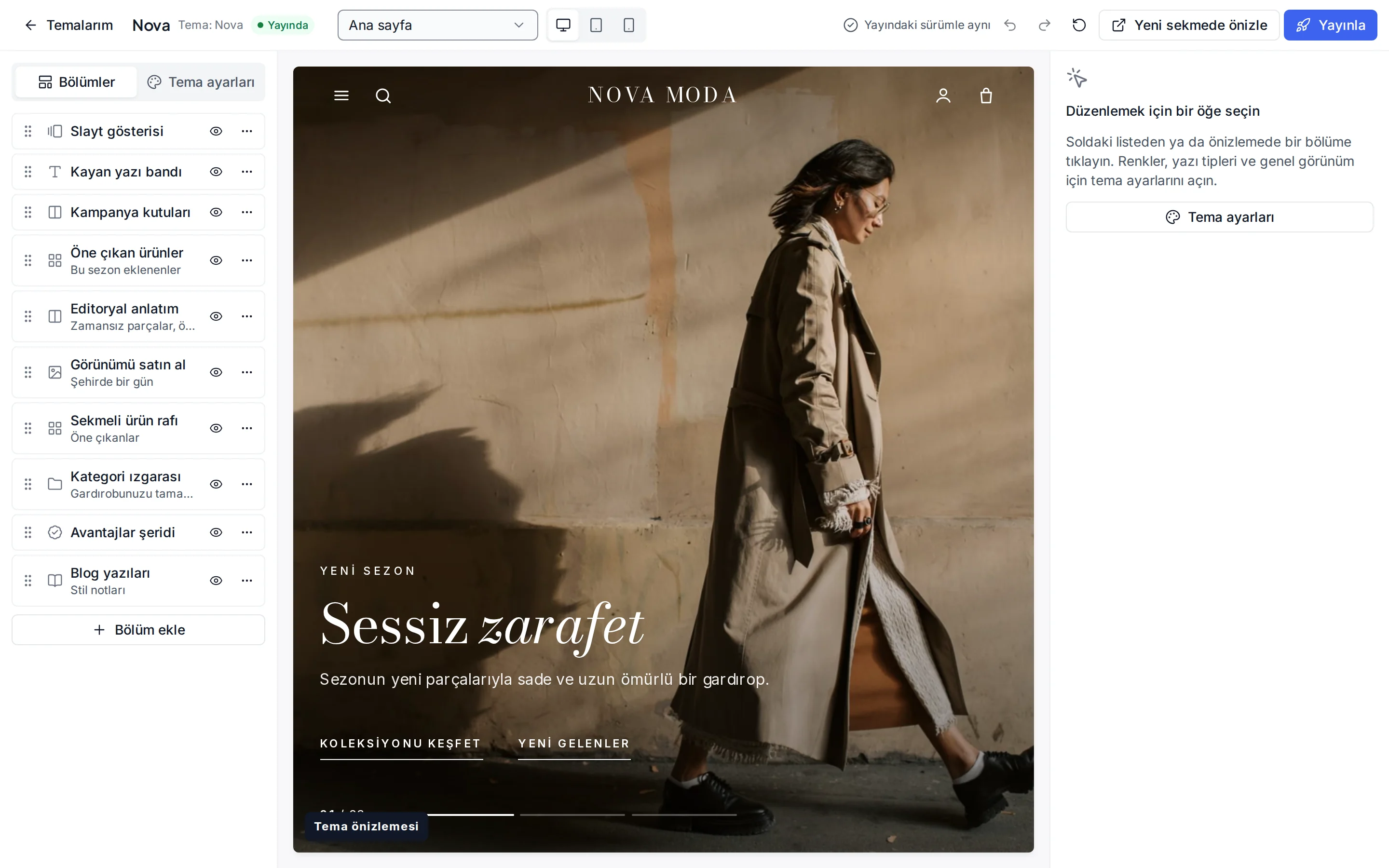
Add age tags to your products; the theme's shortcuts section shows a bubble tied to the tag for each age group. You change the labels, order and links of the bubbles in the theme editor.
You edit the gift finder cards in the same editor: if a budget heading is left empty, it is written from the price filter in the visitor's currency.
- Age groups come from product tags
- Edit the shortcuts in the editor
- Desktop, tablet and phone in the preview
Industry-specific topics
Check these before you start selling
For rules specific to your product group, ask the competent authorities and your advisor.
Toy safety
Toys are subject to product safety rules such as the CE mark, age warnings and Turkish usage and warning information. Give correct information on the product page and confirm your products' conformity with your advisor or supplier.
Age information is your responsibility
The age range in the theme only comes from the age tags you add to a product; the system never guesses. Enter the age recommendation according to the manufacturer's information and update it when that changes.
- KVKK
Marketing to children and personal data
Learn moreEven if buyers are mostly parents, the rules on advertising to children and on processing children's personal data can be strict. Review your forms, consent texts and campaign wording with your advisor.
This section is general information, not legal or tax advice. Review your texts and processes with a professional and the current announcements of the competent authorities.
Frequently asked questions
How do I add age tags?
In the tag field of the product form you enter tags such as yas-0-2, yas-3-5, yas-6-8 or yas-9-12. A product that suits several age groups can carry several tags, and the card shows the combined range. For many products you can use bulk editing in the panel or CSV upload, which is a plan feature.
What happens to products without an age tag?
No age information is shown and the product does not appear in the lists the age bubbles filter; it shows up normally in other listings, in search and in categories.
How do I give parents the information they need?
Use the “for parents” section and the parent guide blog section on the home page, and write safety, age warnings and usage details into the product description and attributes. These areas only show information you entered yourself.
How does it look on a phone?
On a phone the search box is always visible under the header, the main navigation sits in a bottom tab bar and the round “+” button on a card adds products that need no choices straight to the cart. For visitors who prefer reduced motion, animations stop.
Start building your kids and toy store
The setup wizard walks you from store details to launch, step by step. No credit card is asked during the trial.