Jewellery and accessories
A jewellery store with personalisation and gift options
Engraved names or initials, file upload, gift wrapping and notes, a budget-based gift finder, close-up photos and an appointment band. In a dark, calm “maison” storefront.
- No credit card needed
- Your own domain, automatic SSL
- Demo store with sample content
What your industry needs
With jewellery, shoppers want to trust the seller, see the piece up close and, often, give it as a gift. The reassuring details and the gifting flow are ready.
Personalisation
Add fields such as engraved names or initials, a size choice or an image upload to a product. Fields can be required and carry an extra fee; uploaded files are stored encrypted.
Products and inventoryGift wrapping and note
A gift-wrapping option and a gift note in the cart, with the wrapping fee set by you. You can also create gift cards and store credit that customers redeem at checkout.
Gift finder by budget and person
The theme's gift finder leads to listings by price range and by product tags (such as women, men or gift). Budget headings are written from the price filter in the visitor's currency.
Close-up photos and video
Square close-ups and product video, with a second photo on hover. For the home page opening you can use a video or a slowly zooming image.
Appointment band and WhatsApp
The appointment and consultation band on the home page shows your phone and WhatsApp links, and you can also turn on a fixed WhatsApp button on every page. There is no booking calendar; you arrange the meeting by phone or on WhatsApp.
Invoice and ID details
At checkout you can make the company invoice (tax number, tax office) and national ID number fields hidden, optional or required. For e-invoices you connect your own integrator account.
E-invoicing
Ready-made theme and demo store
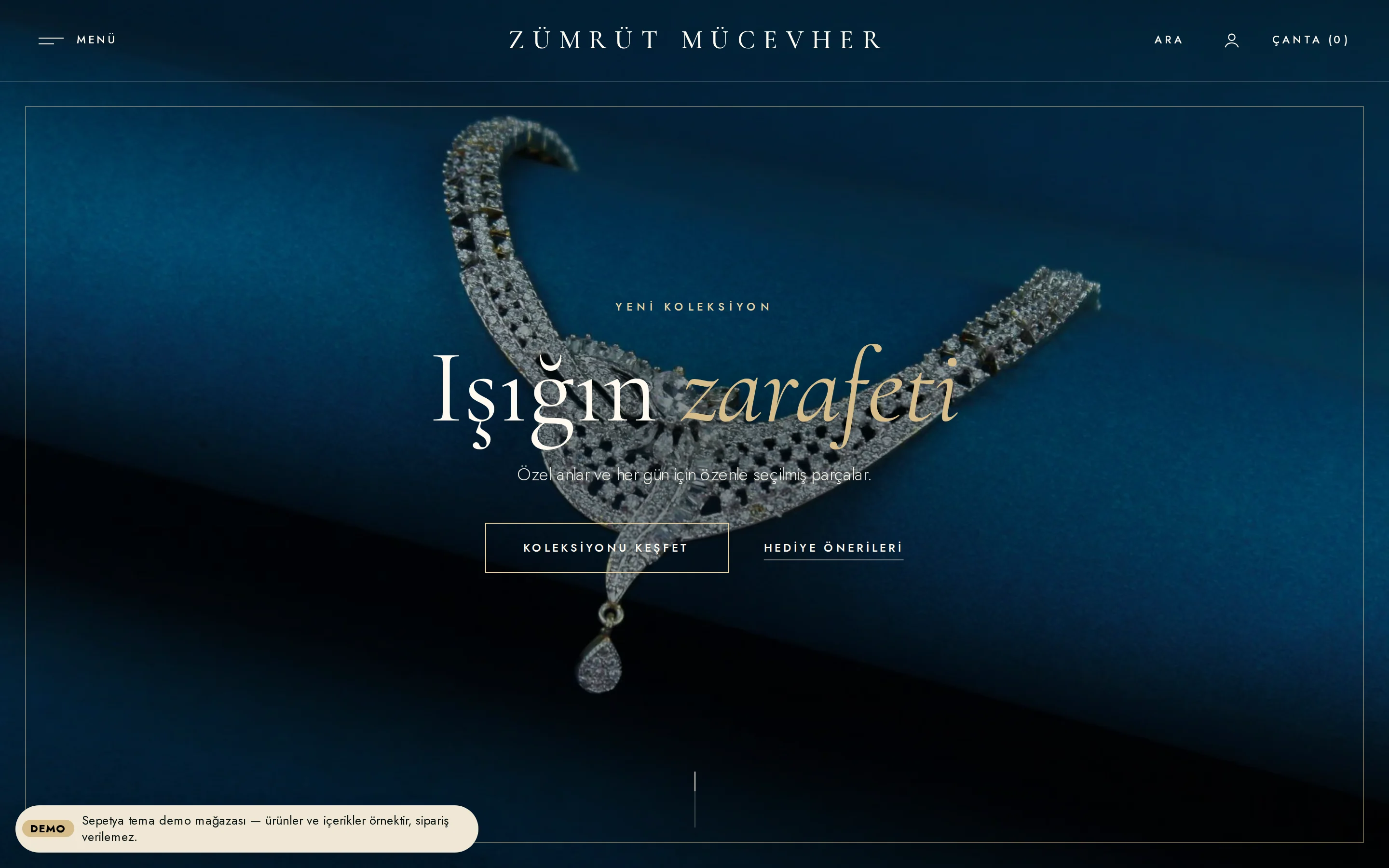
An elegant, dark, slow-moving “maison” storefront
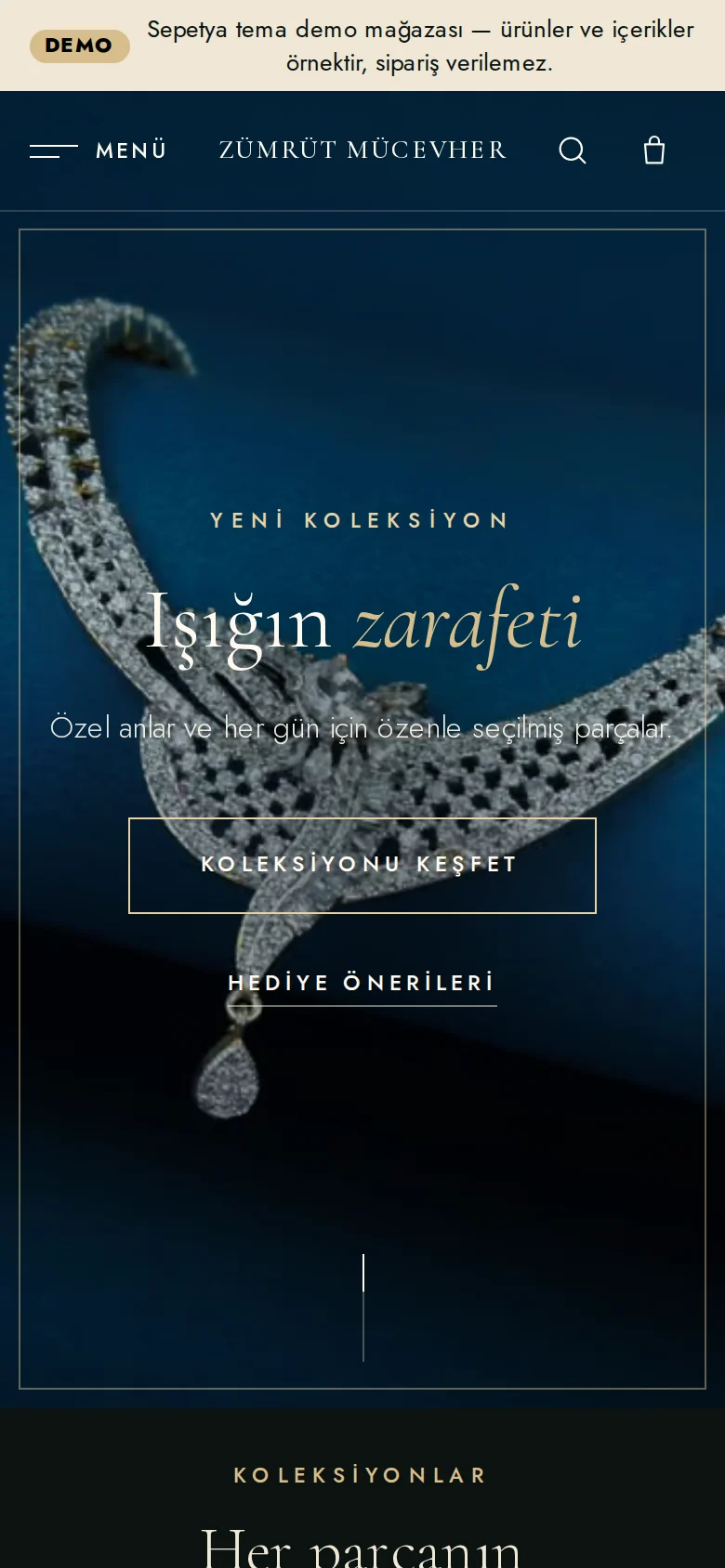
The jewellery and watch theme opens with a quiet header that floats over the picture on the home page; the “Menu” button opens a side panel with large serif links. The opening is a full-screen video or a slowly zooming image, and visitors who prefer reduced motion see the image instead of the video.
The product card is a square close-up on a dark surface; name and price are centred and a second photo appears on hover. Numbered collections, a craft story, a gift finder and an appointment band come ready.
- Full-screen opening with video or a slowly zooming image
- Numbered collections and a craft story
- A gift finder by budget and person, and an appointment band
Personalisation
Carry the customer’s engraving text all the way to the order
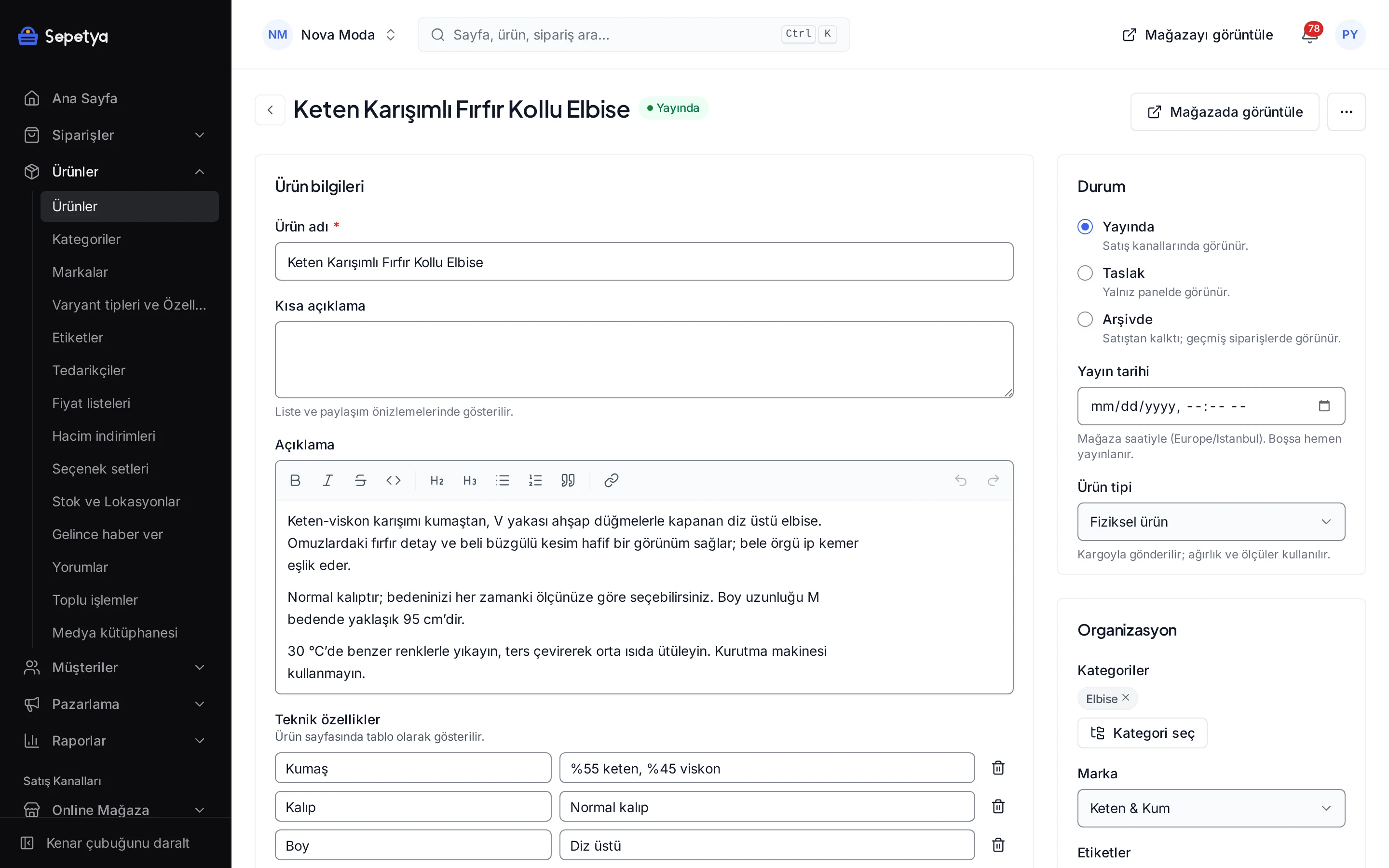
In option sets, define a text field such as “Engraving text”; set whether it is required, the minimum and maximum number of characters and an extra fee. If you like, add a file or image upload field too.
You attach the option set to the product in the product form. The text the customer enters shows up with the product in the cart, in the order and in the panel.
- Text, choice, colour, date, image and file fields
- Required fields, character limits and extra fees
- Conditional fields that depend on another choice
Industry-specific topics
Check these before you start selling
For rules specific to your product group, ask the competent authorities and your advisor.
- 6502
Personalised items and the right of withdrawal
Learn moreItems made with a name or a custom text may fall under an exception to the right of withdrawal. State this clearly on the product page and in the pre-contract information, and ask your advisor which products are covered.
Precious metal and stone details
Enter fineness, weight, stone and certificate details as product attributes and make sure they are correct. For obligations specific to selling precious metals and stones (such as hallmarking rules and jeweller-specific financial obligations), consult your advisor.
- VUK
High-value sales and invoicing
Invoice and identification obligations for high-value sales depend on tax law. You can make the national ID number and company invoice fields mandatory at checkout; settle your e-invoice process with your accountant.
This section is general information, not legal or tax advice. Review your texts and processes with a professional and the current announcements of the competent authorities.
Frequently asked questions
How do I add an engraving option?
In the option sets of the catalogue section you define a text field (whether it is required, minimum and maximum characters, extra fee) and attach the option set to the product. The text the customer enters shows up with the product in the cart and in the order.
Can prices follow the gold price automatically?
No. There is no automatic price update tied to the gold price; you update prices yourself on products or price lists. For many products you can update prices in bulk with CSV, which is a plan feature.
How does the gift finder work?
Budget headings are links tied to the price filter; person and occasion headings lead to the tags you add to products (such as women, men or gift). You add the tags to products yourself; the gift finder does not generate recommendations on its own.
Is there an appointment booking feature?
There is no booking calendar. The theme's appointment and consultation band shows your phone and WhatsApp links, and with the WhatsApp integration you can add a fixed WhatsApp button to your pages. You agree the meeting time with the customer through those channels.
Start building your jewellery store
The setup wizard walks you from store details to launch, step by step. No credit card is asked during the trial.