Home and living
A home and furniture store that sells through room photos
Shop by tapping products in a photo, fabric and size options, delivery day and time-slot selection and in-store pickup, all in a warm, calm gallery layout.
- No credit card needed
- Your own domain, automatic SSL
- Demo store with sample content
What your industry needs
With home products, shoppers picture the room and wonder about size, fabric and delivery. Present the visuals, options and delivery information in one place.
Shop the look
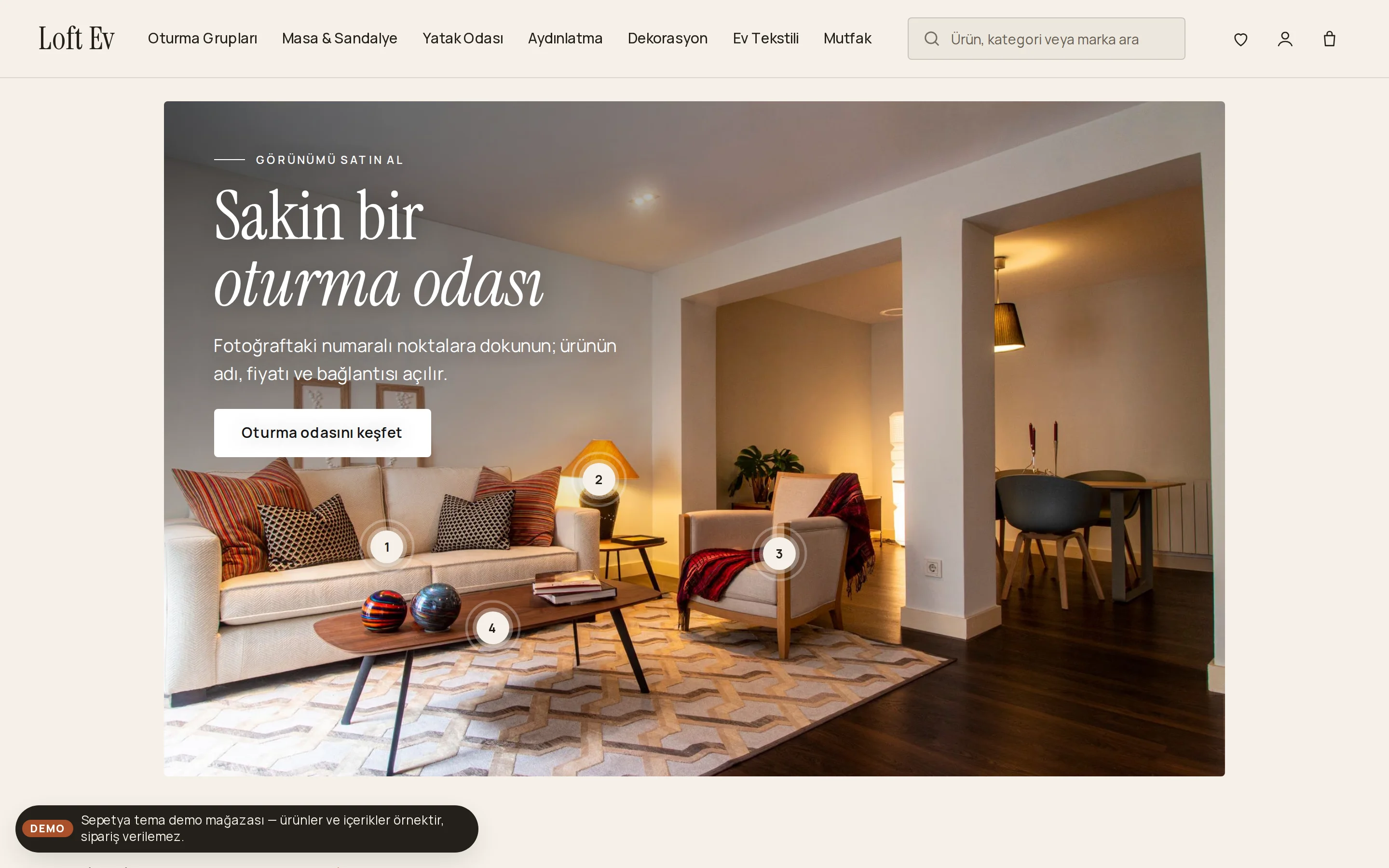
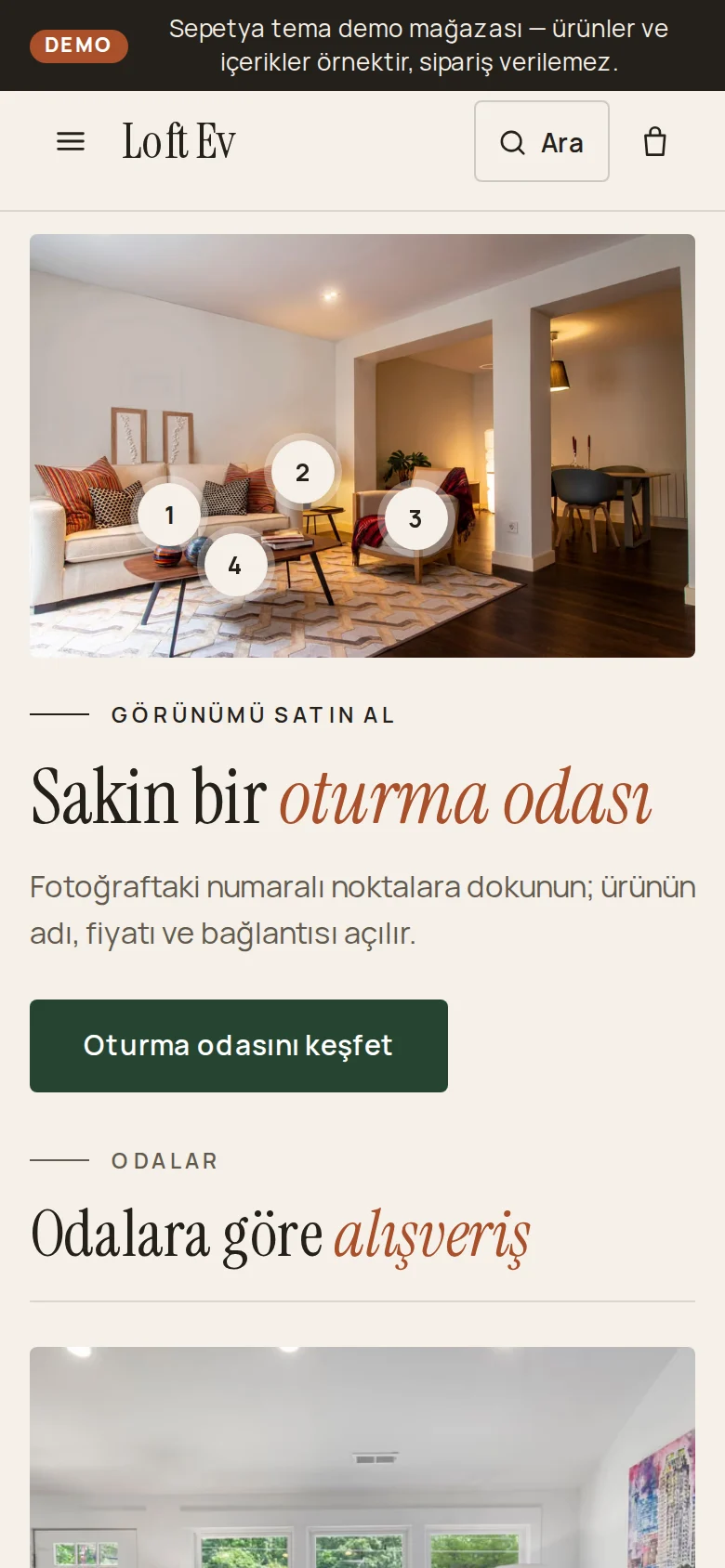
Place numbered pins on a room photo; when a visitor taps one, they see the name, price and link of a real product from your store.
Store designLarge photos and video
Add several photos, an MP4 or WebM video or a YouTube or Vimeo link to each product. Photos are served in several sizes as WebP and AVIF, and the gallery brings the selected variant's photos forward.
Fabric, colour and size options
Offer image-based choice tiles for fabric or finish and selection lists for size. Options can carry an extra fee and can depend on another choice.
Sets and bundles
Sell sets such as a sofa suite or a dining room as bundle products. Customers choose the variant of each piece and the bundle discount is set as a percentage.
Delivery day and time slot
Define delivery days and time slots per day in a local delivery rate; the customer picks a day and slot at checkout. The estimated delivery time is shown in minutes, hours or business days.
Shipping and deliveryIn-store pickup
Define your showroom or warehouse as a pickup point; customers choose it at checkout and receive an e-mail when the order is ready.
Ready-made theme and demo store
A gallery-like storefront that takes shoppers room by room
The home theme opens with a plain header in warm linen tones; the menu sits in the header and sub-menus open in a panel with room and category photos. The opening of the home page is a room photo hung like a framed picture across the page, with numbered pins that lead to products.
The product card reads like a gallery caption: a serif product name with the price beside it and small squares for material and colour. A rooms mosaic, a materials story, an inspiration gallery and “from order to your home” steps come ready.
- Shop-the-look pins on a room photo
- A mega menu with room photos and a rooms mosaic
- Serif product names with material and colour squares
Theme editor
Turn your room photo into something shoppers can buy from
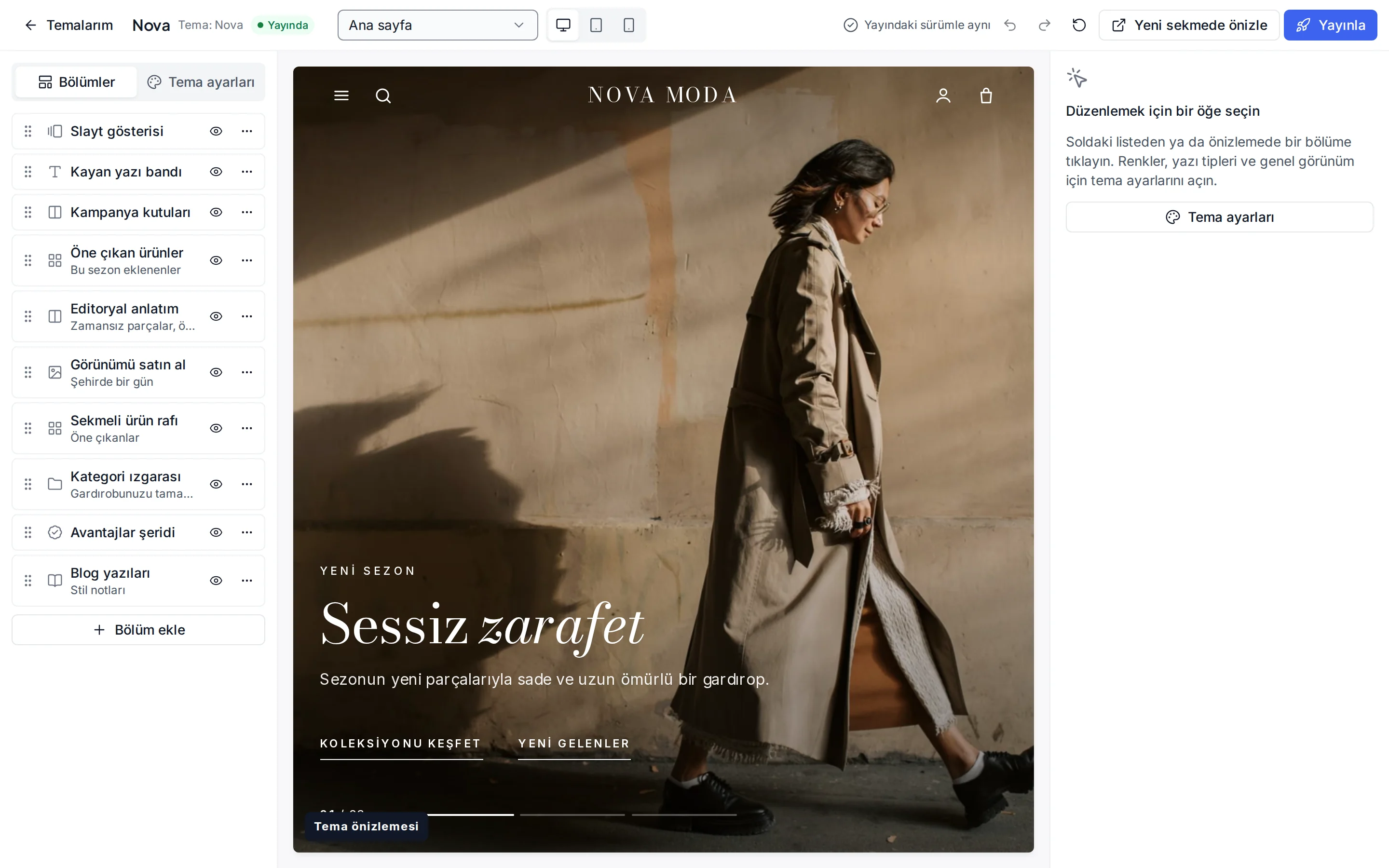
In the theme editor, add the shop-the-look section, upload the room photo and, for each pin, choose a product from your store and set its position on the photo. The photo keeps its own proportions, so pins stay on the right product on phones too.
From the same editor you add and reorder sections and see desktop, tablet and phone previews. Changes stay as a draft and only reach the storefront when you publish.
- Every pin is linked to a real product
- Desktop, tablet and phone previews
- Draft and publish, with undo and redo
Industry-specific topics
Check these before you start selling
For rules specific to your product group, ask the competent authorities and your advisor.
- 6502
Delivery time and freight
Learn moreIn distance sales, the delivery time and costs must be clear in the pre-contract information. For large items, spell out freight, damaged-delivery and assembly terms; you can show the estimated delivery time and options at checkout.
Made-to-measure and made-to-order items
Items made to measure or to order at the consumer's request may fall under an exception to the right of withdrawal. Say so clearly on the product page and ask your advisor which products are covered.
Warranty and after-sales service
Some product groups, such as furniture, can come with warranty certificate and after-sales service obligations. Share warranty and care details in the product description and confirm the scope of your obligations with the relevant regulation and your advisor.
This section is general information, not legal or tax advice. Review your texts and processes with a professional and the current announcements of the competent authorities.
Frequently asked questions
How do I add shop-the-look pins?
In the theme editor you add the shop-the-look section, upload the photo and, for each pin, choose a product from your store and set its position on the photo. A visitor who taps a pin sees that product's name, current price and link.
Can I add fabric or size options to products?
Yes. In option sets you define choices such as a selection list, image tiles, a colour picker, a text field and a file upload; options can carry an extra fee and can depend on another choice. You just attach the option set to the product in the product form.
Can the customer choose the delivery day?
If you define delivery days and time slots per day in a local delivery rate, the customer picks a day and slot at checkout and the choice is written to the order. For shipped products an estimated delivery time is shown. See shipping and delivery for details.
Can I offer pickup from my showroom?
Yes. You define your showroom or warehouse as a stock location and make it a pickup point. The customer chooses it at checkout and receives a “ready for pickup” e-mail when the order is ready. To take payment at the pickup point, turn on the “pay in store” method.
Start building your home and furniture store
The setup wizard walks you from store details to launch, step by step. No credit card is asked during the trial.