Grocery and food
A grocery store with unit prices and delivery time slots
A price per kilogram or litre on every card, an add button that starts as “+” and turns into a quantity stepper, delivery day and time-slot selection and in-store pickup. In a fast storefront where products come first.
- No credit card needed
- Your own domain, automatic SSL
- Demo store with sample content
What your industry needs
Grocery shopping is quick: shoppers compare prices, add to the cart fast and pin down delivery. The details that keep that flow short are ready.
Unit price
Give a product a unit (gram, kilogram, millilitre, litre, piece…) and a base amount; cards and product pages then show a comparable price per kilogram or litre.
Quantity rules and stepper
Set a minimum, maximum and step per product, or fixed options (for example packs of six). On the card the “+” button turns into a “− 1 +” stepper once the item is in the cart.
Delivery day and time slot
Define days and time slots in a local delivery rate and show the estimated delivery time in minutes, hours or business days. You can set a minimum order amount for a rate.
Shipping and deliveryIn-store pickup
Make your shop a pickup point; the customer collects the order when it is ready and a “ready for pickup” e-mail is sent. The “pay in store” method can be turned on for pickup.
Food information
Enter ingredients, allergens, origin and storage conditions as product attributes, as text, a choice or a date; they appear on the product page.
Stock and notifications
Show, hide or move out-of-stock products to the end of the list. For a sold-out product the customer leaves an e-mail address and is told when it is back, and an alert goes to the e-mail addresses you set per location when stock runs out.
Ready-made theme and demo store
An app-like fast storefront with products up front
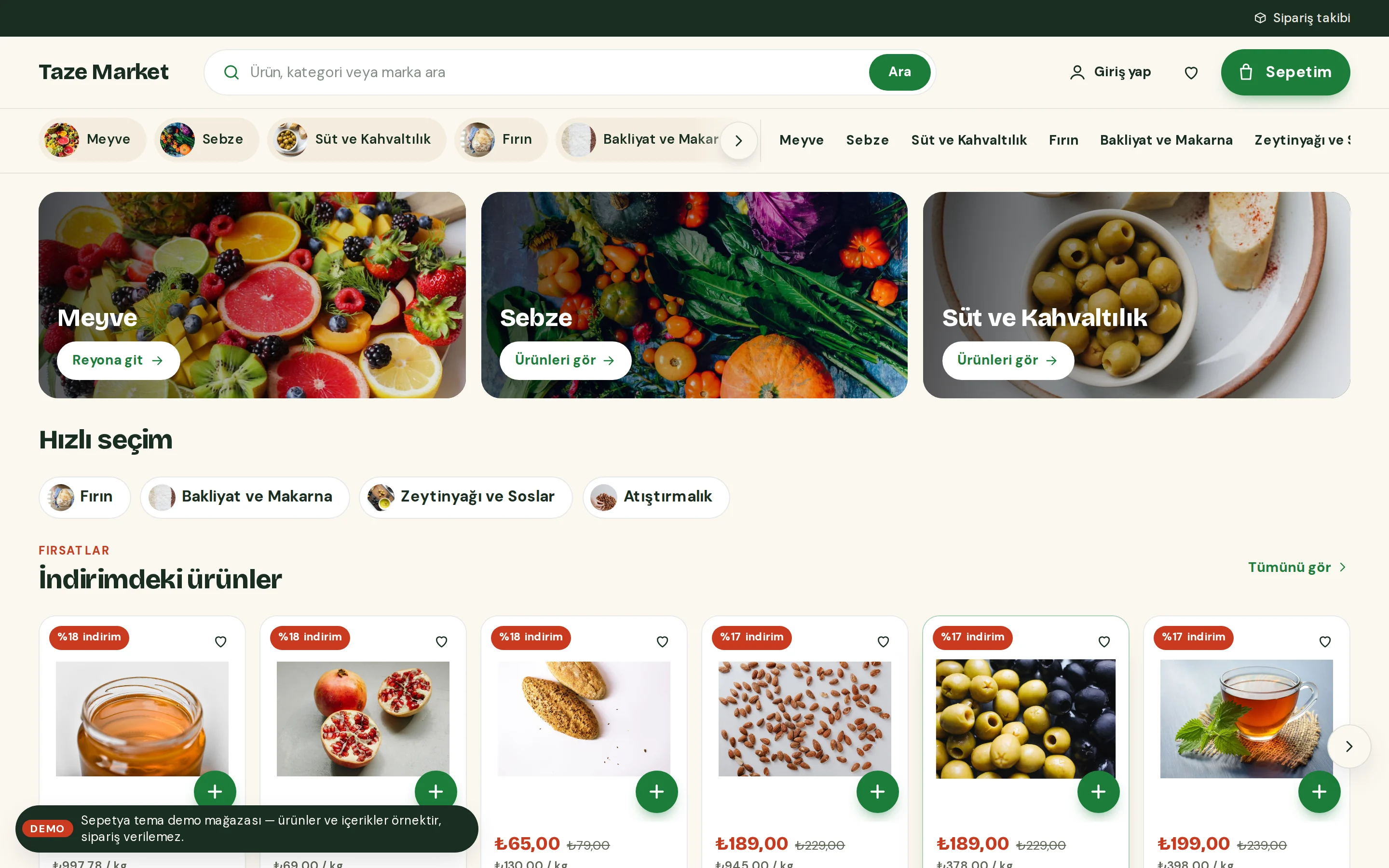
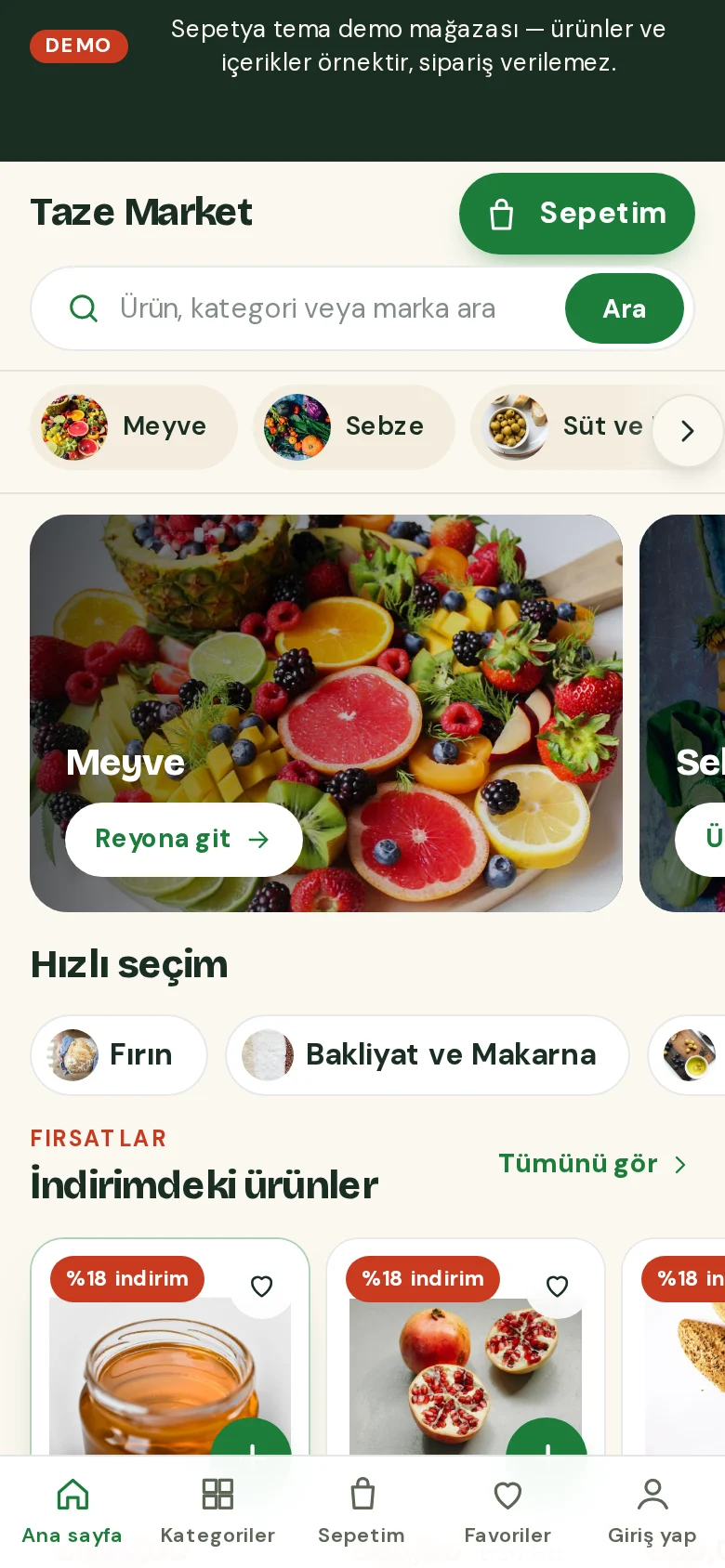
The grocery theme puts products ahead of a giant opening image: a delivery information strip on top, a wide search, a cart button that shows the subtotal and aisle chips that stay with the page. Promotions sit in a compact rail of cards whose side cards peek in from the edge.
On the product card the price comes first with the unit price under it, and the “+” button turns into a quantity stepper. On phones there is a bottom tab bar and a floating cart summary. Sections for recipe cards and a producer story come ready.
- Sticky aisle chips and a cart button with the subtotal
- The “+” turns into a stepper, with the unit price on every card
- Compact promo cards, recipes and a floating cart summary on phones
Shipping and delivery
Let customers choose the delivery day and time
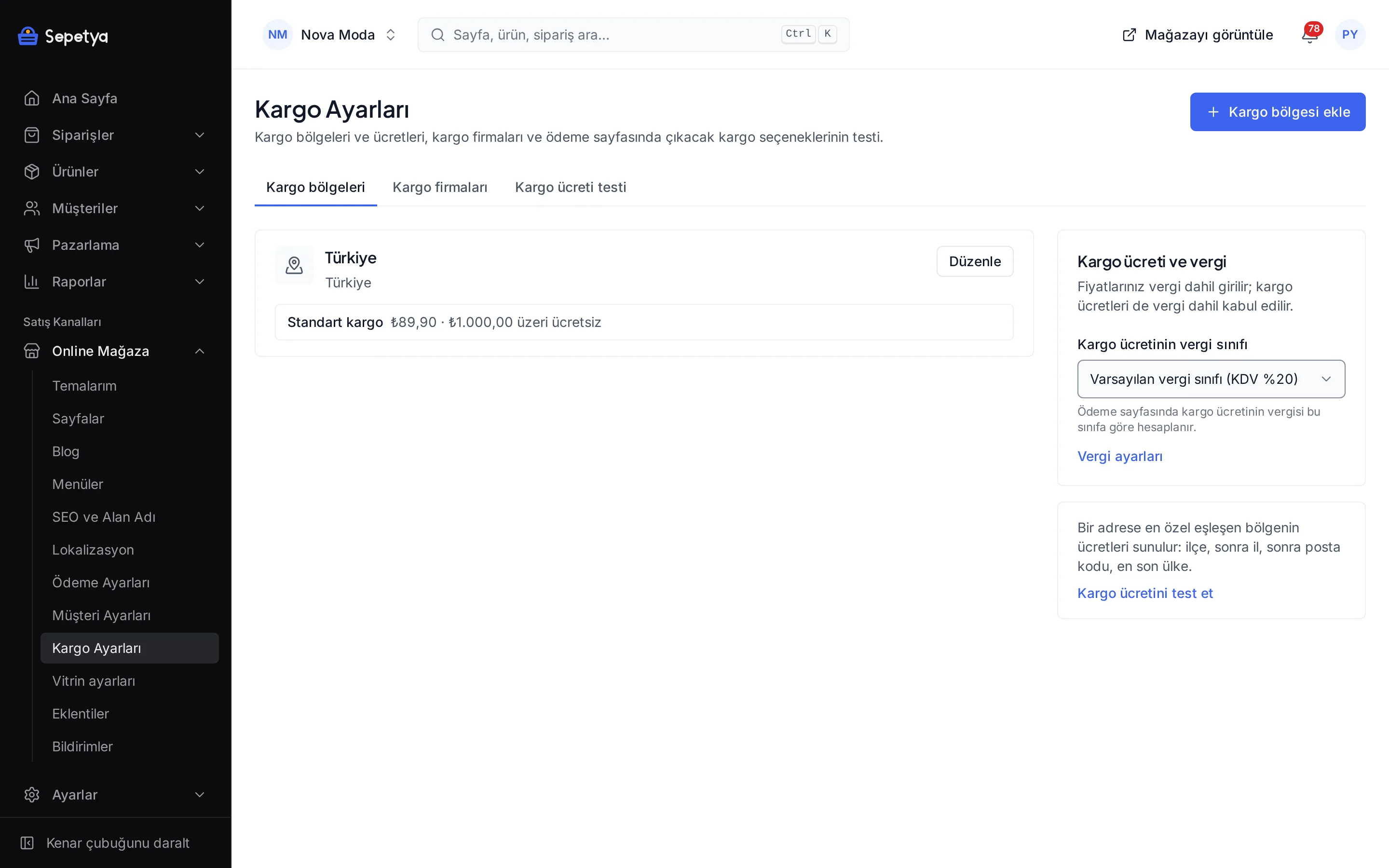
In the shipping settings, create a local delivery rate: write down the days and time slots you deliver in, then set the area it covers and a minimum order amount. The customer picks a day and a slot at checkout and the choice is written to the order.
A free-shipping threshold, rates by weight or order value and pickup points are managed on the same screen.
- Day and time-slot selection
- Estimated delivery time in minutes, hours or business days
- Minimum order amount and free-shipping threshold
- Pickup points
Industry-specific topics
Check these before you start selling
For rules specific to your product group, ask the competent authorities and your advisor.
Business registration and sales permit
Selling food online can require a business registration or approval and, depending on the product, additional permits. Consult the announcements of the Ministry of Agriculture and Forestry and your advisor for the current rules, and have your documents ready before you open the store.
Label information
Label information such as ingredients, allergens, expiry date and origin matters for food. You can enter it as product attributes and show it on the product page; confirm which items are mandatory with the Turkish Food Codex regulations and your advisor.
- 6502
Right of withdrawal for perishable goods
Learn moreGoods that spoil quickly or can pass their expiry date may fall under an exception to the right of withdrawal. State your return terms and your damaged-goods process clearly on the product page.
This section is general information, not legal or tax advice. Review your texts and processes with a professional and the current announcements of the competent authorities.
Frequently asked questions
How is the unit price shown?
In the product form you enter the unit (gram, kilogram, millilitre, litre, piece and so on) and a base amount, and each variant gets its own amount. The storefront shows the price per kilogram or litre on the card and on the product page.
How does the quantity stepper work?
In the grocery theme, the “+” button on the card adds the product to the cart and then turns into a “− 1 +” stepper. If you set a minimum, maximum and step for the product, the stepper follows them. For products that need an option to be chosen, the button opens the product page.
Can I sell products by weight?
Prices are per piece or pack. You define different weights as variants (for example 250 g, 500 g, 1 kg) and each card shows a unit price for comparison. A price difference after weighing the order is not calculated automatically.
Can I limit my delivery area?
Yes. In a shipping zone you choose the country, province, district and, if needed, postal codes; the local delivery rate is only offered to addresses in that area. There is no separate neighbourhood-level zone; use postal codes to narrow it down.
Start building your grocery store
The setup wizard walks you from store details to launch, step by step. No credit card is asked during the trial.