Cosmetics and personal care
A beauty store built around ingredients, reviews and routines
Pages that explain ingredients and usage steps, approved customer reviews, a care routine linked to products and skin-type shortcuts, in a calm, soft-edged storefront.
- No credit card needed
- Your own domain, automatic SSL
- Demo store with sample content

What your industry needs
In cosmetics, shoppers want to know what is inside, how to use it and what others think. There is room for all three.
Ingredient and usage information
Enter the ingredient list, directions and skin type as product attributes, as text, rich text, a table or a choice. The theme also offers an ingredient glossary section for commonly used ingredients.
Products and inventoryApproved reviews
Reviews come with a star rating, a title, text and up to six photos; you approve and reply. A review matched to an order is marked as a verified purchase. Auto-approval and the account and purchase requirements are set in the settings.
Automations
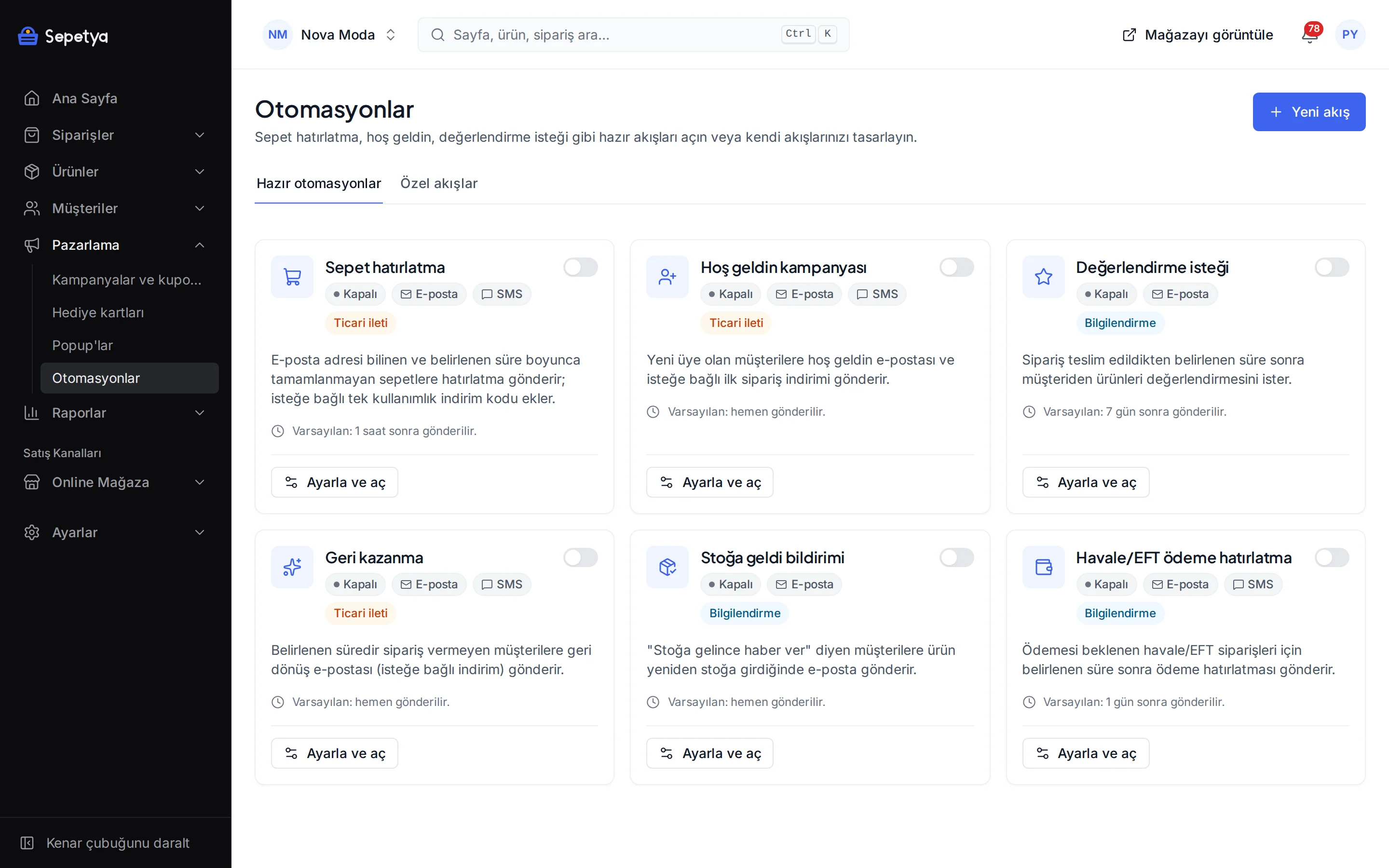
Ready-made recipes that ask for a review after delivery, remind about abandoned carts and announce back-in-stock products. You set the delays; commercial messages only go to customers who gave the required consent.
AutomationsCare routine section
Describe steps such as cleanse, tone and moisturise on the home page, link a real product to each step and let customers add it to the cart right there.
Shade and size options
Colour-swatch variants for lipstick, foundation or dye shades, with size options kept in the same structure. Cards show shade dots and listings can offer a colour filter.
Gift wrapping and note
A gift-wrapping option and a gift note field in the cart. You set the wrapping fee and its tax class, and can define different fees by price list or currency.
Ready-made theme and demo store
A calm, round-edged care storefront
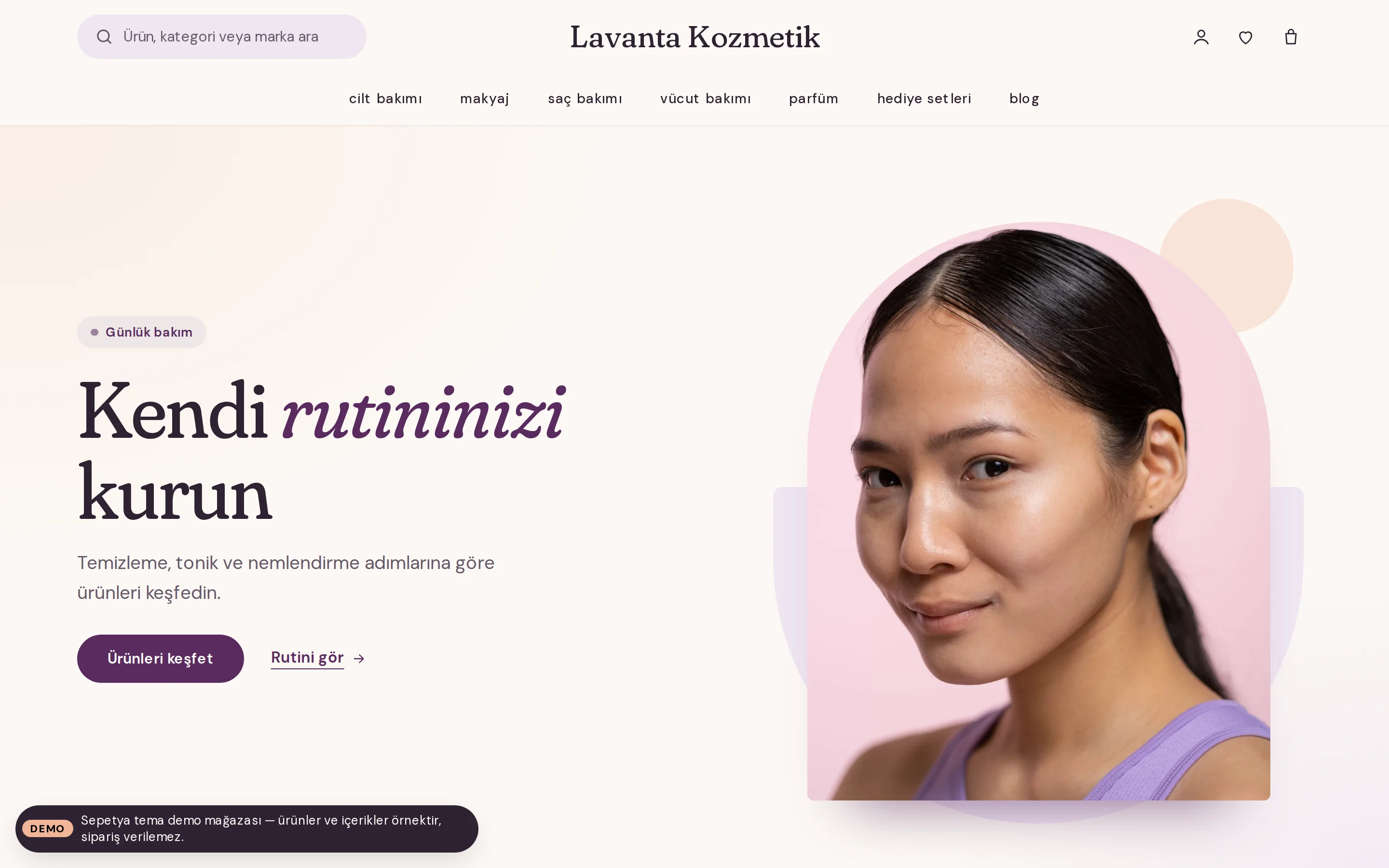
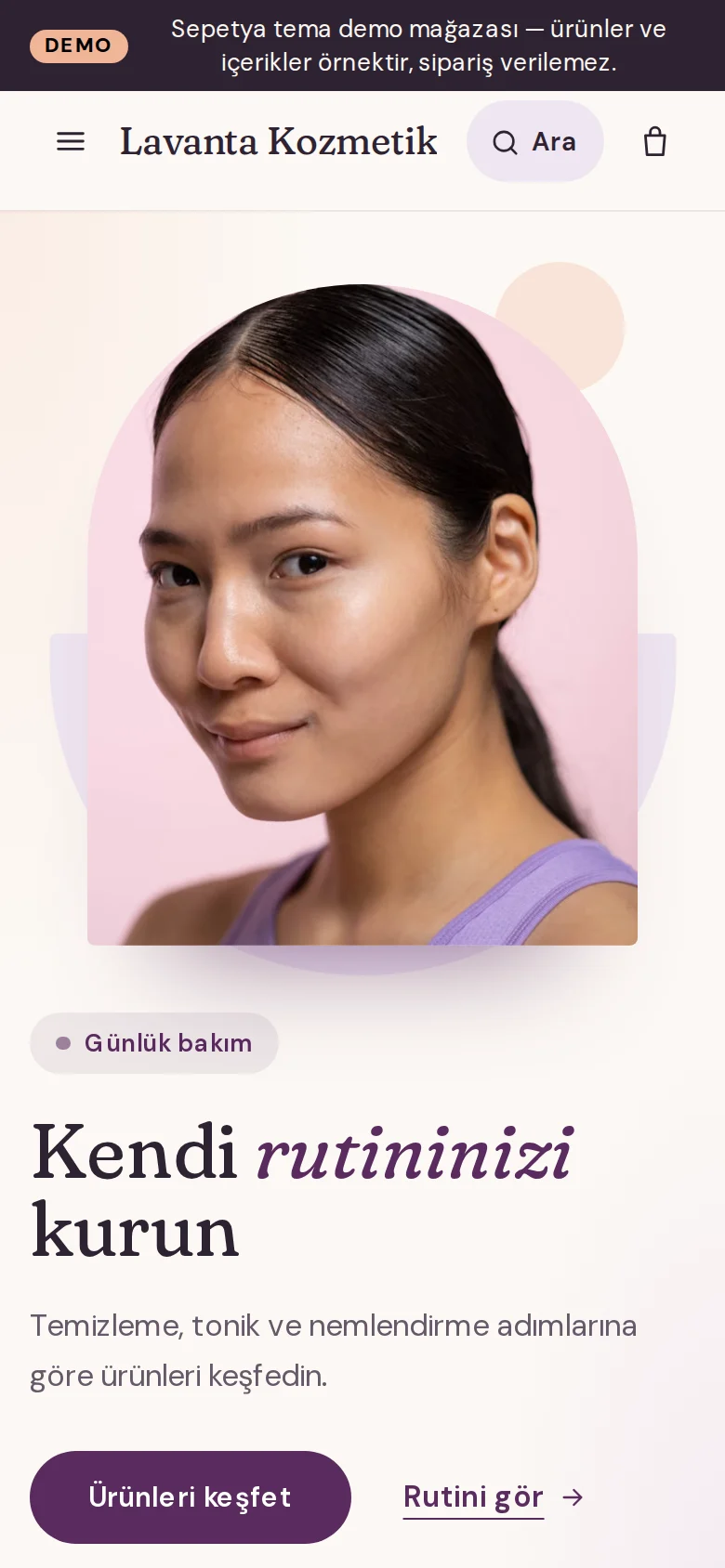
The cosmetics theme opens with a rotating announcement strip, a rounded search field and a centred, small-letter menu. The opening is a split layout with the heading and button beside an image cut into an arch.
The product card shows a photo on a soft tile, shade dots, the rating and an always-visible full-width button. Skin-type shortcuts, a care routine, an ingredient glossary, a before/after comparison and approved reviews come ready.
- A split opening with an arch-cut image
- Skin-type shortcuts and a product-linked care routine
- Soft cards with an always-visible “Add to cart” button
Automations
Ask for a review after delivery and remind about missed carts
Turn on the ready-made recipes on the Automations screen: the review request goes out the number of days after delivery that you choose and is not sent for cancelled or refunded orders. For cart reminders you pick the delay, e-mail or SMS and an optional single-use coupon.
You approve, reject and reply to incoming reviews in the panel; the reply is e-mailed to the customer.
- Review request, cart reminder and back-in-stock recipes
- Delay and audience rules
- Review approval and replies from the panel
Industry-specific topics
Check these before you start selling
For rules specific to your product group, ask the competent authorities and your advisor.
Labelling, ingredients and product notification
For cosmetics, obligations such as label information, the ingredient list and product notification depend on the product and how you source it. Check the current Cosmetics Regulation and the announcements of the competent authority, and keep your product page consistent with them.
Product claims and before/after images
Statements that promise health or results, and before/after images, can be subject to advertising rules. Use real, unaltered images, avoid guaranteeing results and ask your advisor about claims you are unsure of.
- 6502
Hygiene and the right of withdrawal
Learn moreOpened products that cannot be returned for hygiene reasons may fall under an exception to the right of withdrawal. State clearly which products are covered and what your return terms are on the product page and in the pre-contract information.
This section is general information, not legal or tax advice. Review your texts and processes with a professional and the current announcements of the competent authorities.
Frequently asked questions
How do I show ingredients?
You define the ingredient list, directions and skin type as product attributes and they appear in the attributes section of the product page. With the theme's ingredient glossary section you can also explain commonly used ingredients. Only enter information you know to be correct.
Who can write reviews, and do you generate any?
In the settings you can require an account and a purchase before someone writes a review; reviews matched to an order are marked as verified purchases. If you turn auto-approval off, reviews stay unpublished until you approve them. The system never generates reviews; themes only show approved, real ones.
How do I offer shade choices?
You create a colour-type variant option for the shade and give each value a colour code or a small image. The storefront shows a colour picker on the product page, shade dots on cards and a colour filter in listings.
How do gift wrapping and notes work?
In the checkout settings you turn gift wrapping on and set its fee and tax class. The customer chooses gift wrapping in the cart and writes a note; both show up in the order details for you.
Start building your cosmetics store
The setup wizard walks you from store details to launch, step by step. No credit card is asked during the trial.