Fashion and apparel
A clothing store with sizes, colours and returns built in
Colour swatches, size and fit options, lookbook sections that put products on a photo, and returns your customers open from their account. Let your brand lead with an editorial, image-first storefront.
- No credit card needed
- Your own domain, automatic SSL
- Demo store with sample content
What your industry needs
In fashion the details decide the sale: the right size, the right colour, a clear return policy. All of it is ready in the panel and on the storefront.
Variants with colour swatches
Every colour and size combination has its own barcode, price, stock and photos. The storefront shows a colour picker and swatches on cards; if you like, listings can show each colour as a separate card.
Products and inventorySize and fit options
Use option sets to add fields such as hem length, embroidery text or a measurement note. Fields can be required or optional, carry an extra fee and appear only after another choice.
Lookbook and shop the look
Place product pins on an outfit photo. When a visitor taps a pin, they see the product's name, price and link.
Store designStock by size
Stock is tracked per variant and location. For a sold-out size, customers leave an e-mail address and are told automatically when it is back.
Returns and cancellations
Customers open a return from their account by choosing lines and quantities. You approve or reject line by line; reasons come from your own catalogue, and restocking and refunds are handled on the same screen.
Orders and returnsMeta product catalogue
Product, price, stock and campaign changes are sent to your Meta commerce catalogue. You connect your Meta account from the integrations page.
Ads and product feeds
Ready-made theme and demo store
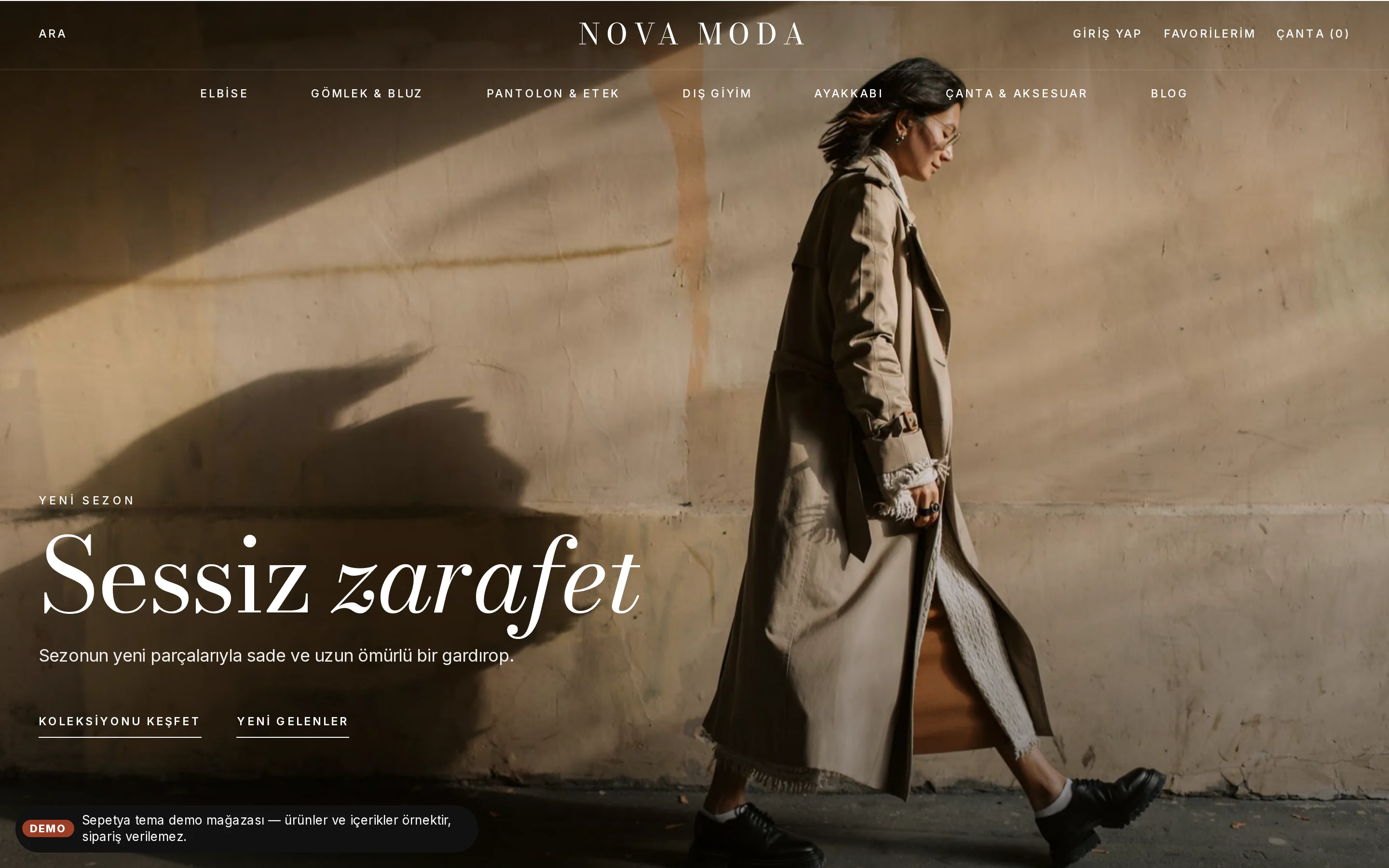
A storefront laid out like a fashion magazine
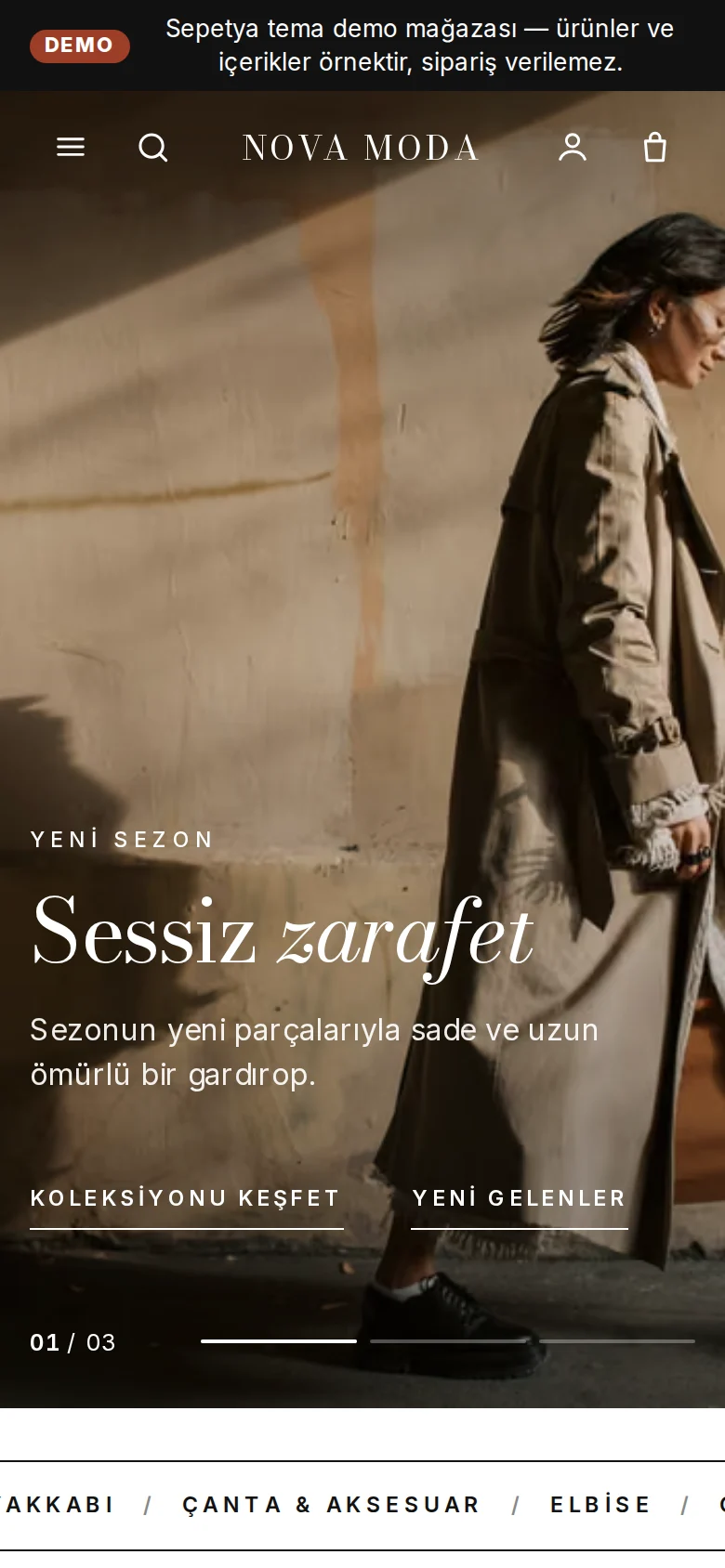
The fashion theme opens the home page with a transparent header over the picture and a full-screen campaign slider. Product cards are borderless portrait photos that reveal a second image on hover.
A scrolling band, two large category tiles, editorial storytelling and lookbook sections come ready. Open the demo store to look around; the content is sample content and orders cannot be placed in it.
- Transparent header and a full-screen fading slider
- Portrait product card, second image and colour dots
- Editorial sections and a lookbook
Editing a product
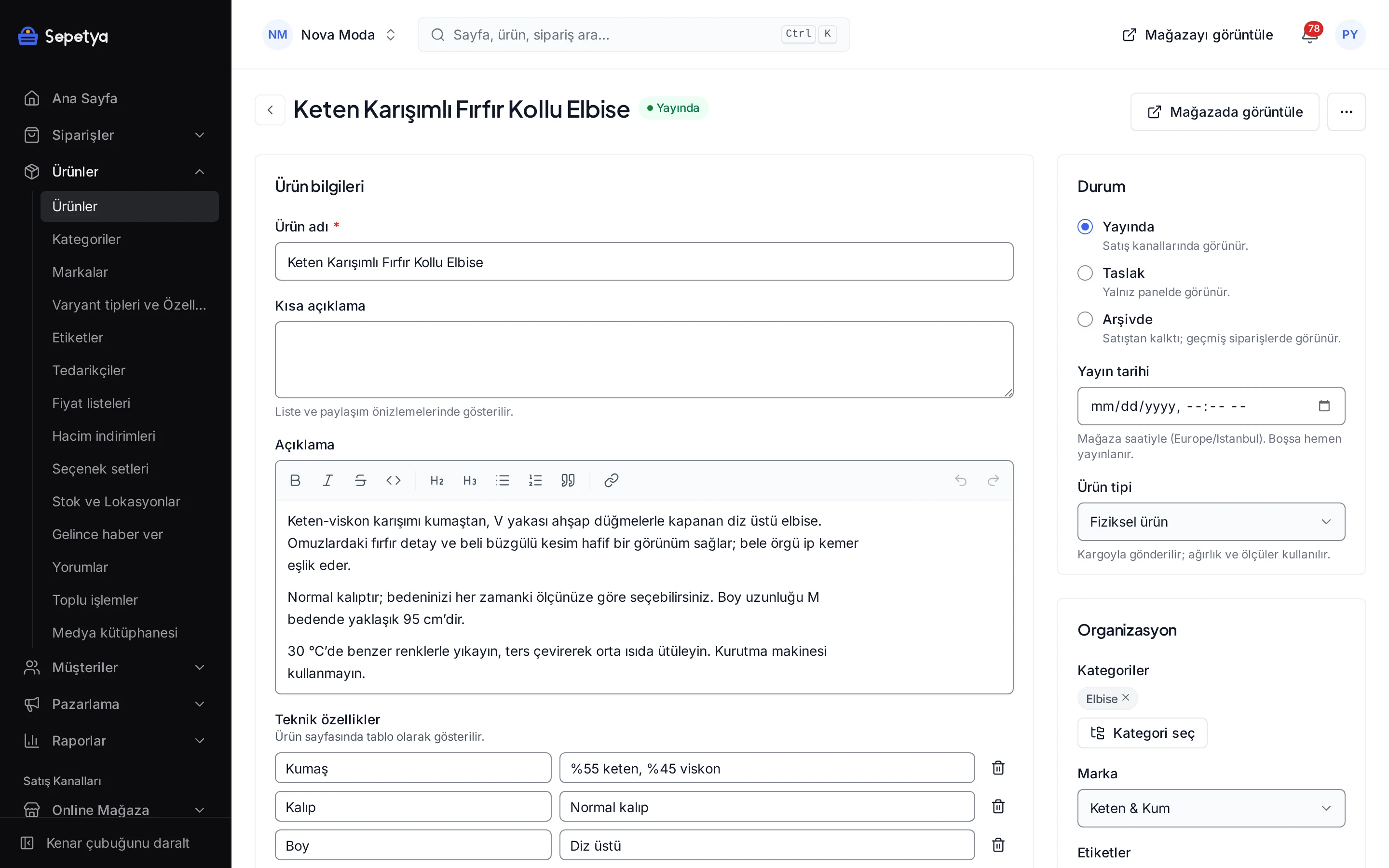
One product, many variants: colour, size and photos
Define colour and size options in the product form and the panel lists the combinations as variants. Each one can carry a barcode, a price, stock and several ordered photos.
With many products, upload them in bulk with the CSV template and update prices and stock in bulk; bulk operations with CSV are a feature of your plan.
- A colour code or small image for each colour
- Barcode, SKU and customs code per variant
- Stock per location
- Bulk upload and update with CSV (a plan feature)
Industry-specific topics
Check these before you start selling
For rules specific to your product group, ask the competent authorities and your advisor.
- 6502
Right of withdrawal and return terms
Learn moreConsumers have a right of withdrawal in distance sales; some cases, such as opened products that cannot be returned for hygiene reasons, may be exceptions. State your return terms clearly on the product page and in the pre-contract information, and ask your advisor which products count as exceptions.
Product information and labelling
You can enter fabric content, care instructions and size details as product attributes and show them on the product page. Textile products may carry labelling obligations; confirm their scope with the relevant regulation and your advisor.
- 6502
Price and discount display
Themes only show the old price you enter and your real stock; they never invent a countdown or a stock warning. Base your discount announcements on real prices and on the commercial advertising rules.
This section is general information, not legal or tax advice. Review your texts and processes with a professional and the current announcements of the competent authorities.
Frequently asked questions
How do I manage size and colour combinations?
You define options such as colour and size in the product form and the panel lists the combinations as variants. Each variant keeps its own barcode, price, stock and photos. For colours you can use a colour code or a small image.
Can each colour appear as a separate product in listings?
Yes. With the “show variants as separate cards” option in the product form, each value of one option (for example colour) becomes its own card in listings. The setting is per product.
How does a customer open a return?
The customer opens a request from an order in their account, choosing lines and quantities and giving a reason. You approve or reject it line by line; the refund goes through your payment provider or is recorded manually, and the customer receives status e-mails. See orders and returns for details.
Which theme should I choose for a fashion store?
If you want an image-first, editorial look, start with the fashion theme and open its demo store from the theme page. In the theme editor you change colours, fonts and sections to fit your brand, and you can switch to another theme at any time.
Start building your clothing store today
The setup wizard walks you from store details to launch, step by step. No credit card is asked during the trial.