Sell and manage
From order to return, everything on one screen
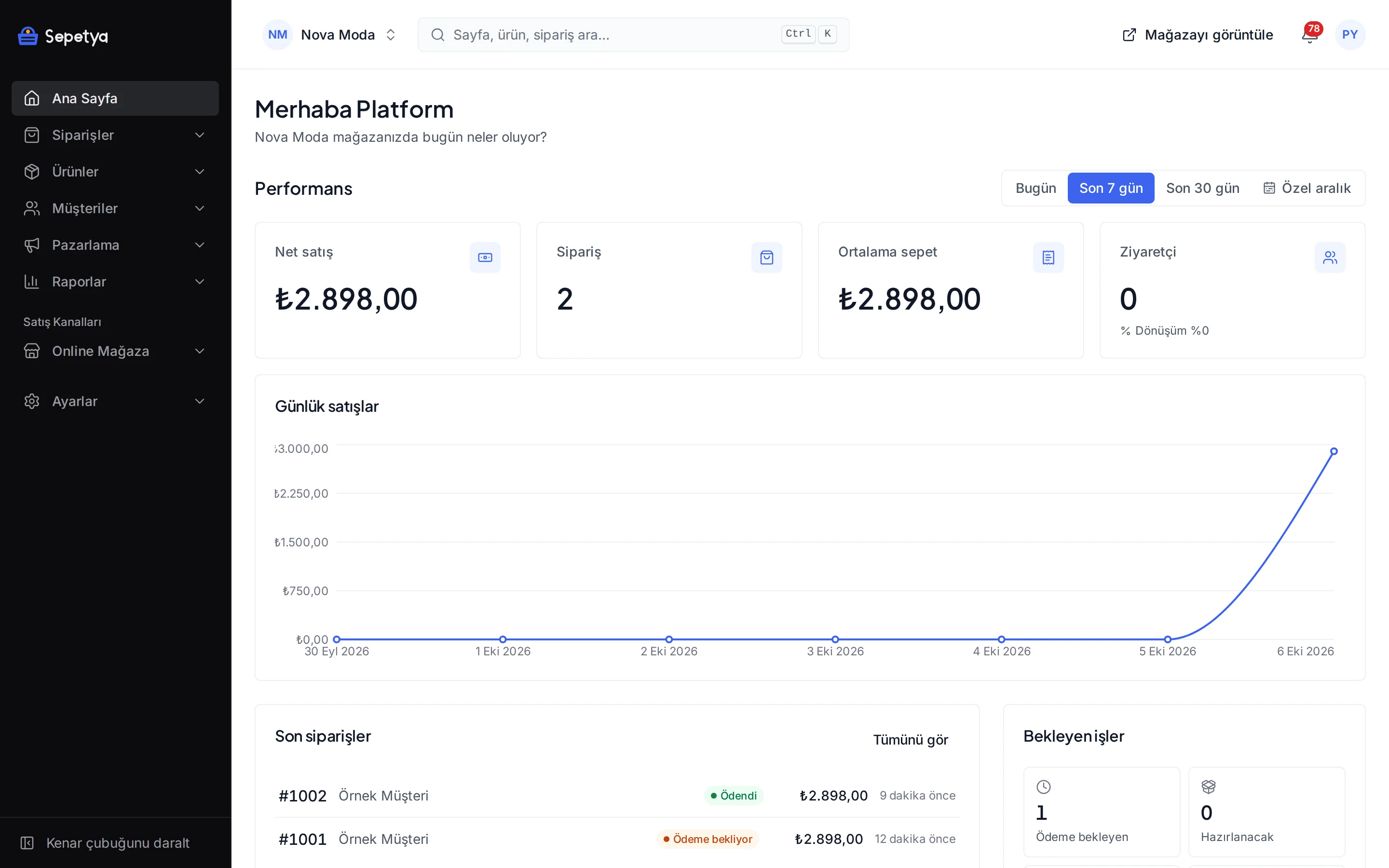
Fulfil incoming orders, ship them and add invoices, and answer your customers’ return and cancellation requests in the same place. Every step is written to the timeline and the customer gets an e-mail.
What you need to fulfil an order
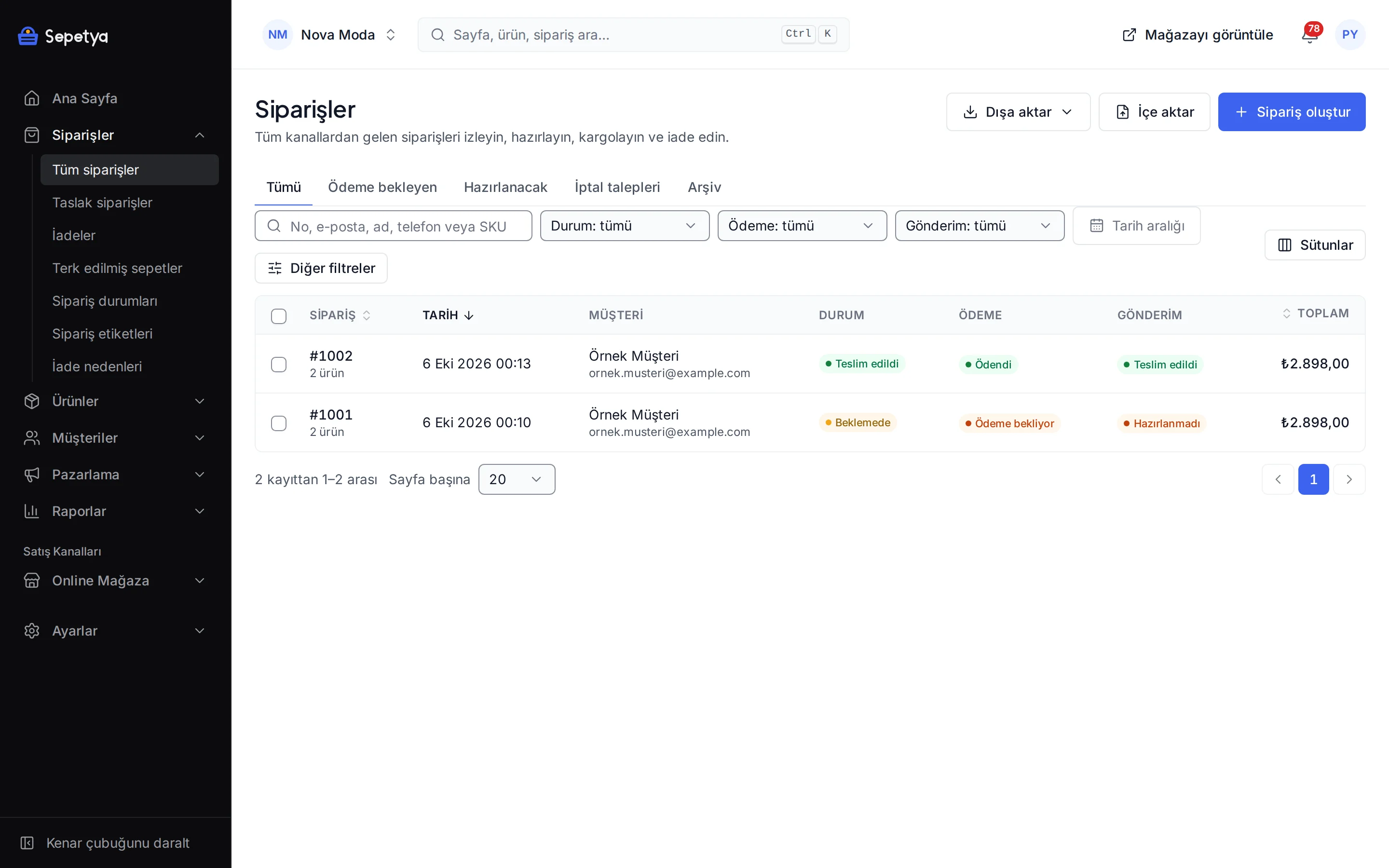
Order list and filters
Filter by status, payment, delivery, channel, tag and date and search by order number, e-mail, name, phone or SKU. There are ready-made views for orders awaiting payment and orders to ship, and the list exports as CSV.
Shipping and tracking
Pack all or part of an order, enter the carrier and tracking number and the customer gets an e-mail with a tracking link. Print the packing slip.
Invoices
Attach an invoice PDF to the order or issue it with the e-Fatura / e-Arşiv module. The customer downloads the invoice from their account.
Return and cancellation requests
Customers open return or cancellation requests from their account and you approve or reject them line by line. A return reasons catalogue, restocking and refunds to store credit are ready.
Draft orders and payment links
Create an order that came by phone or message in the dashboard and e-mail a signed, time-limited payment link.
Notifications
Customers get an e-mail when an order is received, shipped, delivered or returned, and the texts are edited per language. You are notified by e-mail about new orders and return requests too.
Order detail
Everything about an order on one page
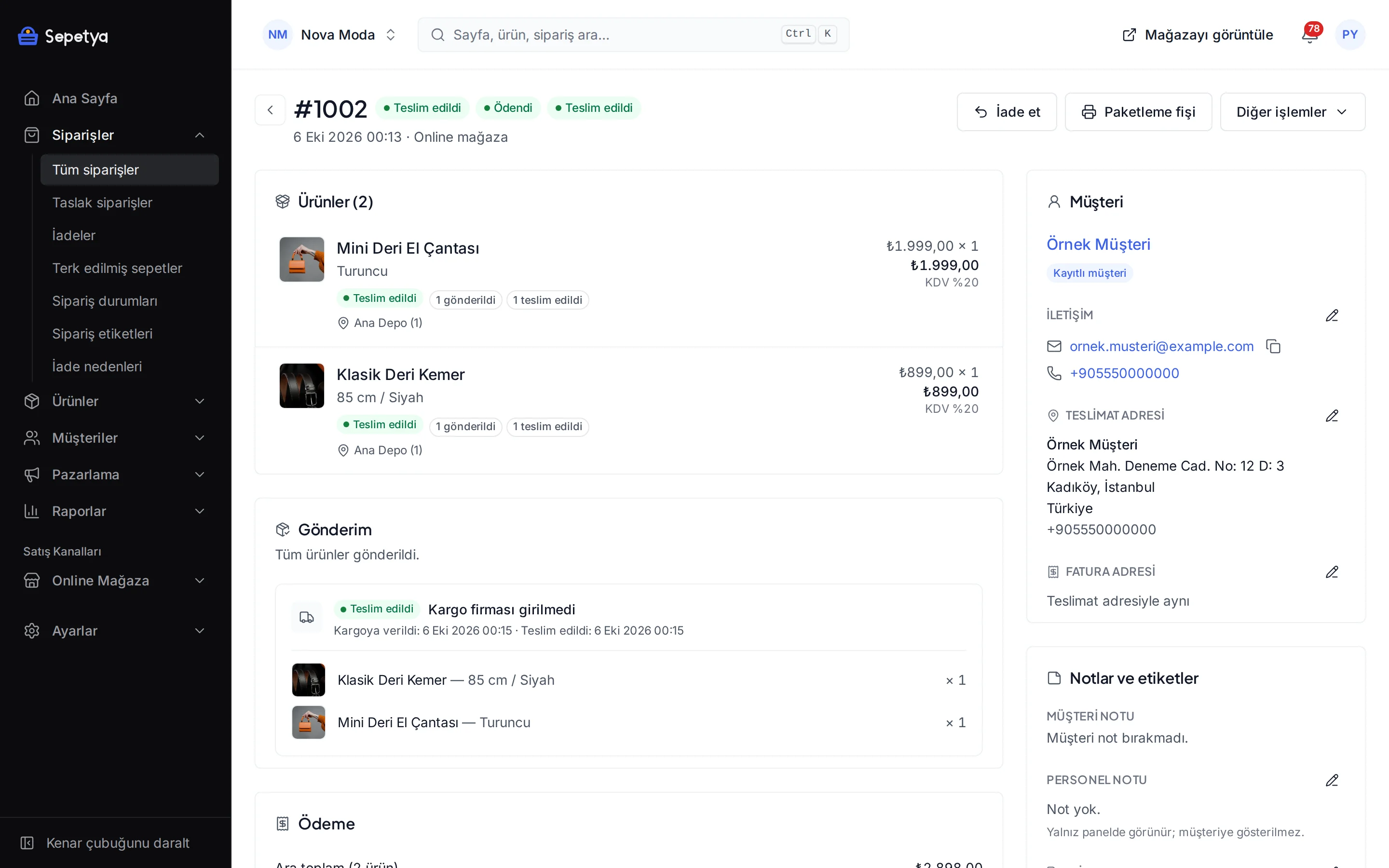
The order page shows the customer and address details, the products (with variants, personalisation and prices), payment transactions, shipments, invoices, returns, notes and the timeline together. When the visitor gave analytics cookie consent, the source of the order (UTM data, referring site) is recorded as well.
Correct the address, add or remove products or change the stock location of a line when needed. Every change is written to the timeline and can be sent to the customer.
- Partial cancellation: cancel only the lines and quantities you choose, restock them and refund
- Define your own order statuses; payment, shipment and line statuses are tracked separately
- Tags, archive and notes; the customer note and the staff note are kept apart
- For bank transfer, cash on delivery and pay in store, mark the order as paid when you receive the money
Returns and cancellations
From return request to refund, on record
Your customer opens a return or cancellation request from the order page and picks the products, quantities and a reason. The request lands in your dashboard: approve it line by line or reject it with a reason, mark the returned parcel as received and complete the refund. The customer gets an e-mail at every step.
You can refund to the original payment method through the provider, turn the amount into store credit, or record a manual refund if the provider rejects it. Shipping and gift wrap fees can be refunded too and products put back into stock.
- Return reasons catalogue: define your own reasons and follow them by reason in reports
- The return period and explanatory text are managed in settings and shown to customers on the product page and at checkout
- Customers cancel unpaid orders themselves; for paid orders that have not shipped the cancellation request comes to you
- New return and cancellation requests are reported to the store owner by e-mail
How it works in the dashboard
- Step 1: 1
Review the order
Open the new order under Orders and check the products, payment and delivery details. For bank transfer or cash on delivery, mark it as paid when you receive the money.
- Step 2: 2
Fulfil and ship
Create the shipment and enter the carrier and tracking number; with “notify the customer” on, the tracking link goes out by e-mail. Print the packing slip.
- Step 3: 3
Add the invoice
Upload the invoice or issue it with the e-Fatura / e-Arşiv module; the customer downloads it from their account.
- Step 4: 4
Answer return requests
Approve or reject the requests that arrive under Returns and complete the refund when the parcel is back.
Frequently asked questions
Can I define my own order statuses?
Yes. Under Orders › Order statuses you add your own statuses, write their names in every language, pick a colour and decide whether the customer is notified when an order reaches that status. Payment, shipment and line statuses are tracked separately.
How do my customers request returns and cancellations?
Signed-in customers request from the order page in their account and guests from the order page they open with their e-mail and order number. An order with no payment is cancelled directly and the stock is put back; for a paid order that has not shipped the cancellation request lands in your dashboard. Shipped orders get a return request; the return period and explanatory text come from your settings and you can switch online return requests off.
How does the refund reach the customer?
For payments taken with iyzico, PayTR and Stripe you refund from the dashboard to the original method and choose the amount, lines and quantities. If the provider rejects the refund you can record a manual refund or turn the amount into store credit. For bank transfer and cash on delivery you send the money from your own account and the dashboard keeps the record.
Can I enter an order that came by phone?
Yes. You create a draft order and enter the customer or a guest, catalogue and custom lines, the discount, the shipping fee and a tag. If you already took the payment you mark the order as paid; if not, you e-mail the customer a signed, time-limited payment link.
Can I see abandoned carts?
Yes. Orders › Abandoned carts lists unfinished carts with the customer, products and total, and marks the ones that got a reminder and the ones that turned into orders. Reminder e-mails or SMS are sent with automations.
Which notifications do my customers get, and can I change the texts?
E-mails for order received, payment received, shipped (with a tracking link), delivered, cancelled, refunded and invoice are ready. You edit the subject and text of every template per language, preview it with sample data, send a test e-mail and go back to the default. With the NetGSM module connected, order received, shipped, ready for pickup and delivered notifications also go out as SMS.
Start managing your orders from one place
During the trial place a test order with your own products and try the shipping, invoice and return flow from start to finish.