Multi-category store
A multi-category store that keeps a large catalogue in order
A nested category tree, dynamic categories that fill themselves by rule, store-specific filters, campaigns and bulk CSV upload. A catalogue where shoppers find things quickly and that you can manage with ease.
- No credit card needed
- Your own domain, automatic SSL
- Demo store with sample content

What your industry needs
As a catalogue grows, things get tangled. When categories, filters, prices and stock are set up in an orderly way from the start, both the storefront and the panel stay easy to follow.
Category tree and dynamic categories
Build nested categories and move them around; a product can sit in several categories. Give a dynamic category a rule (price range, brand, tag, attribute, variant value, being on sale or a campaign) and products enter and leave on their own.
Products and inventoryFilters and search
You build the storefront filters yourself: category, brand, variant, attribute, price, discount rate, stock and tag, shown as a list, boxes, colour swatches or a range. The search box suggests products, categories and brands.
Campaigns and coupons
Percentage, fixed amount, free shipping, buy X get Y and tiered discounts, targeted at first orders, customer groups or chosen customers. Create coupon codes one by one, in bulk or by importing a CSV.
Campaigns and couponsBulk operations
Upload and export products, prices, stock and translations with CSV, and edit selected products in bulk. Jobs run in the background and row errors come back as a downloadable report. Bulk operations with CSV are a plan feature.
Multiple stock locations
Define your warehouses and shops as locations. Transfers between locations, stock counts and per-channel location priority are ready in the panel.
Price lists and volume discounts
Set up price lists by customer group, market or currency, and define quantity-based volume discounts that appear as a tier table on the product page.
Ready-made theme and demo store
A storefront that makes many categories easy to browse
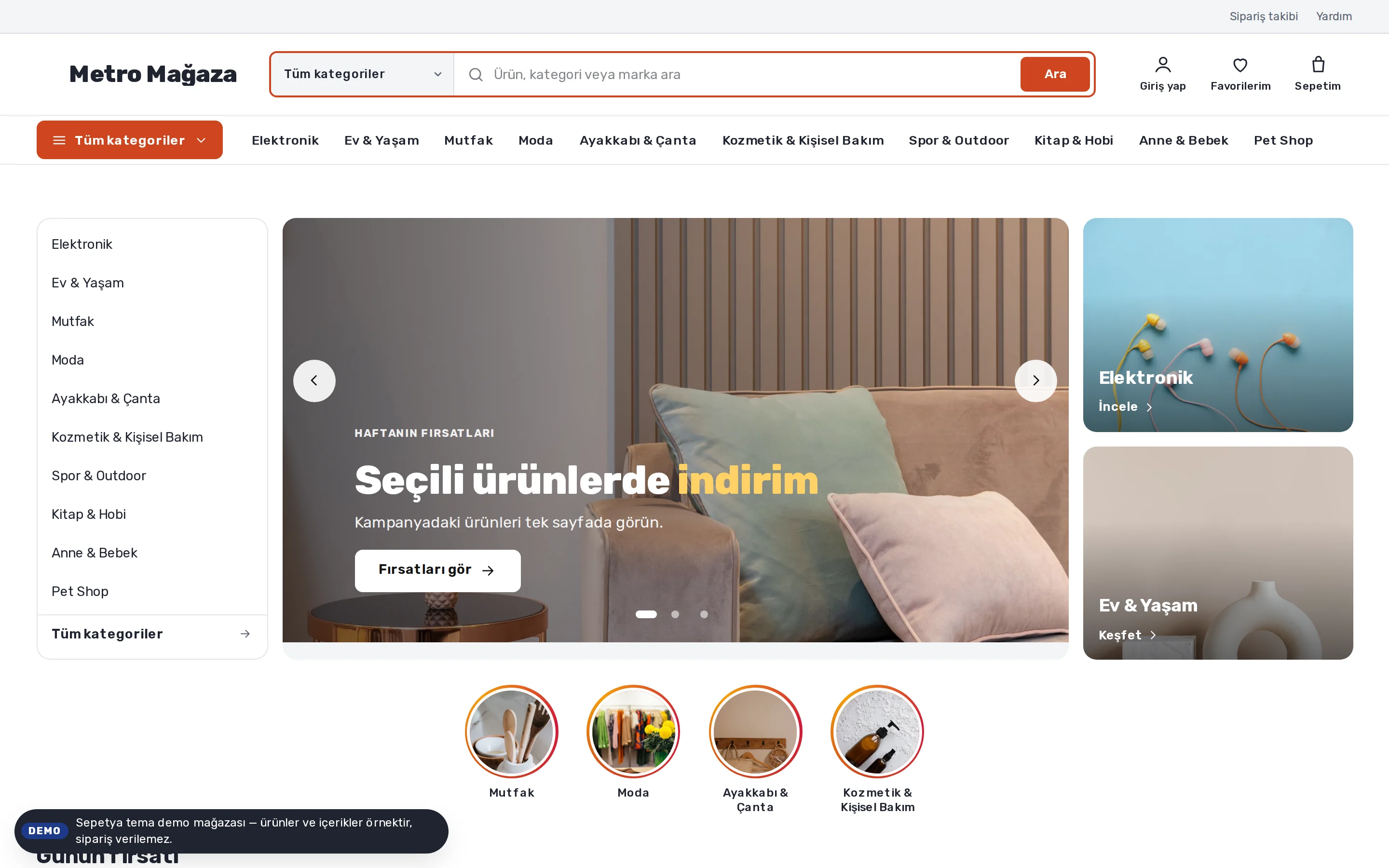
The theme for large catalogues opens with a wide search box that can be scoped to a category and an “All categories” menu. On the home page the category list sits on the left, the campaign slider in the middle and two small campaign cards on the right.
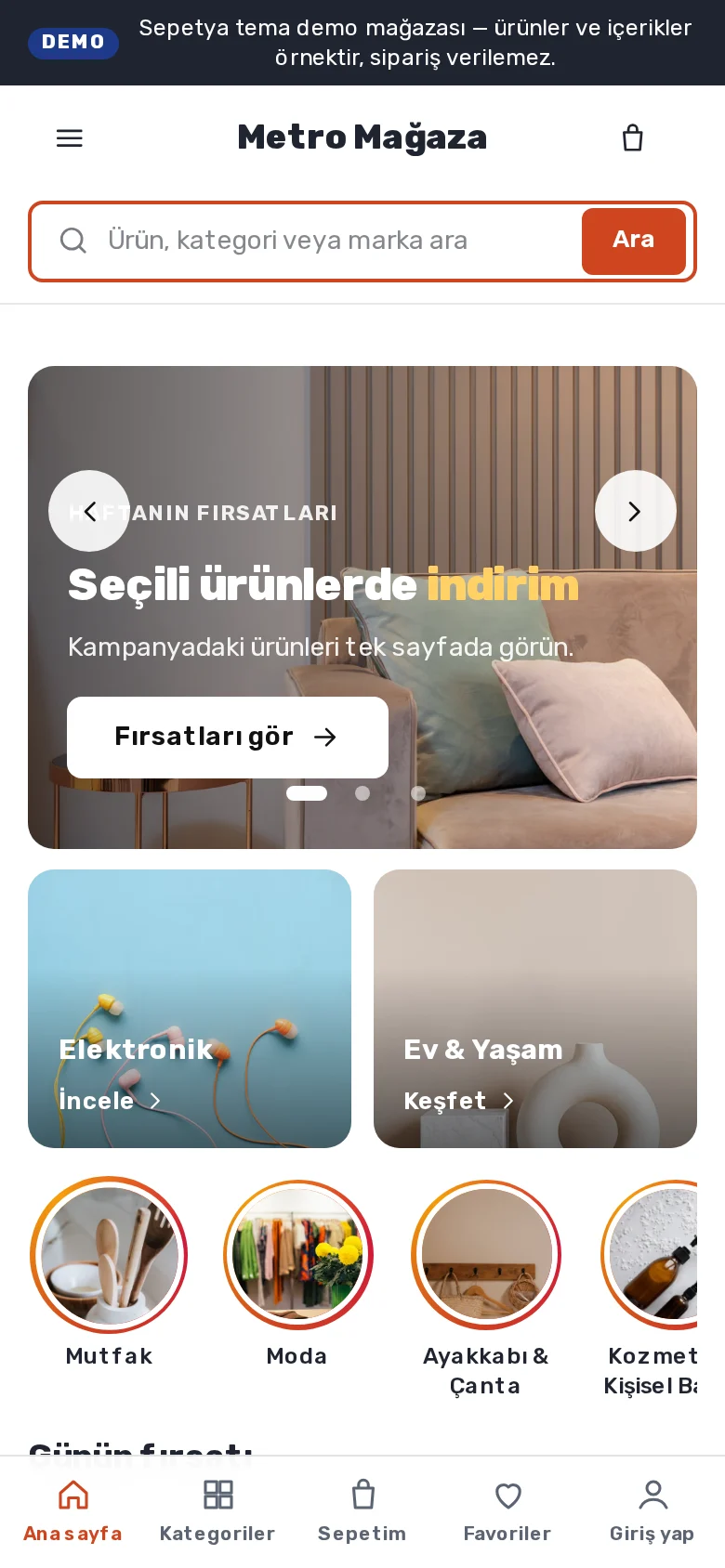
The product card shows the brand, rating, old price and an always-visible “Add to cart” button; on phones there is a bottom tab bar and a search box that is always in view. The theme is for one store owner's large catalogue, not a multi-seller marketplace.
- Category-scoped search and a department menu
- Deal of the day: the timer only runs to a real campaign end
- Tabbed shelves, story shortcuts and a mobile tab bar
Catalogue management
Manage a big catalogue from one place
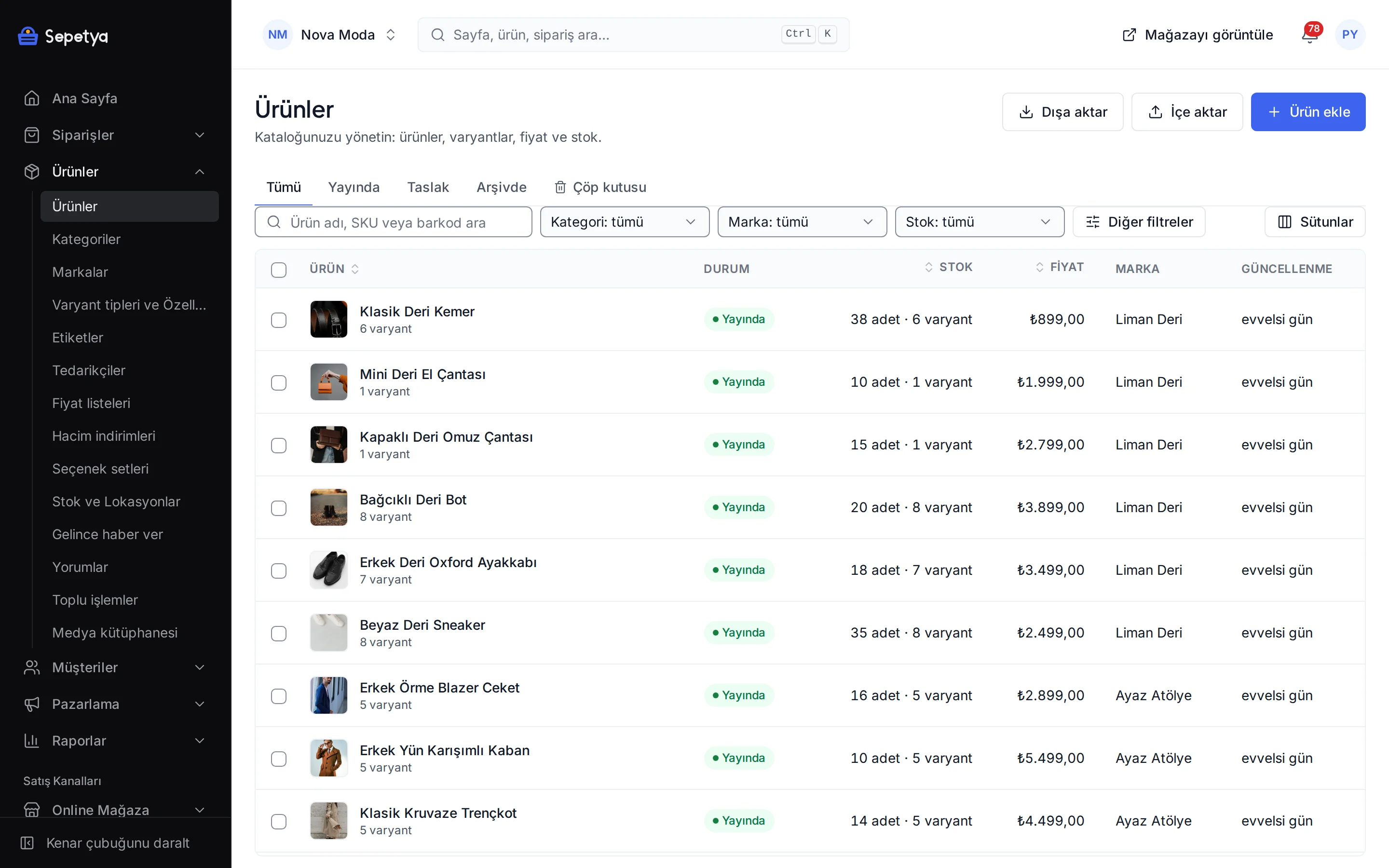
Search and filter the product list and run bulk actions on selected products. Brands, categories, tags and suppliers are created by name while a CSV is imported.
Each product keeps its own SEO title, description and URL; when the URL changes, the old one is redirected to the new one automatically.
- Search, filters and bulk actions
- A rule editor for dynamic categories
- CSV import and export with an error report (a plan feature)
- Per-product SEO fields and automatic redirects
Industry-specific topics
Check these before you start selling
For rules specific to your product group, ask the competent authorities and your advisor.
Obligations that differ by product group
In a large catalogue each product group can have its own rules: labelling, warranty, product safety or sales permits. Review the groups in your catalogue one by one and ask your advisor or the competent authority about any that are unclear.
- 6502
Seller details and pre-contract information
Learn moreYour seller details appear in the storefront footer. The pre-contract information form and the distance sales contract are shown at checkout, filled in with the customer's details. The texts are draft templates: edit them to your own terms and have your lawyer review them.
Campaign terms
When you run many campaigns, state the scope, dates and usage limit of each one clearly. Base any wording that creates time or stock pressure on real data; the deal-of-the-day timer in the theme only runs until the real end date you enter.
This section is general information, not legal or tax advice. Review your texts and processes with a professional and the current announcements of the competent authorities.
Frequently asked questions
How should I structure my categories?
Think the way your shoppers do: broad departments first, more specific categories underneath. A product can belong to several categories. For groups that keep changing (for example products on sale or one brand's products) use a dynamic category; products that match the rule enter by themselves.
Can I change the storefront filters?
Yes. On the Filters screen of the storefront settings in the panel you choose which filters appear, their order, their look (list, boxes, colour swatches, range) and whether multiple selections use AND or OR.
Can I upload products in bulk?
Yes. Upload products, variants, prices, stock and translations in bulk with the CSV template; after a preview the job runs in the background and returns a report of row errors. Excel files need to be saved as CSV first. Bulk operations with CSV are a plan feature; see the comparison on the pricing page for the plans that include it.
Can I build a multi-seller marketplace?
No. Sepetya is for a single store owner's own store; there is no marketplace structure in which several sellers sell on one storefront. You manage your large catalogue in one store.
Start with your full catalogue
The setup wizard walks you from store details to launch, step by step. No credit card is asked during the trial.