Multi-category store
Metro
An information-dense theme for large catalogues
For stores with many categories: visitors quickly find what they want through the search box, the category menu or the deal shelves. It is for one store owner's large catalogue, not a multi-seller marketplace.
- Scoped search and a department menu
- Campaign opening with categories and story shortcuts
- Deal of the day, tabbed rails and a mobile tab bar
Free
Products and content in demo stores are samples; orders cannot be placed in a demo store.
Header and opening
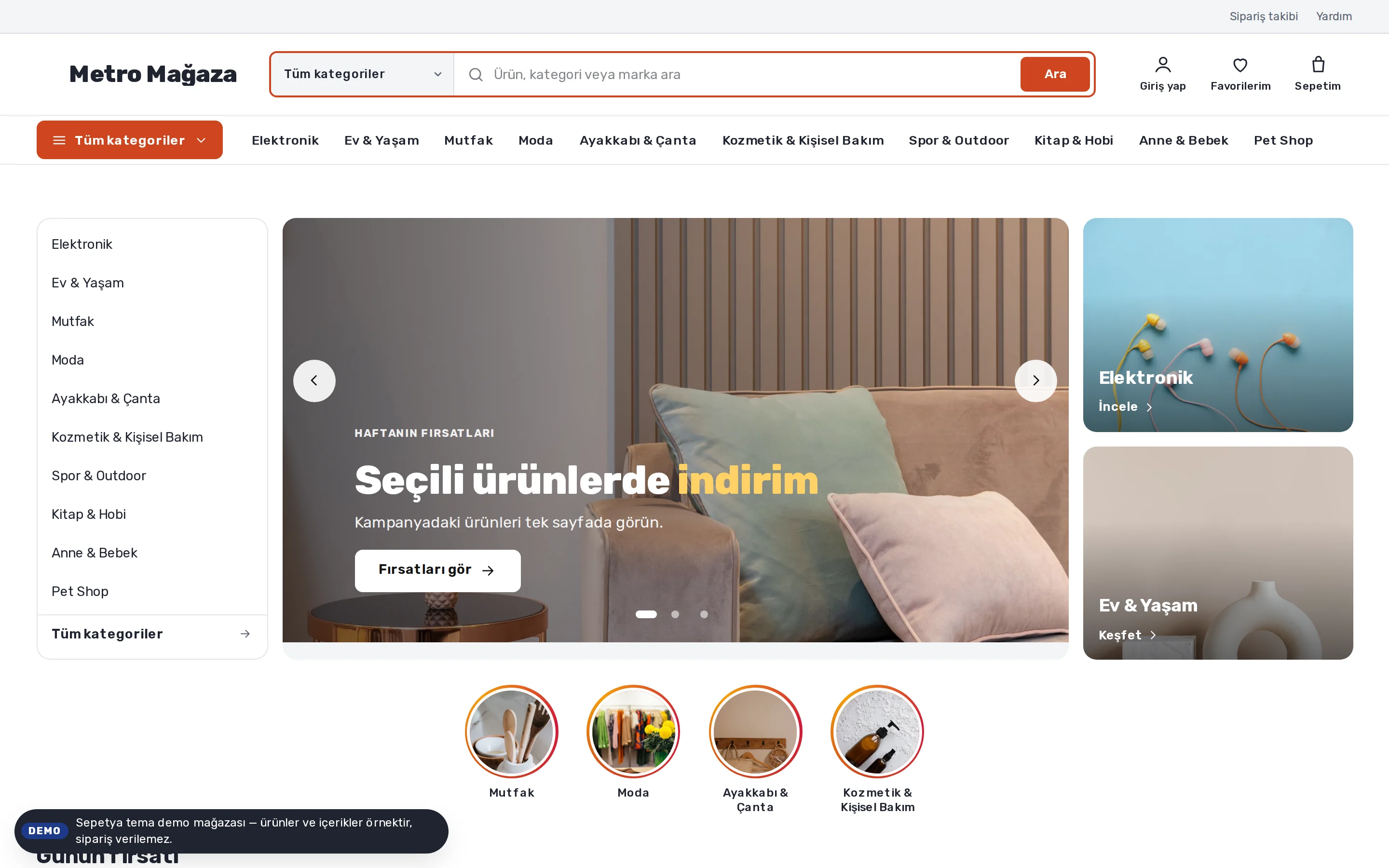
Category-scoped search and an “All categories” menu
On desktop an information bar on top holds the phone number, opening hours, order tracking, help and the language and currency switchers. Underneath come the logo, a wide search box whose scope can be a category, and labelled actions such as “Sign in, Favourites, Cart”.
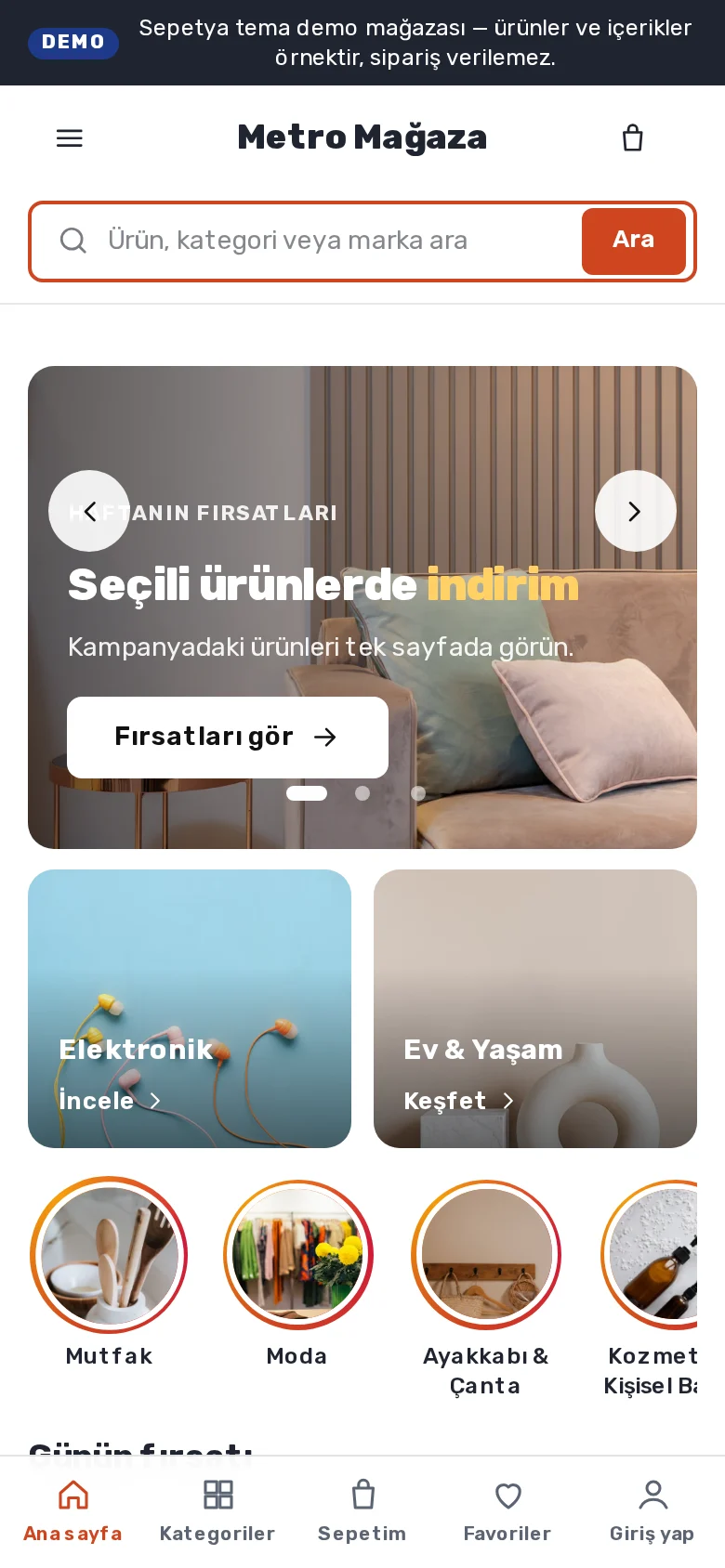
The “All categories” button opens the department menu as a fly-out, with the main menu beside it. On phones the search box has its own row and is always visible, and the main navigation sits in a bottom tab bar.
- An information bar and a wide, category-scoped search
- An “All categories” department menu
- Always-visible search and a tab bar on phones
Product card
A framed white card: brand, rating, old price and an always-visible button
On the card the photo sits on white; the brand is set in bold before the product name, with stars and the review count below. Next to the large price you see the old price and a discount chip.
The “Add to cart” button is always visible, so touch screens need no hover. Rating, stock and price come from real data.
- Brand, stars and review count
- Large price, old price and a discount chip
- An always-visible “Add to cart”
Signature sections
Campaign opening, deal of the day, tabbed shelves and a brand wall
The home page opening has the category list on the left, the campaign slider in the middle and two small campaign cards on the right, with round story shortcuts (offers, new arrivals, best sellers) beneath.
The deal-of-the-day section features the product with the deepest real discount, and its countdown only appears until an end date you entered that has not passed. Tabbed shelves, a dense category grid and a brand wall come ready, and you can add a coupon-cards section with real codes you defined yourself. The footer has direct links for returns, order tracking, help and secure payment.
- An opening with a category list and story shortcuts
- Deal of the day: the timer only runs to a real end date
- Tabbed shelves, a brand wall and coupon cards
Customisation
What can you change without writing code?
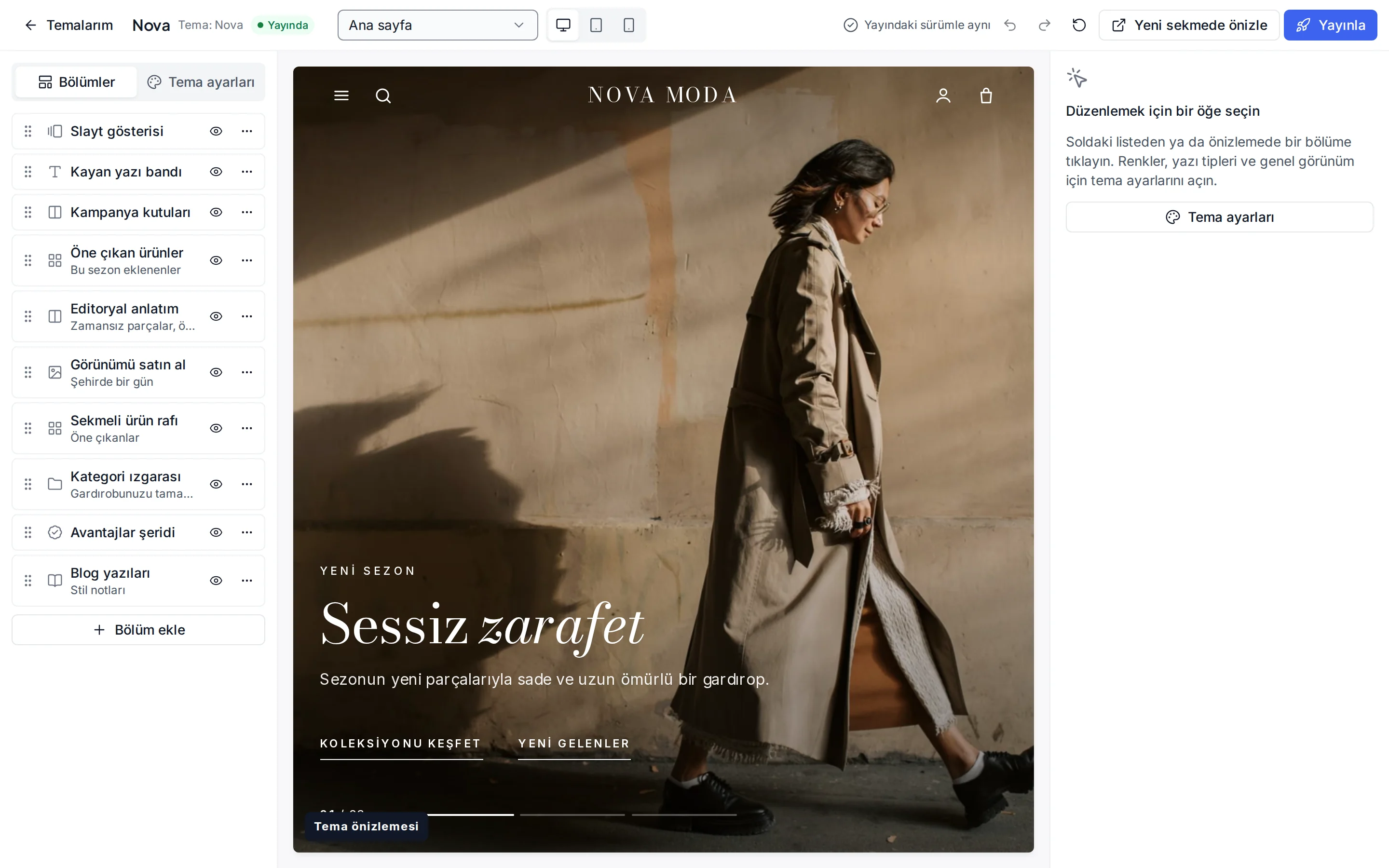
These settings are ready in the theme editor; changes stay as a draft until you publish.
Colour presets
Orange, Blue, Green and Berry; you can also change each of the eight colours separately.
Fonts
Rubik for headings and text; change it from the Google font list.
Header and navigation
The information bar (phone, order tracking), announcement bar, header colour, sticky header, mega menu, and language and currency switchers.
Campaign opening
Show or hide the category list, autoplay and interval; image, heading and link for the slides and the two side cards.
Deal of the day
Choose the product yourself or feature the deepest discount; enter a real end date and turn the stock note on or off.
Product card
Rating and brand display, quick add, old price, unit price, the “New” label period and the image ratio.
Corners, buttons and layout
Corner radius, button shape, page width, section spacing and cart type (drawer or page).
Footer
Footer colour, newsletter form, payment icons and social media links.
Which stores is this theme for?
Multi-category store
Designed for large-catalogue stores and also suited to multi-category ranges such as home, electronics, sports and pet products. It works together with the category tree, dynamic categories, filters and campaigns.

Frequently asked questions
How does the deal-of-the-day timer work?
The timer only appears if the end date you entered in the section settings has not passed; once it has, nothing is shown. Without an end date there is no timer. You can choose the product yourself or let the product with the deepest real discount stand out.
Can I use the opening without the category list?
Yes. If you turn off “show category list” in the campaign opening section, the slider and side cards use the full width. You can also add a different section in place of the opening.
Is this a marketplace theme?
No. It is designed for a single store owner's large catalogue; there is no marketplace structure in which several sellers sell on one storefront.
Try the multi-category theme
Browse the demo store and, if you like it, open your account and install the theme. No credit card is asked during the trial.