Food and grocery
Taze
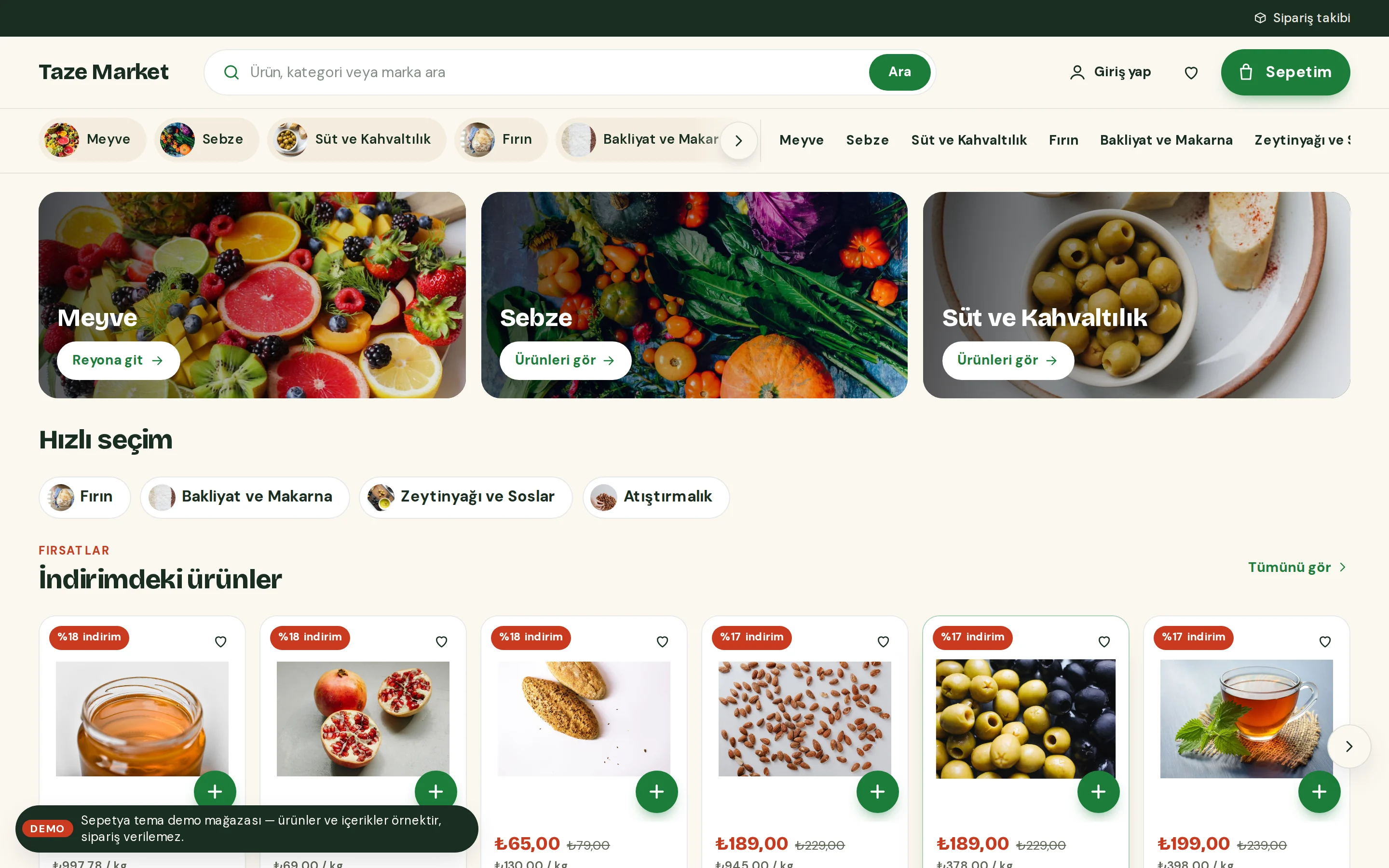
A fast grocery storefront with products up front
An app-like, fast storefront for food, grocery, deli, gourmet, organic and beverage stores. Products come first; shoppers add quickly and pin down delivery.
- Sticky aisle chips and a cart button showing the subtotal
- "+" turns into a quantity stepper; unit price on every card
- Compact promo cards, recipes and a floating cart summary on phones
Free
Products and content in demo stores are samples; orders cannot be placed in a demo store.
Header and opening
A delivery strip, a cart with a subtotal and sticky aisle chips
A slim delivery and information strip shows your store announcement; parts separated by “ | ” or line breaks rotate slowly and pause on hover. Below it come the logo, a wide rounded search, an account link and a prominent cart button that shows the live subtotal.
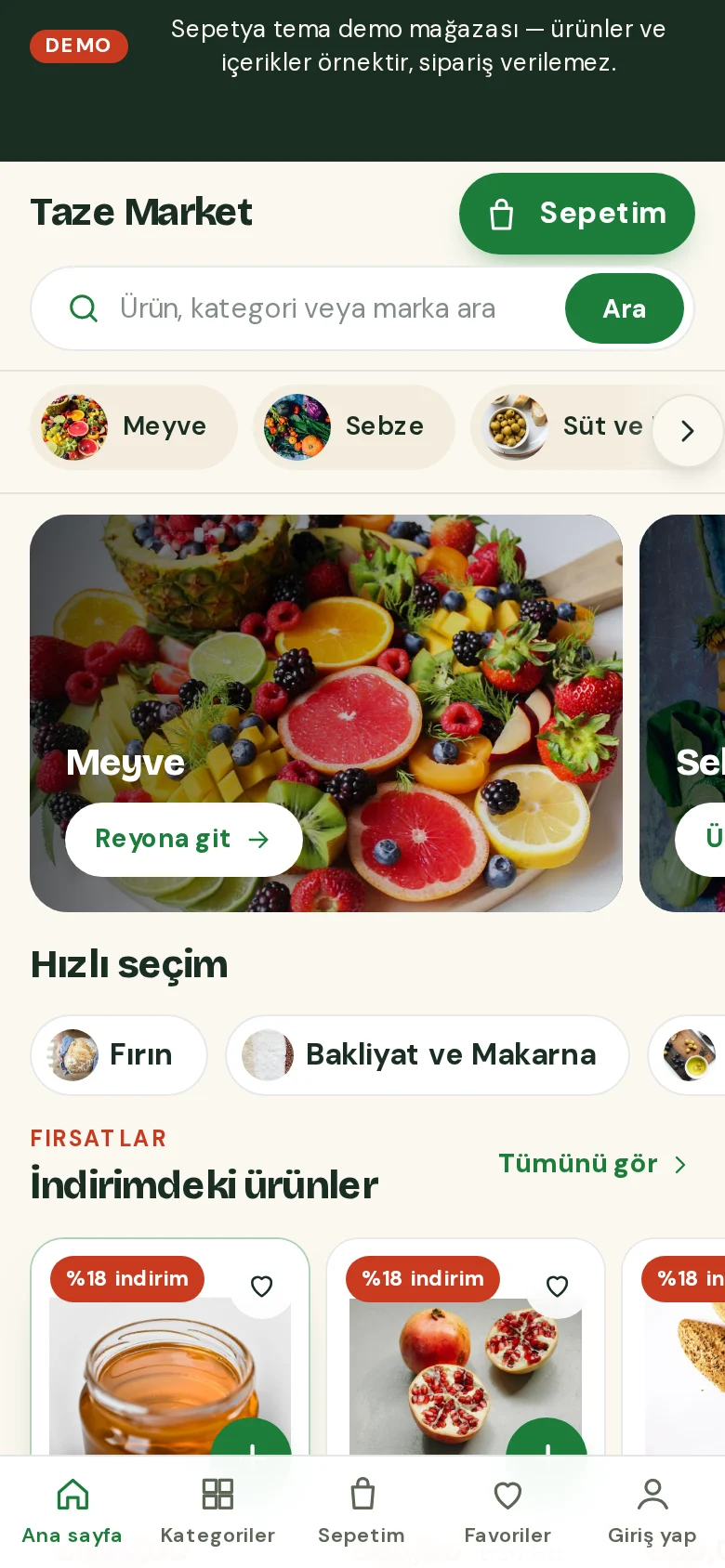
In the sticky row underneath, your top-level categories appear as “aisle chips” with their image or initial, and the current aisle is highlighted. There is no giant opening image: promotions sit in a compact rail of cards, with the next card peeking in on phones, arrows on desktop and no autoplay. On phones there is a search on its own row, a bottom tab bar and a floating cart summary.
- A delivery and information strip
- A cart button that shows the live subtotal
- Sticky aisle chips, plus a tab bar and floating cart summary on phones
Product card
A card whose “+” button turns into a quantity stepper, with a unit price
The square photo sits uncropped on white. The price comes first with the unit price (per kilogram or litre) beneath it, and the product name runs over two lines.
The round “+” button adds the product to the cart and then turns into a “− 1 +” stepper bound to the real cart line. For products that need an option to be chosen, the button opens the product page. Discount chip, low stock and sold out come from real data only.
- The price first, the unit price below
- The “+” turns into a quantity stepper
- Products with options open the product page
Signature sections
Quick-pick chips, deal shelves, delivery information, recipes and a producer story
The home page starts with compact promo cards and “quick pick” chips (such as on sale, new in, local producers), followed by scrolling shelves of discounted and new products and then all products. You fill in the information grid for delivery areas, delivery time, packing and returns with your own correct information.
Recipe cards are built from your blog posts, with a photo and reading time, and the producer story section tells shoppers about the producers you work with. The footer is deep green and compact.
- Quick-pick chips and deal shelves
- A delivery information grid (you write the texts)
- Recipe cards and a producer story
Customisation
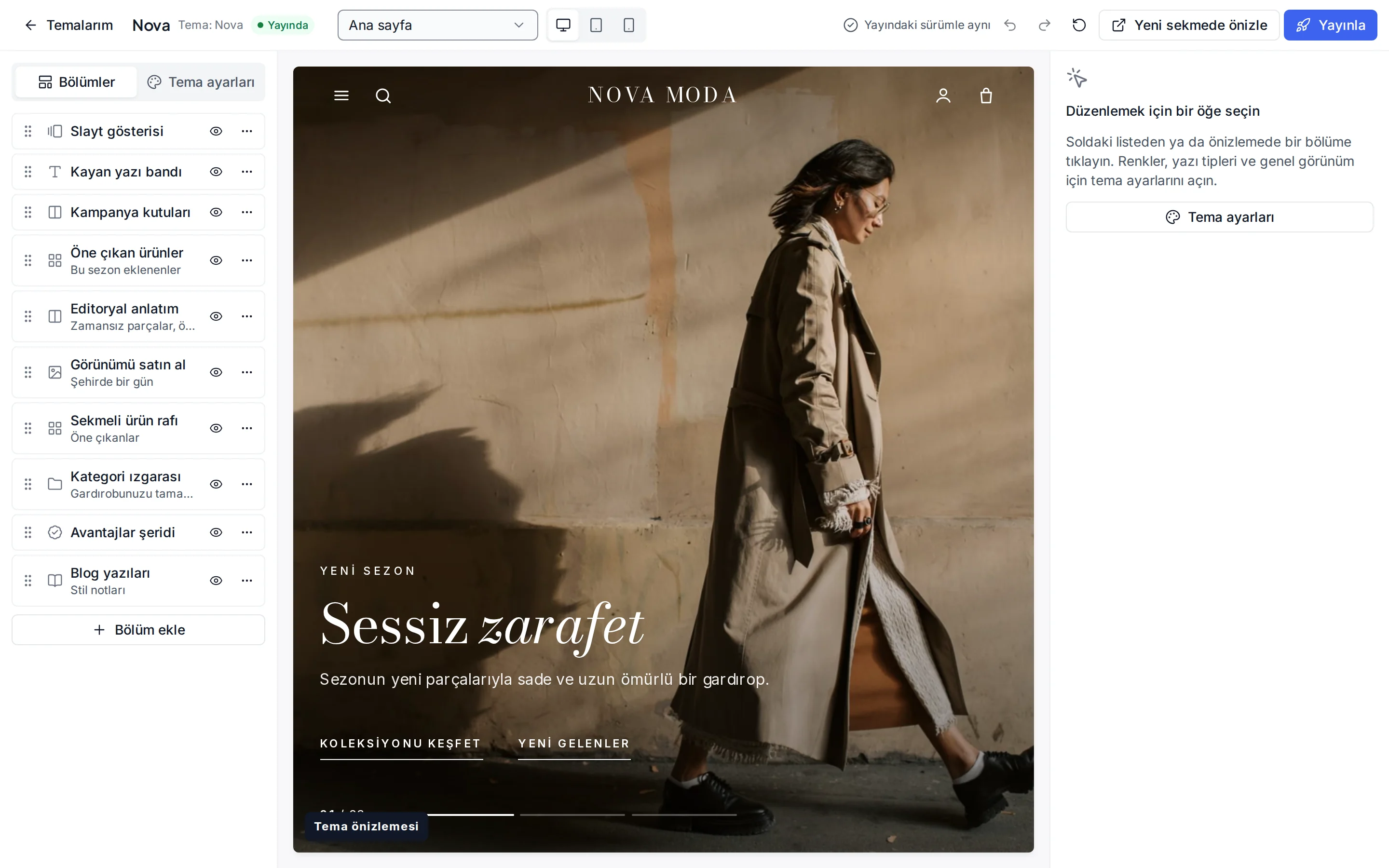
What can you change without writing code?
These settings are ready in the theme editor; changes stay as a draft until you publish.
Colour presets
Leaf, Tomato, Olive and Deli; you can also change each of the eight colours separately.
Fonts
Bricolage Grotesque for headings and DM Sans for text; change them from the Google font list.
Header and navigation
The delivery and information strip, header colour, sticky header, search, announcement bar, and language and currency switchers.
Promo cards and chips
Image, heading and link for the promo cards; label, icon and link for the quick-pick chips.
Product card
Unit price display, rating and brand display, quick add, old price, the “New” label period and the image ratio.
Stock display
Show, hide or move out-of-stock products to the end of the list (a catalogue setting).
Corners, buttons and layout
Corner radius, button shape, page width, section spacing and cart type.
Footer
Footer colour, newsletter form, payment icons and social media links.
Which stores is this theme for?
Grocery and food
Designed for food, grocery, deli, gourmet, organic and beverage stores. It works together with unit prices, quantity rules and local delivery time slots.
Frequently asked questions
How does the unit price show on the card?
If you gave a product a unit and a base amount, the card shows a price per kilogram, litre and so on under the price. Products without unit information have no unit price line. You can turn the display off in the theme settings.
How do I change the text in the delivery strip?
The strip shows your store announcement; if you split the announcement text with “ | ” or line breaks, the parts rotate in turn. You write details such as your delivery area, hours and terms yourself.
How do the bottom tab bar and floating cart summary work on phones?
On phones the main navigation (home, categories, cart, favourites, account) sits in a bottom tab bar; when the cart has items, a floating summary with the item count and subtotal appears at the bottom of the screen and leads to the cart.
Try the grocery theme
Browse the demo store and, if you like it, open your account and install the theme. No credit card is asked during the trial.