Jewellery and accessories
Zümrüt
An elegant, dark and unhurried storefront
A dark, calm and slow-moving “maison” for jewellery, watch and luxury accessory brands. It shows the piece up close and puts the story and the gifting flow forward.
- Full-screen opening with video or a slowly zooming image
- Numbered collections and a craft story
- Gift finder by budget and person, appointment band
₺2,490 + VAT · one-time licence
Products and content in demo stores are samples; orders cannot be placed in a demo store.
Header and opening
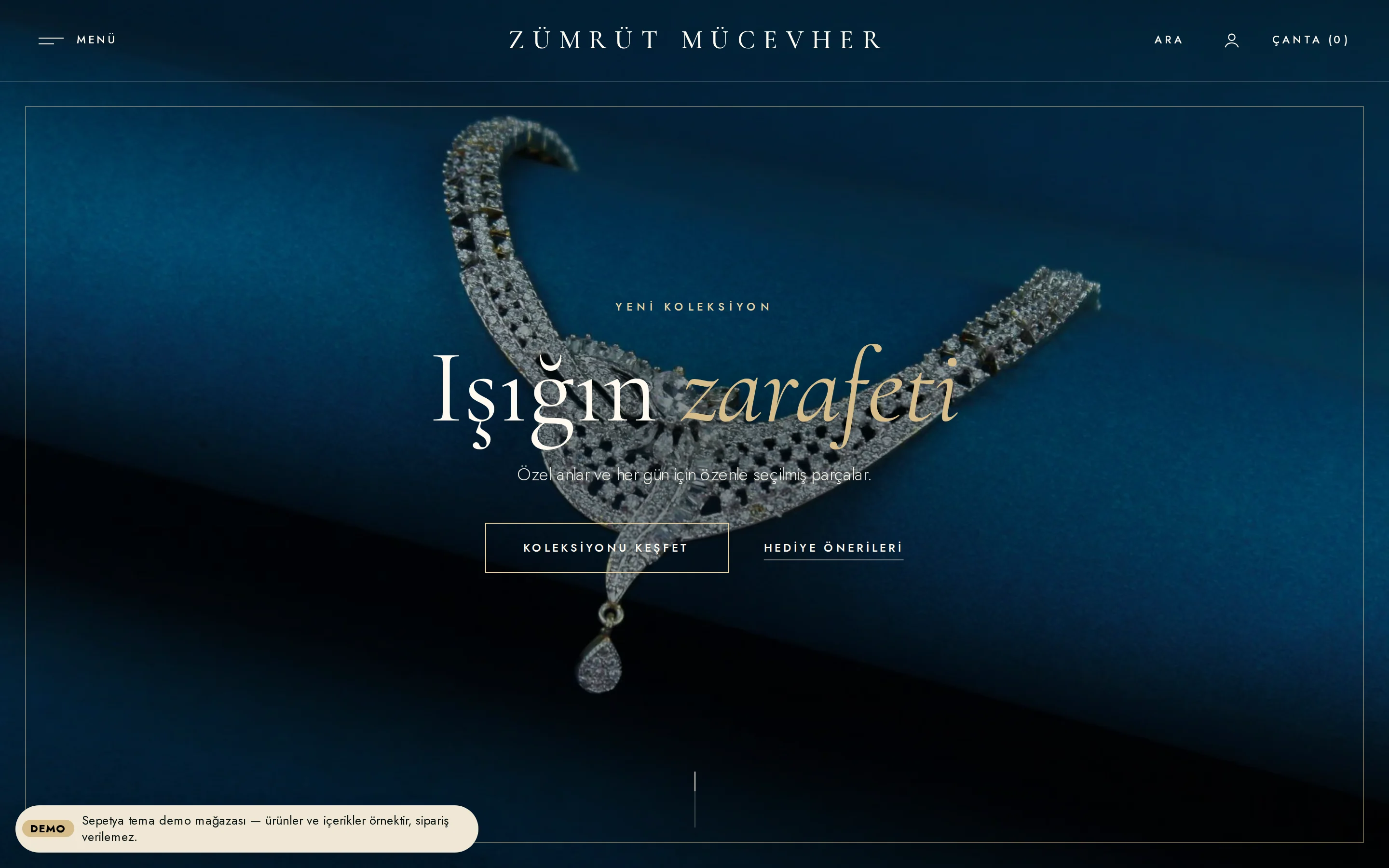
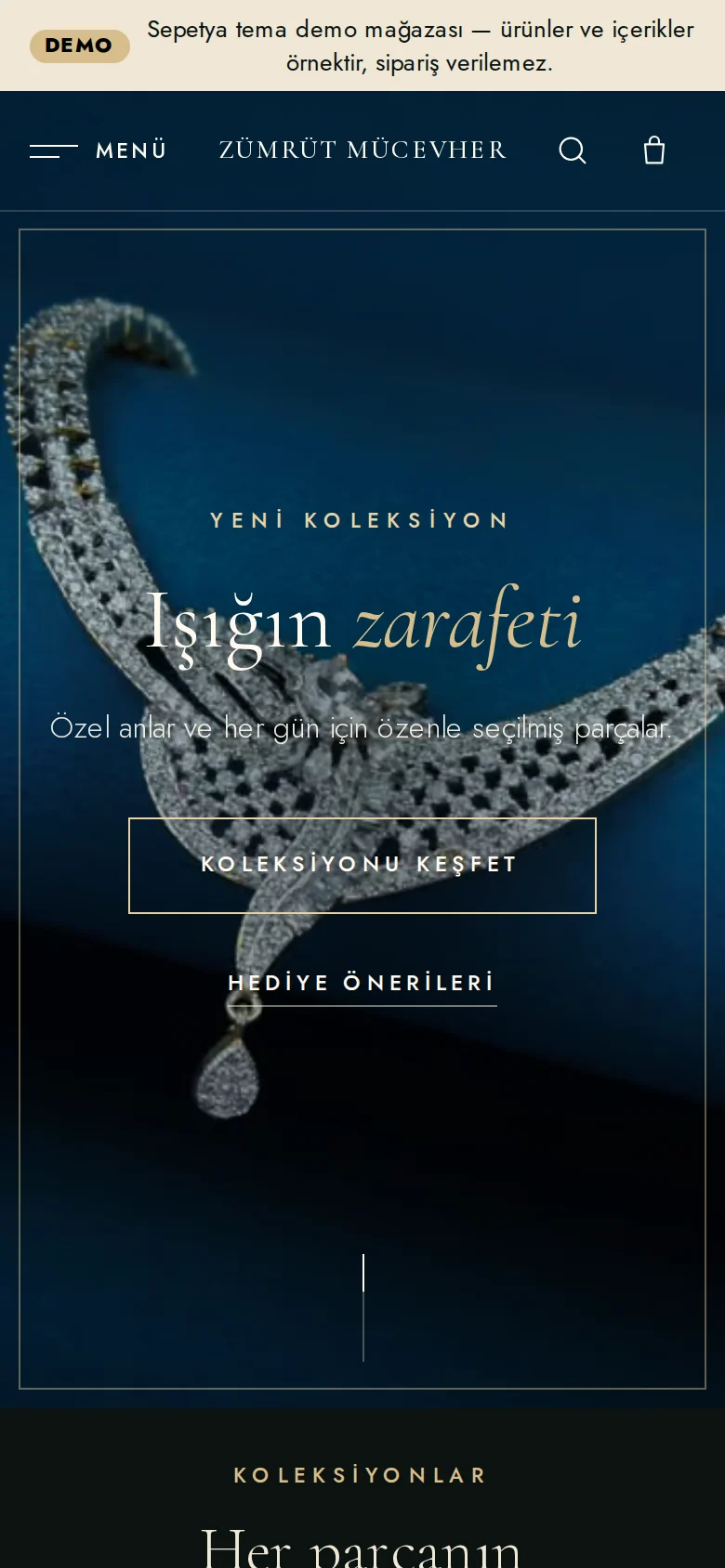
A “Menu” panel, a transparent header and a full-screen opening
One slim row: a “Menu” button on the left opens a tall side panel with large serif links (the first menu category that has an image appears at the end of the panel as a featured collection), your store name sits in the middle in spaced serif capitals and “Search”, the account and a “Bag (0)” link sit on the right. On the home page the header starts transparent over the full-screen opening and turns solid when you scroll or hover.
The opening is a centred stage: a muted, looping video or a slowly zooming image in the background, a small spaced-capitals eyebrow, a large light serif heading and a thin gold-framed button. A visible pause button is always there, and for visitors who prefer reduced motion the video is not loaded and the image is shown instead. Slides fade slowly.
- A “Menu” that opens a side panel and a transparent header
- A full-screen opening with video or a slowly zooming image
- A visible pause button; the reduced-motion preference is respected
Product card
A close-up on a dark surface: spaced name, fine price
The card is a dark surface: a square close-up with the product name in small, widely spaced capitals and a fine price beneath, both centred. On desktop the second photo fades in slowly and a quiet “Discover” cue appears under the price.
The name, price and labels never depend on hover, so touch screens miss nothing. Sold out, discount, last pieces and new labels come from real data only.
- A square close-up with a second photo on hover
- A spaced-capitals name and a fine price
- Information never depends on hover
Signature sections
Numbered collections, a craft story, a gift finder and an appointment band
On the home page a numbered collections showcase (such as “01 — Rings”) shows a preview of the collection being hovered or focused on wide screens. A workshop and craft story, a new designs shelf and a journal section follow.
The gift finder ties budget headings to the price filter and person and occasion headings to product tags. You fill the services section (gift note, documents, care advice) only with what you really offer; the appointment and consultation band at the end of the page shows your own phone and WhatsApp links.
- Numbered collections with a preview
- A gift finder by budget and person
- An appointment and consultation band with phone and WhatsApp
Customisation
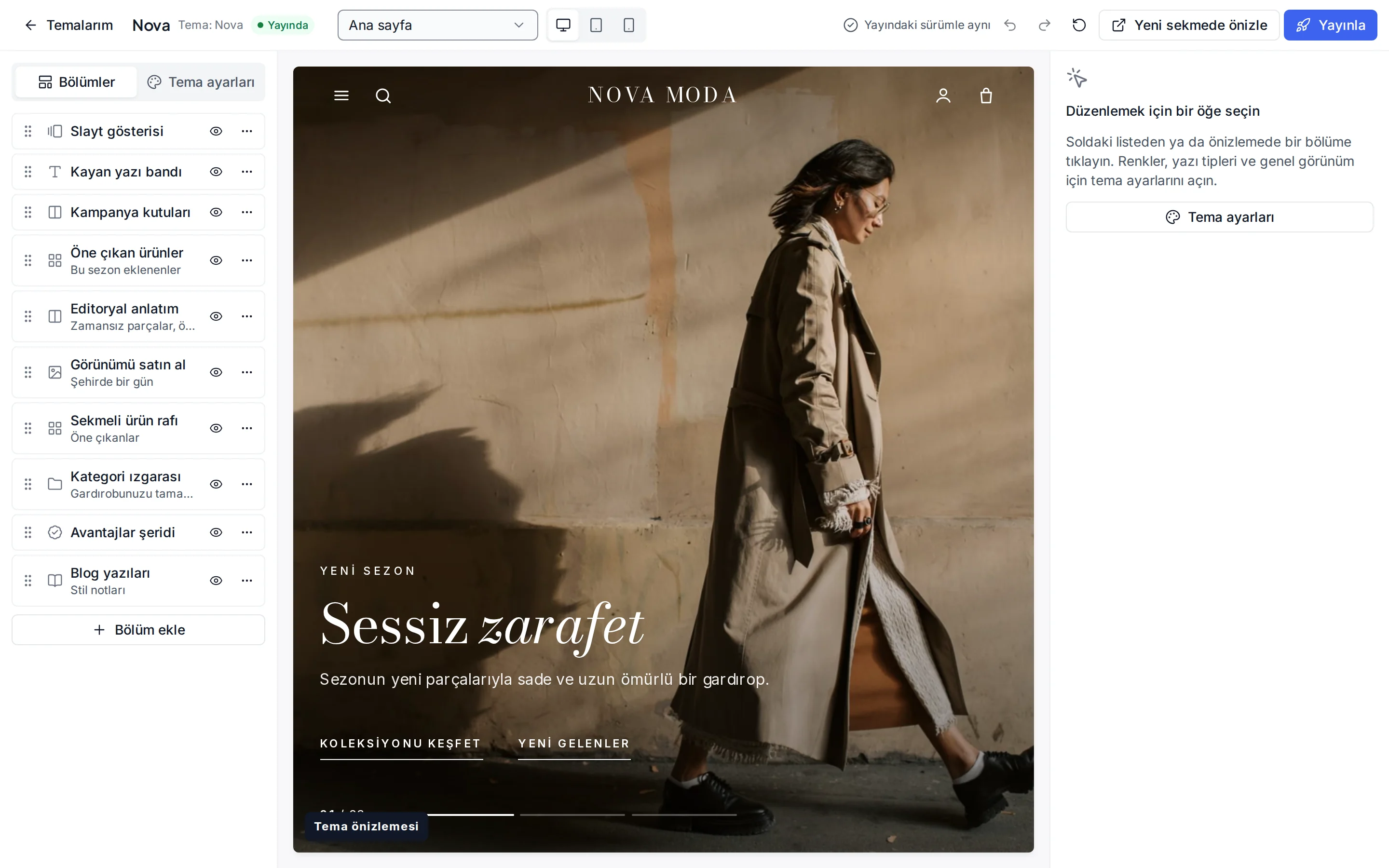
What can you change without writing code?
These settings are ready in the theme editor; changes stay as a draft until you publish.
Colour presets
Emerald, Onyx, Sapphire and the light Ivory; you can also change each of the eight colours separately.
Fonts
Cormorant Garamond for headings and Jost for text; change them from the Google font list.
Header and navigation
Header colour, sticky header, search, announcement bar, and language and currency switchers.
Opening
A background video or image, a separate phone image, heading, buttons, overlay and height.
Gift finder
Budget headings (written from the price filter when left empty), and person and occasion links.
Product card
Rating and brand display, second image, quick add, old price, unit price and the “New” label period.
Corners, buttons and layout
Corner radius, button shape and letter case, page width, section spacing and cart type.
Footer
Footer colour, newsletter form, payment icons and social media links.
Which stores is this theme for?
Jewellery and accessories
Designed for jewellery, watch, accessory and luxury brands. It works together with personalisation, gift wrapping and consultation over WhatsApp.
Frequently asked questions
Can I add a video to the opening?
Yes. You enter a video address and an image in the opening section; the video plays muted, looped and inline, and the image is both the poster frame and what visitors who prefer reduced motion see. A visible pause button gives visitors control.
Where do the budget headings in the gift finder come from?
If you leave a budget card's heading empty, the theme writes it from the price filter and in the visitor's currency. You tie the person and occasion cards to the tags you add to your products.
How is the menu panel edited?
The panel is built from your main menu and shown with large serif links. If a category in the menu has an image, it appears large at the end of the panel as a featured collection.
Try the jewellery theme
Browse the demo store and, if you like it, open your account and install the theme. No credit card is asked during the trial.