Kids and toys
Uçurtma
A cheerful but tidy playground
A cheerful but tidy playground for kids, toy, baby, hobby and book stores. Parents choose by age and a gift finder makes deciding easier.
- Blob-masked photos, highlighted words and a wavy-edged slider
- Shop by age: age ranges from product tags
- Gift finder, parent guide and a mobile tab bar
₺2,490 + VAT · one-time licence
Products and content in demo stores are samples; orders cannot be placed in a demo store.
Header and opening
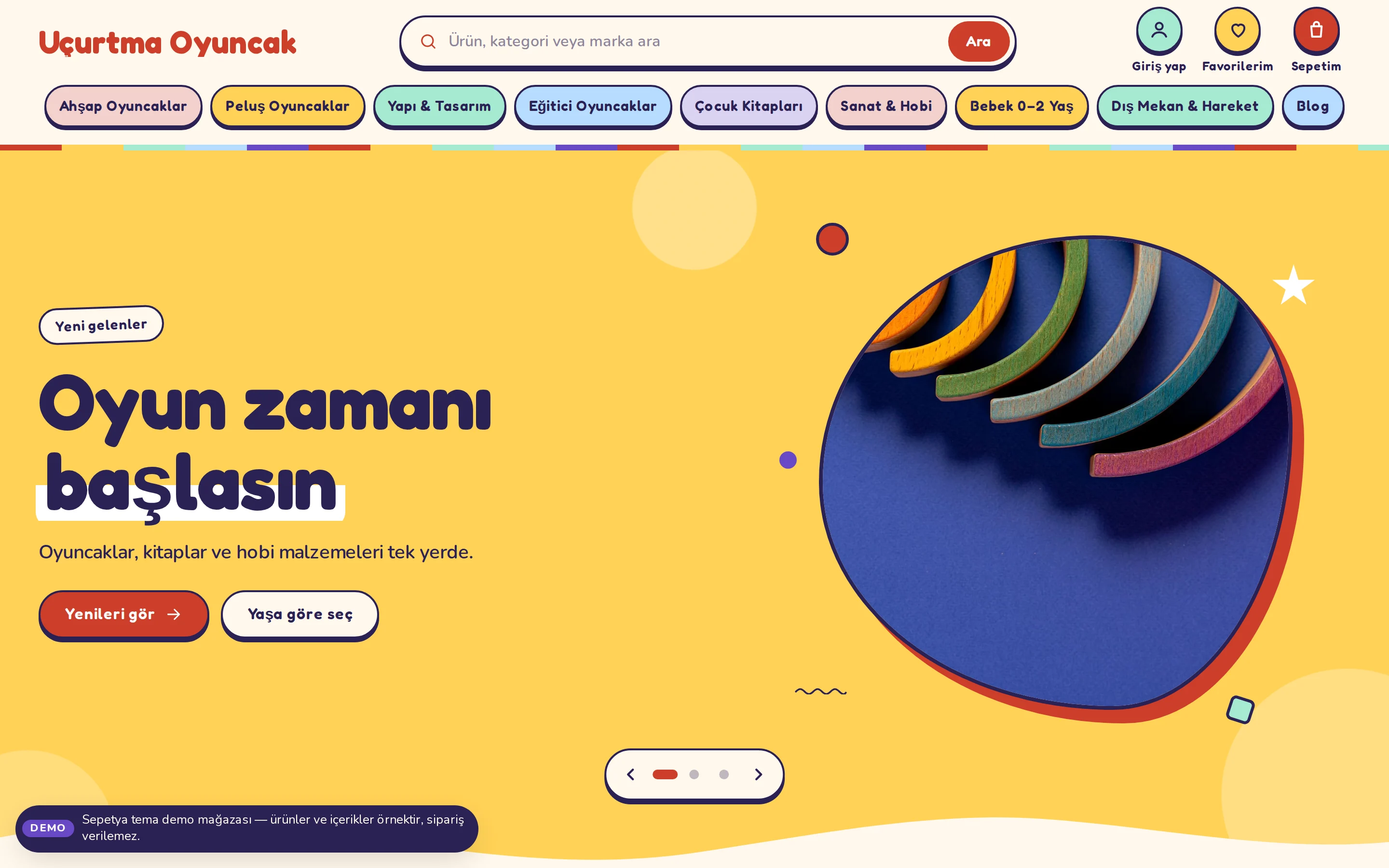
A colourful strip, a rounded search and a blob-masked slider
Above the header sit a thin rainbow edge and the announcement strip. Below, the store name is set in a rounded display face, with a large rounded search field and big, round, labelled buttons for the account, favourites and cart; the menu runs as colourful rounded chips.
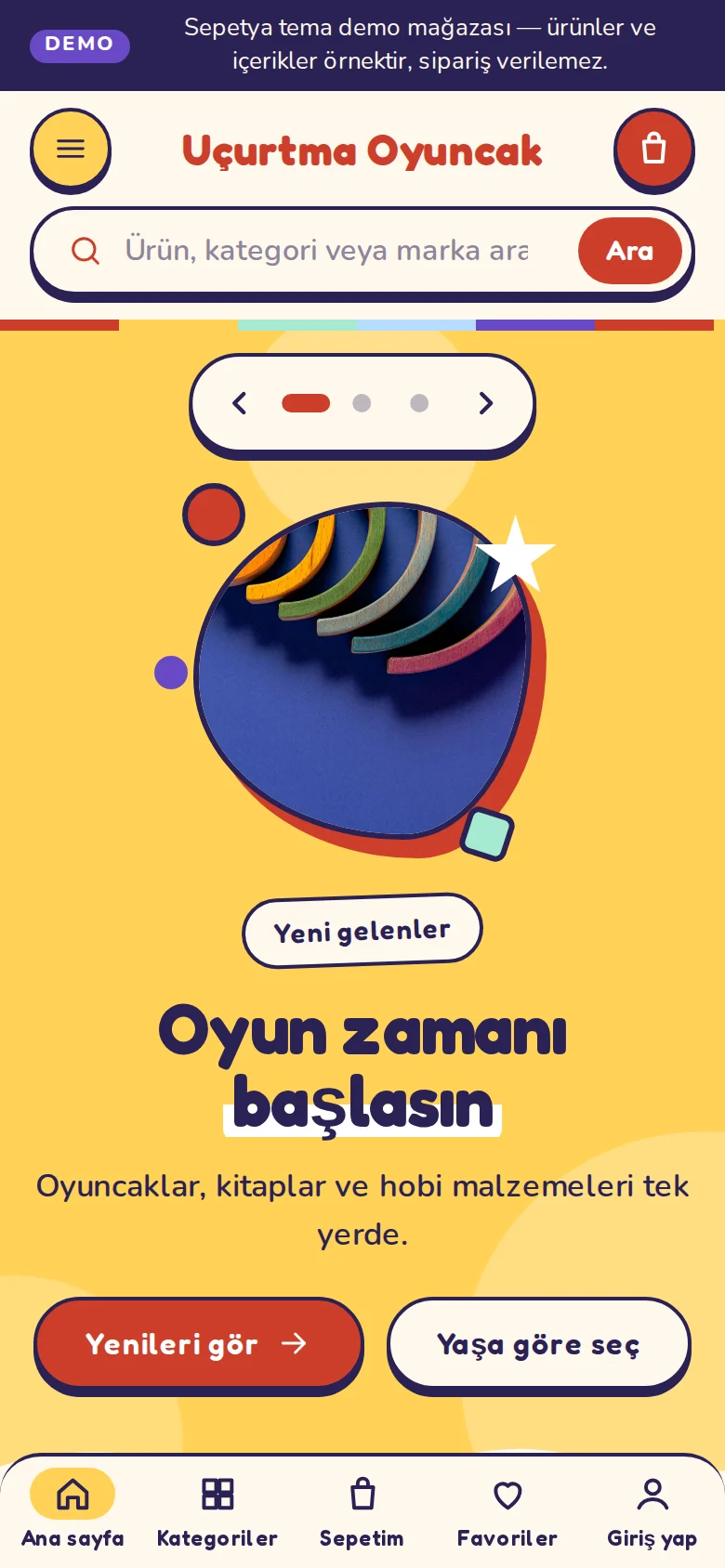
Each slide is a colour field: text on one side and a photo cut with an organic mask on the other; emphasised words are drawn like a highlighter stroke and the lower edge is wavy. Slides move sideways and the photo enters with a bounce; for visitors who prefer reduced motion all movement stops. On phones there is a compact row (menu, name, cart), a search on its own row that is always visible, and a bottom tab bar.
- An announcement strip with a rainbow edge and a rounded search
- Blob-masked photos and a wavy-edged slider
- A bottom tab bar and always-visible search on phones
Product card
A tinted round card, an age range and a round “+”
The card's background tint changes with its position in the grid; the photo sits in a soft frame and tilts slightly on hover. The card shows the product's age range, its name, a bold rounded price and a round “+” button.
The age range is read only from the product's tags such as yas-3-5; nothing is guessed. The “+” button adds a product that the cart accepts as it is directly (in the first quantity its quantity rule allows) and opens the product page for products that need an option, personalisation or bundle contents. Sold-out products show no button.
- A tint that changes with the card’s position
- An age range read from tags
- One-tap add for products that need no choices
Signature sections
Age bubbles, a gift finder, colour chips and a parents section
On the home page a “how old are they?” section shows large bubbles tied to age tags (such as 0–2, 3–5, 6–8, 9–12), and each shortcut takes the theme's next colour. The gift finder cards lead to listings by budget, age or best sellers; an empty budget heading is written from the price filter.
Wavy section transitions, category circles, a tabbed toy shelf, a “for parents” information grid and a parent guide blog section are ready. The footer has a wavy top edge and a sunny newsletter card.
- Shop-by-age bubbles
- A gift finder and colour chips
- A parent information grid and guide
Customisation
What can you change without writing code?
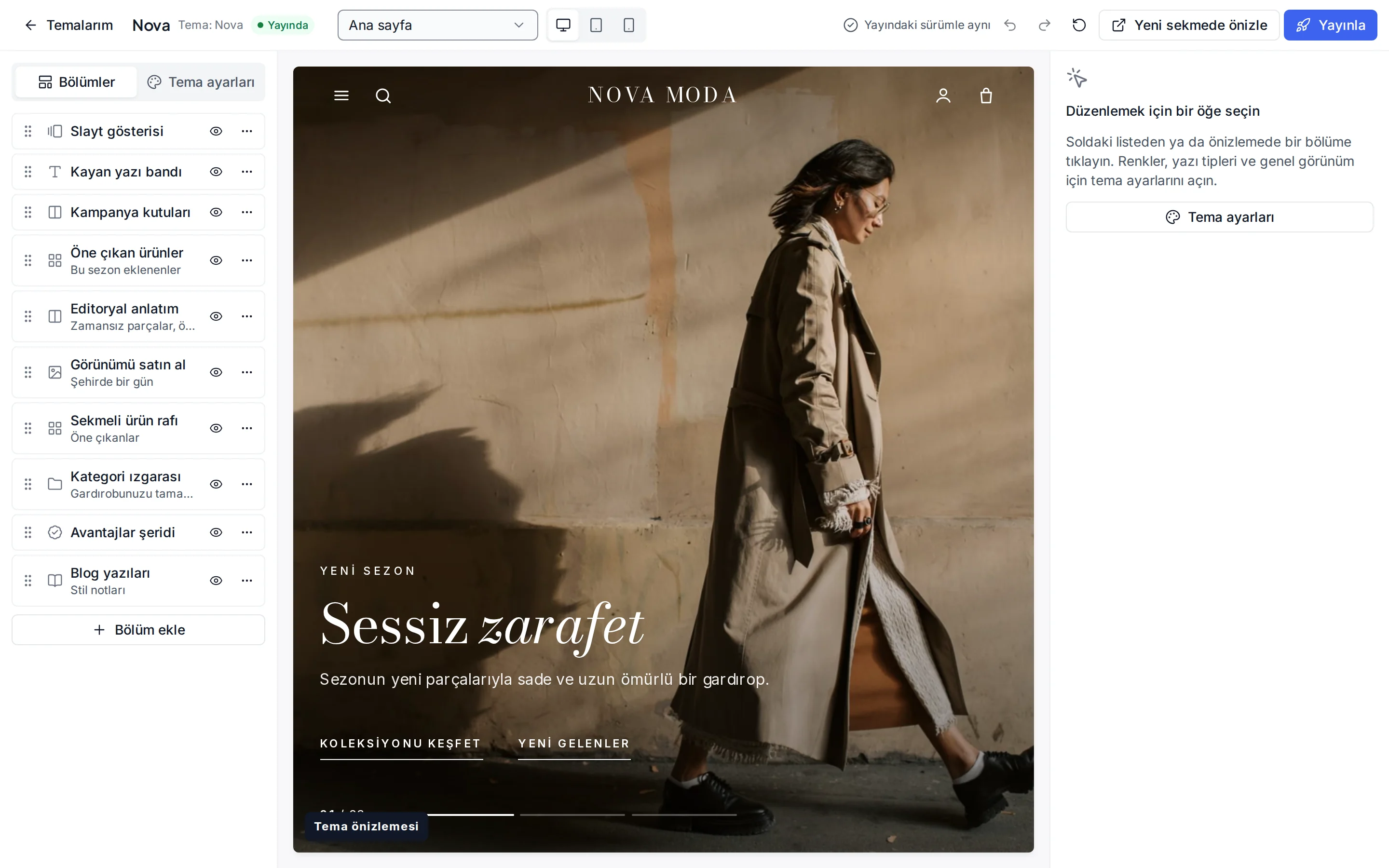
These settings are ready in the theme editor; changes stay as a draft until you publish.
Colour presets
Sunny, Ocean, Forest and Candy; you can also change each of the eight colours separately.
Fonts
Fredoka for headings and Nunito for text; change them from the Google font list.
Header and navigation
Header colour, sticky header, search, announcement bar, and language and currency switchers.
Slides
Image, an emphasised word (written between asterisks) and buttons per slide; autoplay and interval.
Age bubbles
Label, sub-label and link per bubble; the age groups come from product tags.
Gift finder
Icon, link, sub-label and budget heading per card (written from the price filter when empty).
Product card
Rating and brand display, second image, quick add, old price, unit price and the “New” label period.
Corners, buttons and layout
Corner radius, button shape, page width, section spacing and cart type.
Which stores is this theme for?
Kids and toys
Designed for kids, toy, baby, hobby and book stores. It works together with age tags, a gift finder and reviews.

Frequently asked questions
How do the age bubbles work?
The bubbles are links tied to the age tags you add to your products (yas-0-2, yas-3-5, yas-6-8, yas-9-12). A product without a tag does not appear in these listings and shows no age range on its card. You can change the labels and links of the bubbles in the theme editor.
How do I make the highlighted word in a slide?
Write the word you want to emphasise between asterisks in the slide heading (for example Let *playtime* begin); the theme draws that word with a highlighter stroke.
Is there too much movement?
Movement is measured: slides advance slowly on desktop and pause on hover, and there is no autoplay on phones. For visitors who prefer reduced motion, all animations are switched off.
Try the kids and toys theme
Browse the demo store and, if you like it, open your account and install the theme. No credit card is asked during the trial.