Analytics · Heatmaps and surveys
Hotjar integration
Add the Hotjar tag to your storefront for heatmaps, session recordings and surveys. Runs only for visitors who allow analytics cookies.
- Depends on analytics cookie consent
- Just the Site ID
What it does
Heatmaps, recordings and surveys
Hotjar shows visitor behaviour with heatmaps and session recordings and collects feedback with surveys; the data is collected in your Hotjar account.
Follows cookie consent
Because Hotjar has no consent API, the script is added to the page only for visitors who allow analytics cookies.
A single field
There is no setting other than the Site ID (digits only); the Hotjar tag is added to the storefront pages.
How events are sent
Events in the storefront first pass through the cookie consent: if the visitor has not given marketing or analytics consent the event is not sent. With consent, the event goes to the tool you connected.
You choose which tool to connect and enter its ids in the store dashboard; you can switch it off whenever you like.
How to connect it in the dashboard
You enter your keys and ids in the store dashboard; secret values are stored encrypted and masked in the panel.
- Step 1: 1
Get your Site ID
Copy your site’s Site ID from Hotjar › Sites & Organizations.
- Step 2: 2
Connect the app
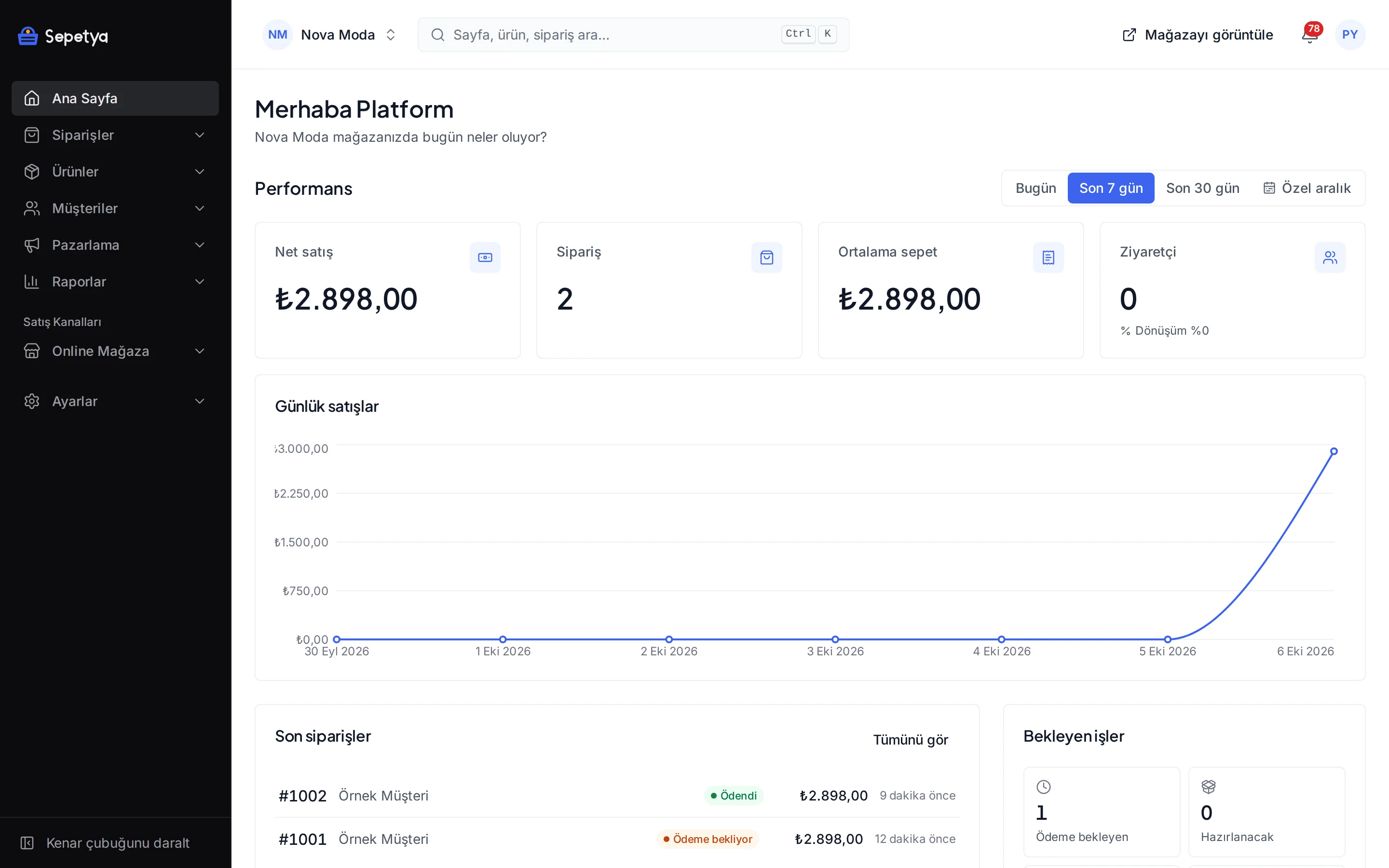
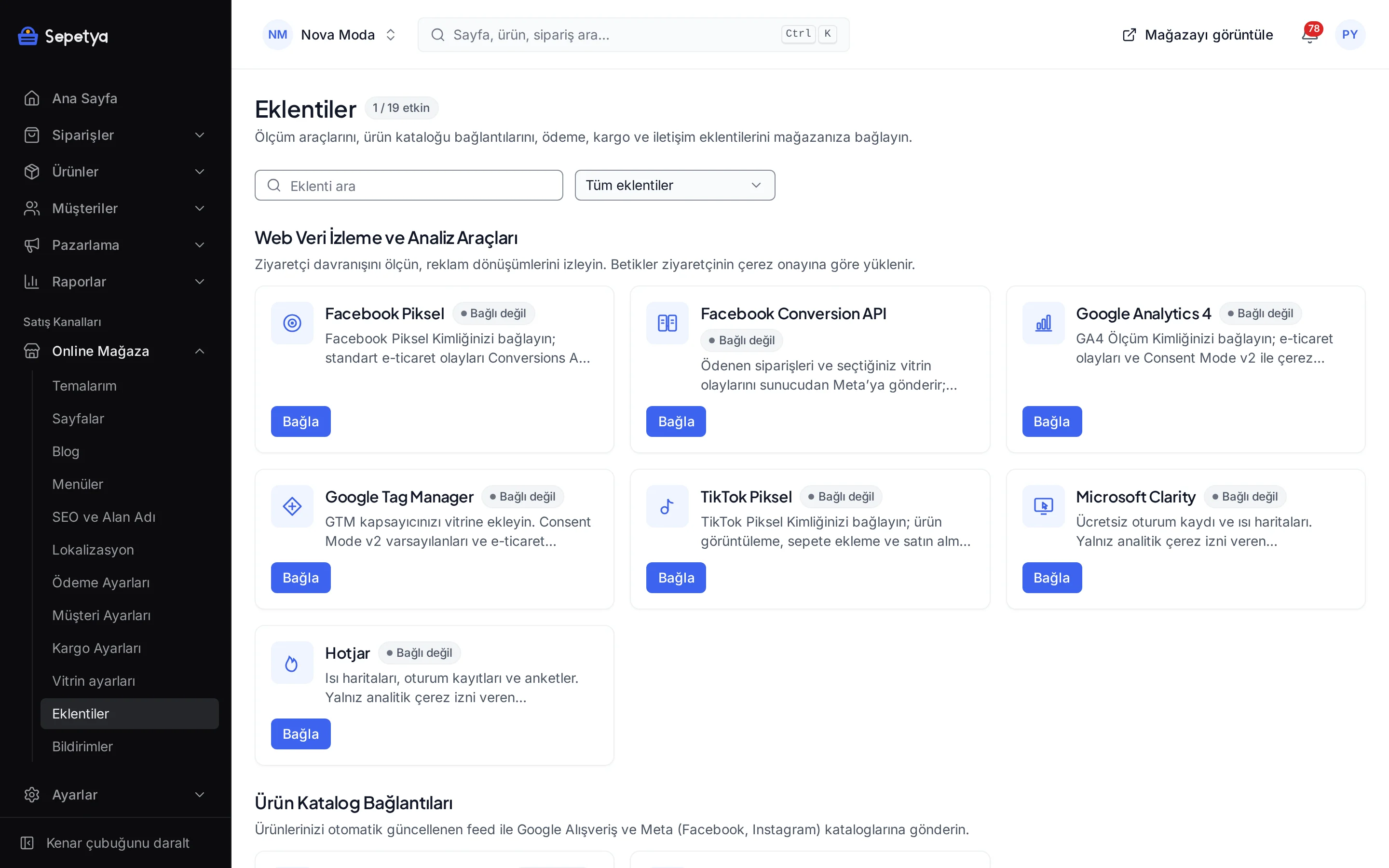
On the Apps page, in the Web Tracking and Analytics Tools group, click Connect next to Hotjar.
- Step 3: 3
Enter the ID and activate
Paste the value into the Site ID field and click Save and activate.
- Step 4: 4
Verify the installation
Open your store, allow analytics cookies in the banner and check your site’s installation status in Hotjar.
Good to know
- Hotjar has no consent API. The platform adds the script to the page only after analytics consent is given; no separate consent signal is passed to Hotjar.
- Recordings live in Hotjar. Heatmaps, recordings and surveys are stored in your Hotjar account under Hotjar’s terms; the platform does not show them in the dashboard.
- Session recordings can contain personal data. Masking sensitive fields and naming Hotjar in your privacy and cookie texts is your responsibility; this is not legal advice.
- The platform’s own analytics is independent. The cookie-free storefront analytics under Reports › Traffic and analytics does not depend on Hotjar.
The name Hotjar belongs to its owner; this page does not imply a partnership or endorsement.
Hotjar: frequently asked questions
Does Hotjar run without cookie consent?
No. The script is added to the page only after the visitor allows analytics cookies in the banner.
Where do I find the Site ID?
In Hotjar it is listed next to your site on the Sites & Organizations page; it is made of digits only.
Can I use Clarity and Hotjar together?
Technically both can be added, but each tool passes visitor data to a separate provider. To avoid unnecessary data transfers, choosing one is usually recommended.
Where do I watch the recordings?
In Hotjar’s own dashboard. The platform dashboard does not show heatmaps or session recordings.
Connect it from the dashboard in a few steps
Set up your store and try the integration yourself during the trial; your keys only ever work for your own store.