Advertising · Server-side events
Meta Conversions API integration
Sends paid orders and the storefront events you choose to Meta from the server; it shares event ids with the Pixel, so nothing is counted twice.
- Deduplicated with the Pixel
- Customer data is hashed with SHA-256
- A send-test-event action
What it does
Purchase when the order is paid
When an order is paid, the Purchase event goes to Meta from the server; late payments such as bank transfers are sent at the moment of payment.
The storefront events you choose
In the settings you choose which of ViewContent, AddToCart, InitiateCheckout, AddPaymentInfo, Search and CompleteRegistration are also sent from the server. These events are sent only for visitors who allowed marketing cookies.
Deduplication with the Pixel
The same event id as the browser Pixel is used, so Meta does not count the same event twice.
Hashed customer data
Matching data such as e-mail, phone, name and country is hashed with SHA-256 after Meta’s normalisation; IP address, user agent and the _fbp/_fbc cookies are sent in clear as Meta requires.
Test event
Enter a test event code and click “Send test event” on the app page; you will see a PageView under Events Manager › Test events. Leave the code empty in production.
Error log and retries
Failed sends are retried; the last error and the logs are visible on the app page.
How events are sent
Events in the storefront first pass through the cookie consent: if the visitor has not given marketing or analytics consent the event is not sent. With consent, the event goes to the tool you connected.
You choose which tool to connect and enter its ids in the store dashboard; you can switch it off whenever you like.
How to connect it in the dashboard
You enter your keys and ids in the store dashboard; secret values are stored encrypted and masked in the panel.
- Step 1: 1
Connect the Meta Pixel first
Recommended: connect the Meta Pixel app first. The Conversions API works with the same Pixel ID, and deduplication needs the browser Pixel alongside it.
- Step 2: 2
Create an access token
Create an access token under Meta Events Manager › Settings › Conversions API.
- Step 3: 3
Connect the app
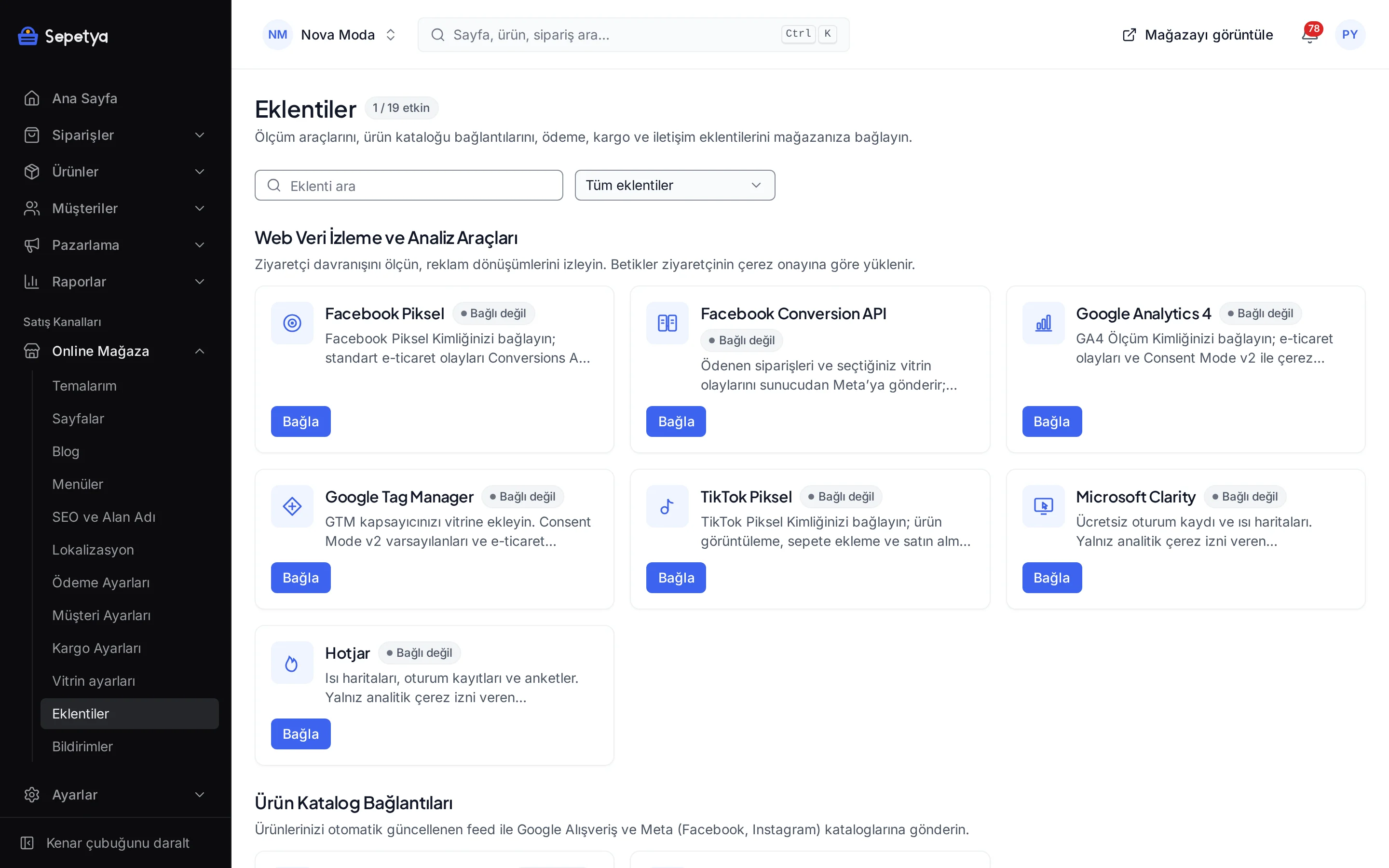
On the Apps page, in the Web Tracking and Analytics Tools group, click Connect next to Meta Conversions API.
- Step 4: 4
Fill in the fields
Enter the Pixel ID and the access token (stored encrypted) and choose the events to also send from the server. For testing, enter the test event code (for example TEST12345).
- Step 5: 5
Send a test event
After Save and activate, click “Send test event” on the app page and look for the event under Events Manager › Test events.
- Step 6: 6
Go live
Clear the test event code and save; events are now counted in your real reports.
Good to know
- The purchase event also depends on cookie consent. When an order is paid, Purchase goes out from the server if the visitor allowed marketing cookies when placing the order; orders of visitors who did not, and orders from the dashboard, the API or marketplaces, are not sent. The other events are also sent only for visitors who allowed marketing cookies. Disclosing the transfer of customer data to Meta in your privacy notice and cookie policy is your responsibility; this is not legal advice, so ask your lawyer.
- Events older than seven days are not sent. Meta rejects them, so an old payment event is skipped and you see a warning in the log.
- You manage your ad account. Audiences, campaigns and reports live in Meta; the app only sends events.
- Deduplication needs the Pixel. Without the browser Pixel, events arrive from the server only and browser behaviour signals are missing.
The names Meta and Facebook belong to their owner; this page does not imply a partnership or endorsement.
Meta Conversions API: frequently asked questions
Is anything counted twice together with the Pixel?
No. The Pixel and the Conversions API use the same event id; for purchases it is the order id. Meta counts matching events as one.
Which events are sent from the server?
Purchase is sent when the order is paid, if the visitor allowed marketing cookies when placing it. You choose ViewContent, AddToCart, InitiateCheckout, AddPaymentInfo, Search and CompleteRegistration in the settings; these are sent only for visitors who allowed marketing cookies.
How is customer data sent to Meta?
Fields such as e-mail, phone, name and country are hashed with SHA-256 following Meta’s normalisation rules. The IP address, user agent and the _fbp/_fbc cookies are sent in clear as Meta requires. You must make the necessary disclosures in your privacy notice.
What is the test event code for?
With the code entered, the events you send appear under Events Manager › Test events, and the “Send test event” action sends a PageView with it. Clear the code when you go live.
Connect it from the dashboard in a few steps
Set up your store and try the integration yourself during the trial; your keys only ever work for your own store.