Advertising · Pixel
TikTok Pixel integration
Connect your TikTok Pixel ID to send product view, add-to-cart and purchase events.
- Depends on marketing cookie consent
- Standard e-commerce events
- Just the Pixel ID
What it does
Standard e-commerce events
ViewContent, AddToCart, InitiateCheckout, AddPaymentInfo, Purchase, Search and CompleteRegistration are sent with product details, value and currency; page views are reported too.
Follows cookie consent
The Pixel is loaded only for visitors who allow marketing cookies; if consent is withdrawn, TikTok is told.
Event id
Every event is sent with an event id; for purchases the order id is used.
Product details
Events carry the product id, name, quantity and price; the product id is the variant id.
How events are sent
Events in the storefront first pass through the cookie consent: if the visitor has not given marketing or analytics consent the event is not sent. With consent, the event goes to the tool you connected.
You choose which tool to connect and enter its ids in the store dashboard; you can switch it off whenever you like.
How to connect it in the dashboard
You enter your keys and ids in the store dashboard; secret values are stored encrypted and masked in the panel.
- Step 1: 1
Get your Pixel ID
Copy the Pixel ID, made of upper-case letters and digits, from TikTok Ads Manager › Events › Web events.
- Step 2: 2
Connect the app
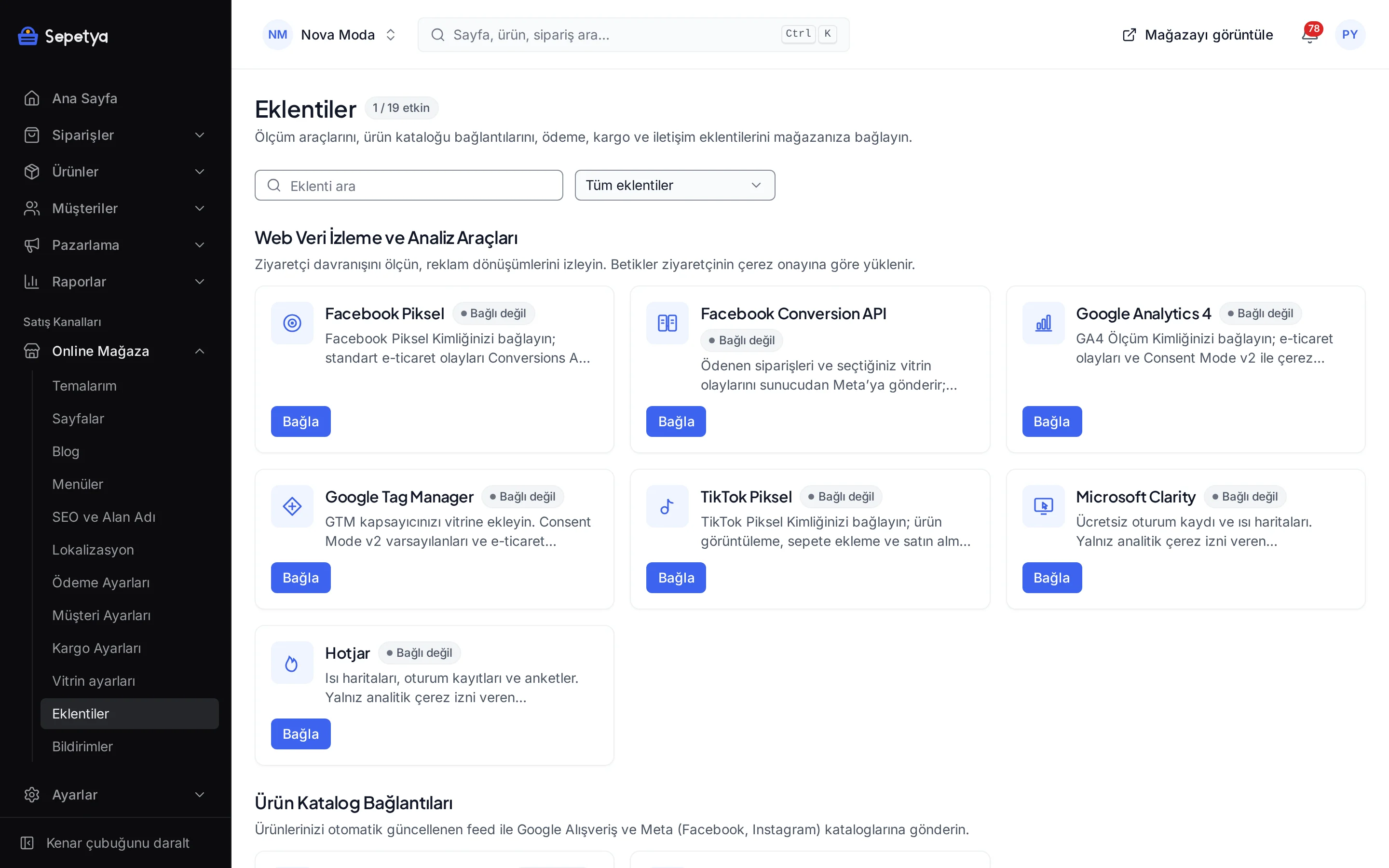
On the Apps page, in the Web Tracking and Analytics Tools group, click Connect next to TikTok Pixel.
- Step 3: 3
Enter the ID and activate
Paste the ID into the TikTok Pixel ID field and click Save and activate.
- Step 4: 4
Verify the events
Open your store, allow marketing cookies in the banner and check with TikTok’s event testing tools that the events arrive.
Good to know
- The TikTok Pixel runs in the browser only. There is no server-side event sending (Events API); ad blockers can block some events.
- It loads only for visitors who allow marketing cookies. Numbers reported in TikTok can be lower than real traffic.
- You manage your ad account. Audiences and campaigns live in TikTok; the app only sends events.
The name TikTok belongs to its owner; this page does not imply a partnership or endorsement.
TikTok Pixel: frequently asked questions
Can I send events to TikTok from the server?
No. This app is a browser pixel; there is no server-side event sending.
Which events are sent?
ViewContent, AddToCart, InitiateCheckout, AddPaymentInfo, Purchase, Search and CompleteRegistration, plus page views. Events carry the product id, name, quantity, price, value and currency.
Where do I find the Pixel ID?
In TikTok Ads Manager under Events › Web events; it is made of upper-case letters and digits.
What happens for a visitor who declines cookies?
The Pixel is not loaded and TikTok does not see that visit. If the visitor allows cookies later the Pixel loads; if consent is withdrawn, TikTok is told.
Connect it from the dashboard in a few steps
Set up your store and try the integration yourself during the trial; your keys only ever work for your own store.